Skip to content
View in the app

A better way to browse. Learn more.

LCPDFR.com

A full-screen app on your home screen with push notifications, badges and more.

To install this app on iOS and iPadOS
  1. Tap the Share icon in Safari
  2. Scroll the menu and tap Add to Home Screen.
  3. Tap Add in the top-right corner.
To install this app on Android
  1. Tap the 3-dot menu (⋮) in the top-right corner of the browser.
  2. Tap Add to Home screen or Install app.
  3. Confirm by tapping Install.

IMMERSIVE DISPATCH ALERT TONES 1.0.0

(1 review)

1 Screenshot

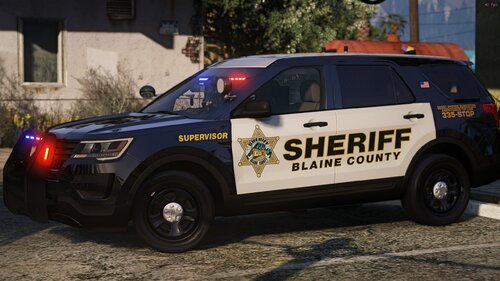
Makes playing LSPDFR even more immersive with realistic dispatch alert tones

  • ADDED REALISM
  • EASY INSTALLATION
  • HIGH QUALITY AUDIO
  • NO REQUIREMENTS


DONATE

Any donations are much appreciated

If you donate i will make something especially for you including:

Vehicle textures, EUP clothing, uniforms, audio modifications


User Feedback

Recommended Comments

SrLuK

Members

(edited)

Good! 😄 

Edited by SrLuK

ParkerWBA2006

Members Author

(edited)

46 minutes ago, SrLuK said:

Good! 😄 

Thank you would you like any specific mod created?

Or any suggestions

Edited by ParkerWBA2006

SrLuK

Members

2 horas atrás, ParkerWBA2006 disse:

Obrigado, você gostaria de algum mod específico criado?

Ou alguma sugestão

Not specific, I just see a lot of audio files in the game that can be explored to be more realistic. Currently, you can find modified audios for the vehicle's weapons, tires and engine, and that's it.
The suggestion is: bring more realistic audios, as varied as you can imagine and explore.

On 6/28/2020 at 7:57 PM, ParkerWBA2006 said:

Thank you would you like any specific mod created?

Or any suggestions

We need real voiced dispatchers  for realism. 

Create an account or sign in to comment

Latest Mods

Account

Navigation

Search

Search

Configure browser push notifications

Chrome (Android)
  1. Tap the lock icon next to the address bar.
  2. Tap Permissions → Notifications.
  3. Adjust your preference.
Chrome (Desktop)
  1. Click the padlock icon in the address bar.
  2. Select Site settings.
  3. Find Notifications and adjust your preference.