
Skip to content
View in the app

A better way to browse. Learn more.

LCPDFR.com

A full-screen app on your home screen with push notifications, badges and more.

To install this app on iOS and iPadOS
  1. Tap the Share icon in Safari
  2. Scroll the menu and tap Add to Home Screen.
  3. Tap Add in the top-right corner.
To install this app on Android
  1. Tap the 3-dot menu (⋮) in the top-right corner of the browser.
  2. Tap Add to Home screen or Install app.
  3. Confirm by tapping Install.

GrammarPolice 1.8.3

(82 reviews)

4 Screenshots


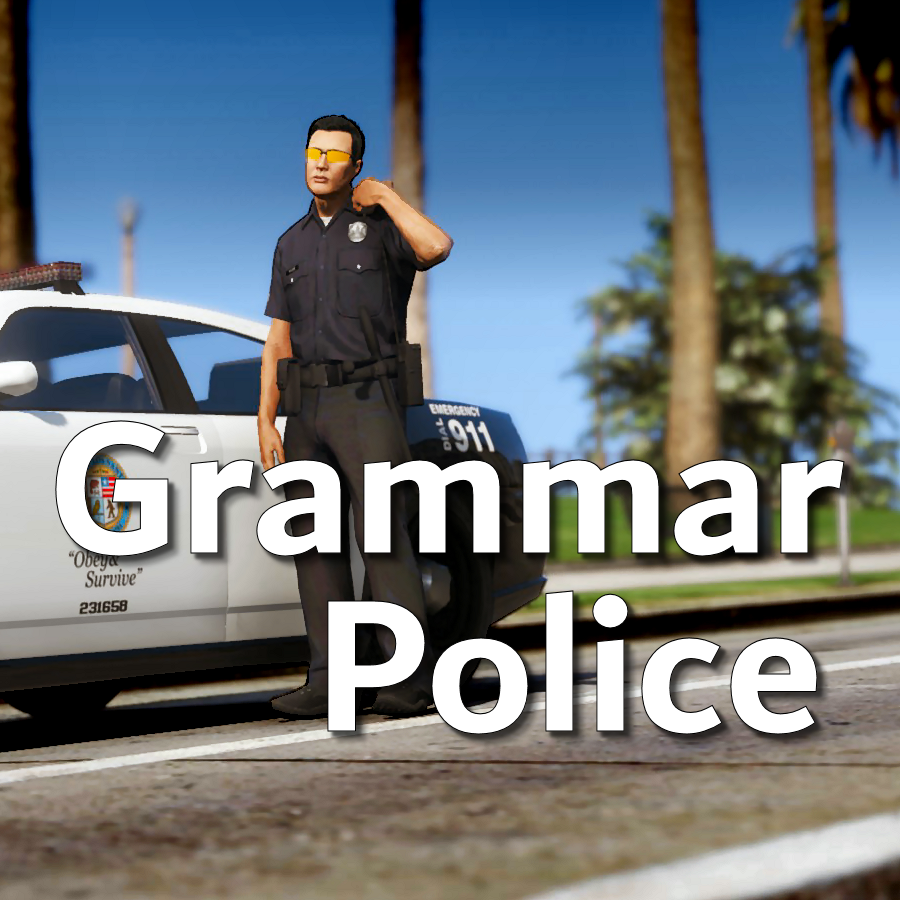
Welcome to Grammar Police!  This plugin began as a replacement for VocalDispatch but has grown into much more!


Speech Recognition

  • Issue commands to the dispatcher using your microphone
  • Includes a "hold to talk" feature that simulates a real radio
  • Supports StopThePed and UltimateBackup out of the box
  • Contains multiple sets of "10 codes" or customize yourself
  • Request backup, run plate checks, accept callouts and more!


Non-Verbal Interactions

  • Use an on-screen radio to interact with the dispatcher
  • Also includes a Officer Plugin Status style menu system
  • Both systems are fully customizable!


Language Support

  • English
  • French
  • German
  • Spanish


Technical Support


Tutorial Videos

Edited by opus49

What's New in Version 1.8.3

Released

Grammar Police 1.8

  • Restored player status display on PTT release (thanks OfficialFlipPlayz)
  • Restored the "say again" and generic response functionality
  • Restored emergency status on panic (thanks L’ère de l’a-paix)
  • Hardened radio check to prevent crash when there aren't any results
  • Adjusted timings of (non-chest) animations to look and sound more natural
  • Invalid callsigns no longer cause a failure but instead fallback to default
  • Moved speech engine handling to a separate thread to minimize UI freezes
  • Updated the radio check feature and added it to the settings menu
  • Fixed bug in felony backup request where it incorrectly saw no pullover
  • Detect Dynamic Traffic Stop from CalloutInterface and set status accordingly
  • Made configuration loading more resilient, no longer crashing on bad values
  • HoldToTalk now defaults to true and should benefit from engine worker thread
  • Made the delay between speech recognition and action execution configurable
  • Added config option for using the LSPDFR animation when using on screen radio
  • Added support for multiple handlers (e.g. UltimateBackup, PolicingRedefined)
  • Added command for cancelling backup without ending callouts, pullovers, etc
  • Fixed bug with INI where it wasn't allowing the hotkey modifier to be none
  • Added script generated HTML-based speech guides for all languages

    NOTE: THIS VERSION REQURES MICROSOFT SPEECH PLATFORM
    Microsoft has removed the interface for Windows Speech Recognition in recent versions of Windows 11.  Starting with this version of Grammar Police you will need to install Microsoft Speech Platform and the language pack you wish to use:


    Instructional video here:

    Microsoft Speech Platform: https://www.microsoft.com/en-us/download/details.aspx?id=27225
    Language Packs:  https://www.microsoft.com/en-us/download/details.aspx?id=27224
    Community Translations:   https://github.com/Immersive-Plugins-Team/GrammarPolice-Translations

Short Description

Interact with the dispatcher.

User Feedback

Recommended Comments

Thomas12345

Members

(edited)

cool

Edited by Thomas12345

PO M.

Members

(edited)

21.06.2020 в 16:36, opus49 сказал:

-Что это за чертовщина?"


Это очень грубо.


Ваша проблема является проблемой с вашим компьютером, не Grammar Police. Внутренняя ошибка означает, что что-то на вашем компьютере мешает вашему аудио, как правило, драйвер или какой-то дополнительный аудио сервис.


Sorry for being rude. I work with Google translator, maybe he misunderstood me.


I solved the problem by turning off the microphone in the chat voice section. And it worked, he understands me.

Edited by PO M.

sztukadzik

Members

On 6/21/2020 at 9:13 PM, opus49 said:


The Microsoft System.Speech engine does not support Polish, unfortunately. 

maybe you know how to solve that, Im from Poland and all my system is in polish and can i still use grammar police in english or i must instal something ?

opus49

Insiders Author

10 minutes ago, sztukadzik said:

maybe you know how to solve that, Im from Poland and all my system is in polish and can i still use grammar police in english or i must instal something ?


Yes you can install U.S. English speech recognition.  Go to Settings > Time & Language > Language > Add a preferred language


Make sure you select "Speech recognition" and Install.

sztukadzik

Members

2 hours ago, opus49 said:


Yes you can install U.S. English speech recognition.  Go to Settings > Time & Language > Language > Add a preferred language


Make sure you select "Speech recognition" and Install.

thanks men awesome plugin, ours community are everywhere one more thanks for help and greetings from Poland 😄

opus49

Insiders Author

16 minutes ago, sztukadzik said:

thanks men awesome plugin, ours community are everywhere one more thanks for help and greetings from Poland 😄


Thank you for the positive feedback!

ziipzaaapM16A4

Insiders

(edited)

Is it possible that you add a "Wait for Response" mode?

so we have an request: "Dispatch from 1-L-18", then the Dispatch responds with "1-L-18 (come in)" and then the information "i need Backup at xxxxx"


Just like here: 


Edited by ziipzaaapM16A4

opus49

Insiders Author

2 minutes ago, ziipzaaapM16A4 said:

Is it possible that you add a "Wait for Response" mode?

Just like here: 


This already exists. If you give just the preface it will prompt you to go ahead.


Immersive Dispatch expands on this and is probably just what you're looking for.

ziipzaaapM16A4

Insiders

Just now, opus49 said:


This already exists. If you give just the preface it will prompt you to go ahead.


Immersive Dispatch expands on this and is probably just what you're looking for.

Oh i didn't see that at the demo. thx for the quick response

Seccond Question: 

Is it already possible to trigger existing Vocal Dispatch commands with GrammarPolice? because there are probably some older Plugins with great features such as BetterEMS.

opus49

Insiders Author

19 minutes ago, ziipzaaapM16A4 said:

Oh i didn't see that at the demo. thx for the quick response

Seccond Question: 

Is it already possible to trigger existing Vocal Dispatch commands with GrammarPolice? because there are probably some older Plugins with great features such as BetterEMS.


No, there is no interplay between GP and VD.  However, it's pretty easy to add actions to GP.  The tutorial video uses Better EMS as an example.

opus49

Insiders Author

9 minutes ago, SuperBear said:


opus49  will launch more languages????


I think the only languages left that Microsoft's System.Speech supports is Japanese and Mandarin.

Deactivated Member

Deactivated

(edited)

4 minutos atrás, opus49 disse:


Acho que os únicos idiomas que o System.Speech do Microsoft support são o japonês e o mandarim.


Ok thanks


Edited by SuperBear

ziipzaaapM16A4

Insiders

1 hour ago, opus49 said:


No, there is no interplay between GP and VD.  However, it's pretty easy to add actions to GP.  The tutorial video uses Better EMS as an example.

i see. Your tutorial showed me exactly what i was searching for.

Devin Plays

Members

So, I've been ride or die with Vocal Dispatch since I started, but, it seemed only fair to give GP a shot. 

What I like: Pretty much everything, its a damn good system, and it works pretty damn well. I also really like the added level of immersion some of the responses give and the fact that theres a variety of phrases dispatch can respond with as opposed to one simply, single response. 

What I didn't: Not much to say here, the ONLY thing that kind of irked me while playing was, sometimes, the timeout for listening when accepting a call is kinda long, so, by the time it realizes you accepted a call,  you can't because its disappeared off screen.  I'm pretty sure you can adjust this in the "Microsoft Speech Engine settings" section in the ini, but it said "dont touch these if you dont know what you're doing" ....and I can follow directions! 😛

A suggestion: One thing about Vocal Dispatch I really liked was I had it set up to accept "dispatch" as a word and return a generic response. I think I can do the same thing with this by just co-opting the "advise"  command....might even be what it was originally intended for. I did the same thing for the word "disregard" for accidental key ups to get it to stop listening. Just some minor things to think about

Overall, great work, absolutely love it, will likely retain this going forward then changing back to Vocal Dispatch

Heres my contribution to the GP showcases. 


ziipzaaapM16A4

Insiders

(edited)

In your tutorial you said you: "If you want a specific type for an parameter just reach out for me".


So here my First Request:

can you include the type "Rage.Ped"

with the value "nearestped" for "Game.LocalPlayer.Character.GetNearbyPeds(1)[0];"


the idea is to call an Amulance Transport with betterEMS.  //you have an injured ped that is not unconscious and you want him/her to be transported to the hospital


    <Target>BetterEMS.API.EMSFunctions.RespondToLocation</Target>
    <Parameters>
        <Parameter>
            <Type>Rage.Ped</Type>
            <Value>nearbyped</Value>
        </Parameter>
    </Parameters>


Seccond Request:


the "Go ahad" thing is really nice but i hope you could add that dispatch would repeat my callsign (conf with .ini) just as the Radio Discipline is telling it.

Edited by ziipzaaapM16A4

opus49

Insiders Author

36 minutes ago, Transnapastain said:

So, I've been ride or die with Vocal Dispatch since I started, but, it seemed only fair to give GP a shot. 

What I like: Pretty much everything, its a damn good system, and it works pretty damn well. I also really like the added level of immersion some of the responses give and the fact that theres a variety of phrases dispatch can respond with as opposed to one simply, single response. 

What I didn't: Not much to say here, the ONLY thing that kind of irked me while playing was, sometimes, the timeout for listening when accepting a call is kinda long, so, by the time it realizes you accepted a call,  you can't because its disappeared off screen.  I'm pretty sure you can adjust this in the "Microsoft Speech Engine settings" section in the ini, but it said "dont touch these if you dont know what you're doing" ....and I can follow directions! 😛

A suggestion: One thing about Vocal Dispatch I really liked was I had it set up to accept "dispatch" as a word and return a generic response. I think I can do the same thing with this by just co-opting the "advise"  command....might even be what it was originally intended for. I did the same thing for the word "disregard" for accidental key ups to get it to stop listening. Just some minor things to think about

Overall, great work, absolutely love it, will likely retain this going forward then changing back to Vocal Dispatch

Heres my contribution to the GP showcases. 


Thanks for the feedback.  I'm going to send you a PM.

20 minutes ago, ziipzaaapM16A4 said:

In your tutorial you said you: "If you want a specific type for an parameter just reach out for me".


So here my First Request:

can you include the type "Rage.Ped"

with the value "nearestped" for "Game.LocalPlayer.Character.GetNearbyPeds(1)[0];"


the idea is to call an Amulance Transport with betterEMS.  //you have an injured ped that is not unconscious and you want him/her to be transported to the hospital


    <Target>BetterEMS.API.EMSFunctions.RespondToLocation</Target>
    <Parameters>
        <Parameter>
            <Type>Rage.Ped</Type>
            <Value>nearbyped</Value>
        </Parameter>
    </Parameters>


Seccond Request:


the "Go ahad" thing is really nice but i hope you could add that dispatch would repeat my callsign (conf with .ini) just as the Radio Discipline is telling it.


I don't think there is an overload to RespondToLocation in BetterEMS that accepts a Ped, but there is a PickUpPatient method that takes either a Ped or a Location and Ped.  Either way I am willing to put this in.  Any chance you could reach out to me through Discord to discuss?


I need more clarification on your second request as I'm not 100% sure I understand.

ziipzaaapM16A4

Insiders

(edited)

15 minutes ago, opus49 said:


Thanks for the feedback.  I'm going to send you a PM.


I don't think there is an overload to RespondToLocation in BetterEMS that accepts a Ped, but there is a PickUpPatient method that takes either a Ped or a Location and Ped.  Either way I am willing to put this in.  Any chance you could reach out to me through Discord to discuss?


I need more clarification on your second request as I'm not 100% sure I understand.

im sorry i ment "BetterEMS.API.EMSFunctions.PickUpPatient" .


Discord? sure thing, im at the DevDiscord rn

Edited by ziipzaaapM16A4

Dreamless

Members

Great Mod, but can you change the panic button backup to Ultimate Backup? Because the standard backup units are very dumb 😄 

opus49

Insiders Author

3 minutes ago, Dreamless said:

Great Mod, but can you change the panic button backup to Ultimate Backup? Because the standard backup units are very dumb 😄 


Starting at 12:11....


Dreamless

Members

4 minutes ago, opus49 said:


Starting at 12:11....


Oh, thank you. You did an amazing job 🙂

noob master0613

Members

hello i  have issues with code 3 backup can anyone help 

opus49

Insiders Author

12 minutes ago, noob master0613 said:

hello i  have issues with code 3 backup can anyone help 


Probably. Use the support thread or discord server, include a description and your RagePluginHook.log 

Create an account or sign in to comment

Latest Mods

Account

Navigation

Search

Search

Configure browser push notifications

Chrome (Android)
  1. Tap the lock icon next to the address bar.
  2. Tap Permissions → Notifications.
  3. Adjust your preference.
Chrome (Desktop)
  1. Click the padlock icon in the address bar.
  2. Select Site settings.
  3. Find Notifications and adjust your preference.

















