Skip to content
View in the app

A better way to browse. Learn more.

LCPDFR.com

A full-screen app on your home screen with push notifications, badges and more.

To install this app on iOS and iPadOS
  1. Tap the Share icon in Safari
  2. Scroll the menu and tap Add to Home Screen.
  3. Tap Add in the top-right corner.
To install this app on Android
  1. Tap the 3-dot menu (⋮) in the top-right corner of the browser.
  2. Tap Add to Home screen or Install app.
  3. Confirm by tapping Install.

RBT Alcolizer / breathalyzer (replaces inhaler for stop the ped breathtest) 1.0.0

(3 reviews)

6 Screenshots

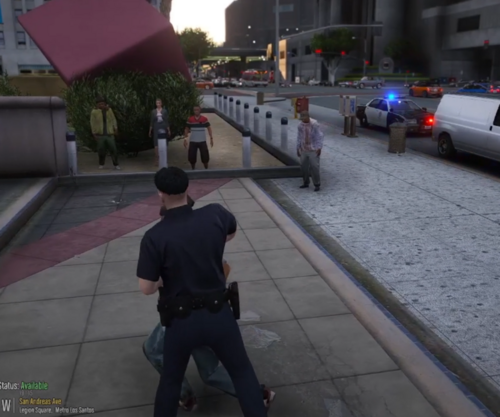
Alcolizer based on the model used by the NSW Police Force. its just a retextured phone but better than holding up an inhaler 😂 shows when performing a breath test in stop the ped

install instructions:
copy prop_inhaler_01 into mods\x64c.rpf\levels\gta5\props\lev_des\v_minigame.rpf\

copy p_inhaler_01_s into mods\x64d.rpf\levels\gta5\generic\cutsobjects.rpf\
AND mods\x64g.rpf\levels\gta5\generic\cutsobjects.rpf\

copy ng_proc_inhaler01a into mods\x64g.rpf\levels\gta5\generic\procobj.rpf\

User Feedback

Recommended Comments

Slankey

Members

This would be great if the straw was actually extended 

Deactivated Member

Deactivated

2 minutes ago, Slankey said:

This would be great if the straw was actually extended 

Its just a retextured phone, model isn't custom made

Slankey

Members

8 hours ago, skyred50 said:

Its just a retextured phone, model isn't custom made

I standby exactly what I said

estfun

Members


I can't find the button to activate the object


Synysterfence7x

Members Author

1 hour ago, estfun said:


I can't find the button to activate the object


It is shown when using the stop the ped breathalyzer 

xrihetx

Members

How to use this mod? I can't check alcohol

xrihetx

Members

does it work without stop the ped?


Create an account or sign in to comment

Latest Mods

Account

Navigation

Search

Search

Configure browser push notifications

Chrome (Android)
  1. Tap the lock icon next to the address bar.
  2. Tap Permissions → Notifications.
  3. Adjust your preference.
Chrome (Desktop)
  1. Click the padlock icon in the address bar.
  2. Select Site settings.
  3. Find Notifications and adjust your preference.