Skip to content
View in the app

A better way to browse. Learn more.

LCPDFR.com

A full-screen app on your home screen with push notifications, badges and more.

To install this app on iOS and iPadOS
  1. Tap the Share icon in Safari
  2. Scroll the menu and tap Add to Home Screen.
  3. Tap Add in the top-right corner.
To install this app on Android
  1. Tap the 3-dot menu (⋮) in the top-right corner of the browser.
  2. Tap Add to Home screen or Install app.
  3. Confirm by tapping Install.

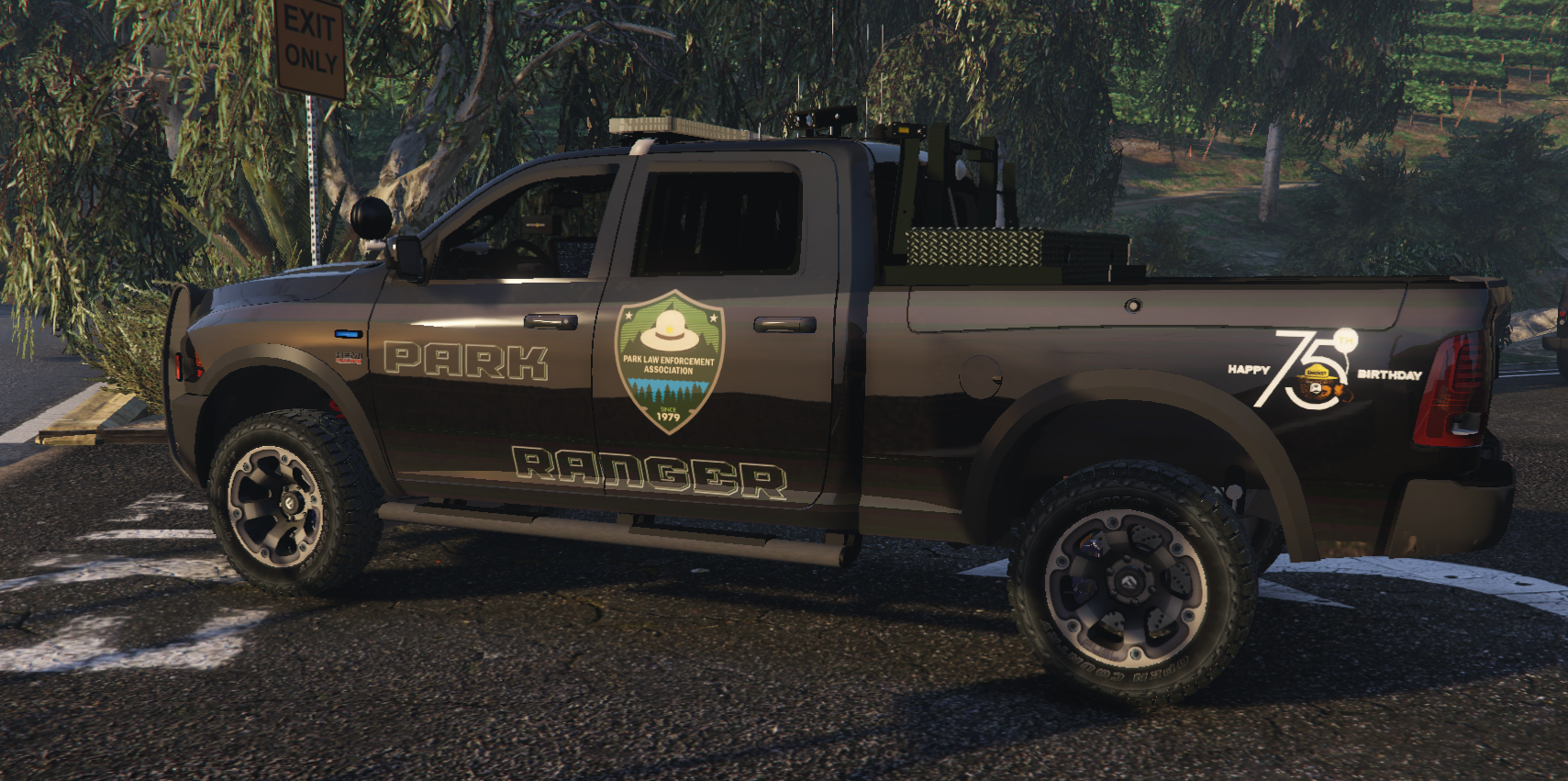
[4K] Park Ranger 1.0.1

(2 reviews)

6 Screenshots

Fictional

Replace Texture in Open IV
Follow path mods\update\x64\dlcpacks\[name of you vehicle mod folder]\dlc.rpf\x64\levels\gta5\vehicles.rpf\
replace textures in .ytd 


Skins in this pack

Dodge RAM 2018

Get the vehicle models from this pack 

Spoiler


Untitled-3.png

What's New in Version 1.0.1

Released

Add The Ford Raptor


Get the vehicle models from this pack 

Spoiler


Untitled-6.png

User Feedback

Recommended Comments

hawkbub

Members

(edited)

THANK YOU FOR THE PARK RANGER SKIN FOR THIS PACK, I literally could never find anything for this truck

.


Edited by hawkbub

gapcomputer

Members Author

You are very welcome

hawkbub

Members

One problem, cant figure out how to apply the livery, I've placed it into the .YTD file and launched it up. But the base Livery and yours wont even pop up. Any Idea?


gapcomputer

Members Author

really don't know what the problem is, you download the model from the link provided right? i can upload a 2K version and see if that works for you, 

lol.png

Silent shadow

Members

anybody know a good lighting pattern to put the ram on, the stock ones are just too slow for me. I need some actual strobe if you know what I'm saying.

Create an account or sign in to comment

Latest Mods

Account

Navigation

Search

Search

Configure browser push notifications

Chrome (Android)
  1. Tap the lock icon next to the address bar.
  2. Tap Permissions → Notifications.
  3. Adjust your preference.
Chrome (Desktop)
  1. Click the padlock icon in the address bar.
  2. Select Site settings.
  3. Find Notifications and adjust your preference.










