Skip to content
View in the app

A better way to browse. Learn more.

LCPDFR.com

A full-screen app on your home screen with push notifications, badges and more.

To install this app on iOS and iPadOS
  1. Tap the Share icon in Safari
  2. Scroll the menu and tap Add to Home Screen.
  3. Tap Add in the top-right corner.
To install this app on Android
  1. Tap the 3-dot menu (⋮) in the top-right corner of the browser.
  2. Tap Add to Home screen or Install app.
  3. Confirm by tapping Install.

EUP 8.1 Peel Police Uniforms v1.0 2.0

(1 review)

11 Screenshots

Hello everyone this is my first file so its not that great.


If you want to see sneak peaks of projects or want to post your own photos join this https://discord.gg/j2b38KS


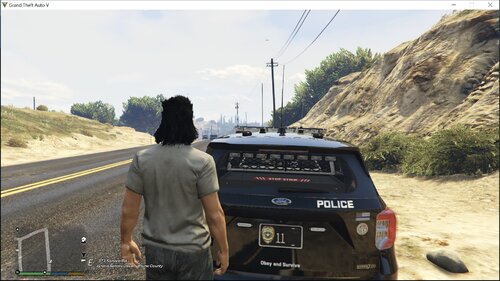
This is a peel pd EUP pack its not completely accurate i know its missing the red stripe on the pants and the vest is not completely accurate.


Anyways this is all made by me the belts and other stuff i will link but i did get some suggestion by hightflyer1.


I really suggest you download the better belt holsters and body camera mod here on LSPDFR for EUP.


Also you need Eup 8.1 for the vest and uniforms to work


i did not make the better bottom plate its just a comment.


thank you guys for downloading 


if you have any issues , if i forgot anything ,or any suggestion contact me Officer.Nick#6880.

What's New in Version 2.0

Released

New vest textures unmarked vest and a texture for the vest with a pouch! ,rain jackets, a cap with pants now with peal red stripe and removed the black box on one of the vests


also if i missed anything contact me on discord

User Feedback

Recommended Comments

Milo655

Members

May i ask how you got the belt correct installed?  (Sorry for the bad English!)

OfficerNicolas

Members Author

TASK DIFF OO4 IS BROKEN!

PattyB0Y

Members

I love you 

OfficerNicolas

Members Author

9 hours ago, PattyBoy said:

I love you 

me too no homo...

PattyB0Y

Members

On 6/17/2019 at 12:19 PM, Milo655 said:

May i ask how you got the belt correct installed?  (Sorry for the bad English!)


Navigate yourself over to mods > update > x64 > dlcpacks > eup > dlc.rpf > x64 > eup_componentpeds.rpf


Once you've reached this directory using OpenIV, copy the contents the belt models into the appropriate OpenIV folders.


The contents from the downloaded 'mp_m_freemode_01_male_freemode_hipster' folder go into your OpenIV 'mp_m_freemode_01_male_freemode_hipster' which includes 'accs_diff_001_a_uni.ytd' and 'accs_001_u.ydd'. 


The contents from the downloaded 'mp_m_freemode_01' folder go into your OpenIV 'mp_m_freemode_01' which includes 'teef_diff_008_a_uni.ytd', 'teef_diff_003_a_uni.ytd', 'teef_diff_002_a_uni.ytd', 'teef_diff_001_a_uni.ytd', 'teef_008_u.ydd', 'teef_003_u.ydd', 'teef_002_u.ydd' and 'teef_001_u.ydd'.

Create an account or sign in to comment

Account

Navigation

Search

Search

Configure browser push notifications

Chrome (Android)
  1. Tap the lock icon next to the address bar.
  2. Tap Permissions → Notifications.
  3. Adjust your preference.
Chrome (Desktop)
  1. Click the padlock icon in the address bar.
  2. Select Site settings.
  3. Find Notifications and adjust your preference.