Skip to content
View in the app

A better way to browse. Learn more.

LCPDFR.com

A full-screen app on your home screen with push notifications, badges and more.

To install this app on iOS and iPadOS
  1. Tap the Share icon in Safari
  2. Scroll the menu and tap Add to Home Screen.
  3. Tap Add in the top-right corner.
To install this app on Android
  1. Tap the 3-dot menu (⋮) in the top-right corner of the browser.
  2. Tap Add to Home screen or Install app.
  3. Confirm by tapping Install.

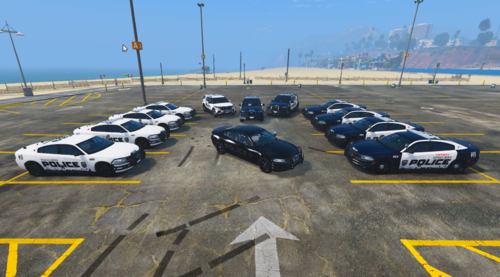
NYPD RUMBLER SIREN 1.0.0

(2 reviews)

1 Screenshot

NOTES:

LAST SIREN I WILL EVER DO MOST LIKELY. I MOVED ON TO MODELING.


THIS IS MY SIREN AND CONVERTED TO RUMBLER BY @ShotsFired932


RUMBLER:


Original Siren: 
 

User Feedback

Recommended Comments

StraightGlitcheZ

Members Author

@Pav500 THIS IS MY SIREN AND CONVERTED TO RUMBLER BY @ShotsFired932 read ny dude. Btw i dont know what so bad with it? It sounds good to me

  • Management Team
Let's keep the comments on topic - if you do not want users to review your modification then you shouldn't be uploading your files, each user is entitled to provide their own opinion on uploaded files. I have also removed the Discord link, we do not allow users to advertise Discord servers via the comments area or in topics, they are to be limited to your signature and profile.

Create an account or sign in to comment

Account

Navigation

Search

Search

Configure browser push notifications

Chrome (Android)
  1. Tap the lock icon next to the address bar.
  2. Tap Permissions → Notifications.
  3. Adjust your preference.
Chrome (Desktop)
  1. Click the padlock icon in the address bar.
  2. Select Site settings.
  3. Find Notifications and adjust your preference.















