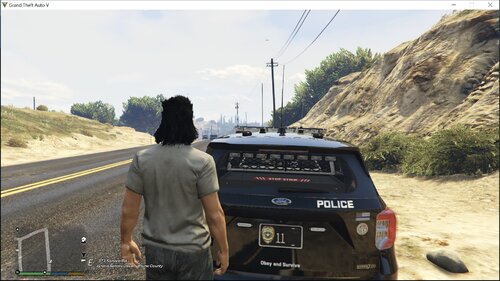
1adam181 Members December 20, 20178 yr Author stats how did you manage to get these sirens into fiveM?
StraightGlitcheZ Members Author December 20, 20178 yr Author stats 2 minutes ago, 1adam181 said: how did you manage to get these sirens into fiveM? Easy :)
1adam181 Members December 20, 20178 yr Author stats was it a video that you found it on? Just now, StraightGlitcheZ said: Easy :)
StraightGlitcheZ Members Author December 20, 20178 yr Author stats 2 minutes ago, 1adam181 said: was it a video that you found it on? No, Its my game and fivem server if you want i can make a video on how.
1adam181 Members December 20, 20178 yr Author stats is it a matter of using openIV ? or is it harder then that?
StraightGlitcheZ Members Author December 20, 20178 yr Author stats 19 minutes ago, 1adam181 said: is it a matter of using openIV ? or is it harder then that? OpenIV, Command Promt, Arhive Fix, You only have to use openiv and archivefix if you have done it before
StraightGlitcheZ Members Author December 20, 20178 yr Author stats 1 hour ago, 1adam181 said: never done it so i dont know lol Look up a video on yt.


.jpg.28eee7d558ac6c497b077924d7c17d82.jpg)




Recommended Comments
Create an account or sign in to comment