
Skip to content
View in the app

A better way to browse. Learn more.

LCPDFR.com

A full-screen app on your home screen with push notifications, badges and more.

To install this app on iOS and iPadOS
  1. Tap the Share icon in Safari
  2. Scroll the menu and tap Add to Home Screen.
  3. Tap Add in the top-right corner.
To install this app on Android
  1. Tap the 3-dot menu (⋮) in the top-right corner of the browser.
  2. Tap Add to Home screen or Install app.
  3. Confirm by tapping Install.

Emergency Lighting System 1.05

(236 reviews)
Message added by Cyan,

ELS doesn't currently function on Grand Theft Auto V: Enhanced Edition.

3 Screenshots

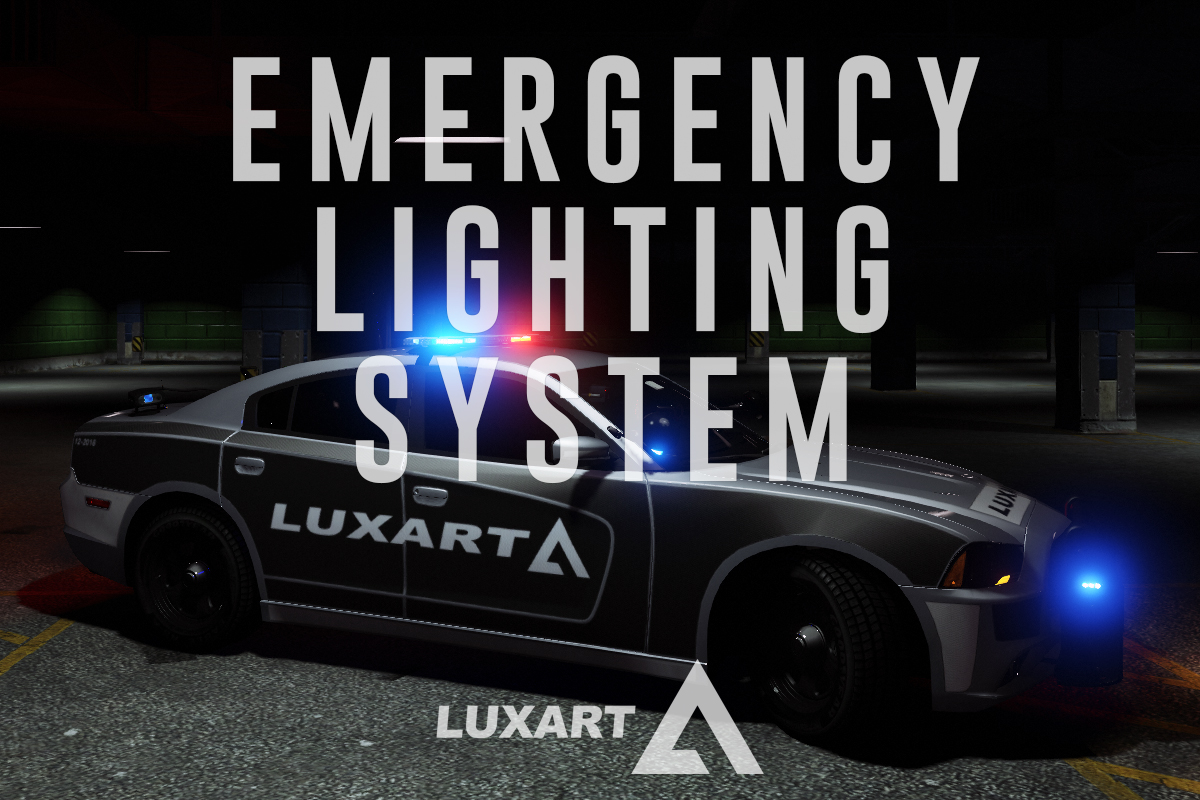
Emergency Lighting System V brings one of the most popular modifications ever created for a GTA title (ELS-IV) to Grand Theft Auto V. ELS-V will add a whole new dimension to  your patrols. With a fresh look and many more features than its predecessor, it's also sure to brighten up your game and satisfy the emergency lighting enthusiast in anyone.


DESCRIPTION
− ELS provides an alternate and incredibly in-depth way of controlling emergency vehicle lights and sounds.
− ELS requires vehicle models specifically designed to make use of its features.
− ELS includes over 200 unique lighting patterns scattered across 4 light groups and lighting formats.


NOTES
Please consult the ELS USER GUIDE and other provided documentation prior to using ELS.

− As of V1.00 ELS is not compatible with any form of multiplayer.
− A visual enhancement mod is recommended to improve the appearance of ELS lights in game.


BASIC INSTALLATION
− A GTAV ScriptHook must be installed for any .asi modification to work. The original may be found HERE.
− Using script modifications in GTA Online can result in a temporary or permanent ban from the service.

− 1. Place ELS.asi, ELS.ini, the ELS folder, and  AdvancedHookV.dll inside your main GTA V game directory.
− 2. Download and install (a) pro-ELS vehicle model(s).
− 3. Start your game.


CREDITS
− ELS is coded by Lt.Caine.

− AdvancedHookV and vehicle damage feature coded by LMS.
− ELS-V testing team (alphabetical order): Albo1125, BxBugs123, GravelRoadCop, PoliceWag, and Prophet.

What's New in Version 1.05

Released

  • Removed auto deletion of discarded ELS vehicles to prevent crashes when using certain LSPDFR plugins.
  • Removed ELS manipulation of AI vehicles as persistent/not persistent for same reason.
  • Removed strobe corona flash sounds (while retaining sound effects for halogen patterns).
  • Toggling the ELS information panel will now reload everything in the ELS.ini.
  • Fixed error in ELS User Guide that incorrectly associated SCNL with extra_11 and TKDL with extra_12 (the opposite is true).
  • Updated ELS User Guide to reflect new changes.
  • ELS.ini change: Added "AllowController" option to CONTROL section to allow enabling/disabling controller input for ELS.
  • ELS.ini change: Added "TogKeysLock" option to CONTROL section to allow changing ELS key lock button.


Please download the AdvancedHookV fix if you are using game build 3258.

User Feedback

Recommended Comments

(edited)

4 hours ago, Gonziii said:

Hii!
I'm having an issue with ELS.

After installing ELS, GTA V crashes shortly after launching through RAGE Plugin Hook. The game starts loading, but crashes seconds later i clicked "story mode with rph"

To troubleshoot, I completely removed the ELS files, and the game immediately started working normally again. I have tested this with multiple ELS vehicles, so the issue does not appear to be related to a specific vehicle.

Try taking out all of the ELS .xml files you have in the "pack_default" folder, then try launching again. If it loads, then you just narrow down which .xml is bad. You can load up plain story mode without running Rage to load up quicker to check.

I've had bad XML files cause exactly what you are describing.

Edited by GTA 5 Jedi Master

Tabioos

Members

Nice

malikhagen

Members

Game wont let me load in. This is from the Event Viewer:

Faulting application name: GTA5.exe, version: 1.0.3788.0, time stamp: 0x69b036bd

Faulting module name: ELS.asi, version: 0.0.0.0, time stamp: 0x58740c42

Exception code: 0xc0000409

Fault offset: 0x0000000000043ca7

Faulting process id: 0x5068

Faulting application start time: 0x1DD00CB471B3978

Faulting application path: C:\Program Files (x86)\Steam\steamapps\common\Grand Theft Auto V\GTA5.exe

Faulting module path: C:\Program Files (x86)\Steam\steamapps\common\Grand Theft Auto V\ELS.asi

Report Id: 8e9a1c34-b0bf-4773-8573-ac02c01a1449

Faulting package full name:

Faulting package-relative application ID:

RGL2Live

Members

I have the funny problem that the basic (Vanilla) Police cars have no lights. Like sometimes they spawn without, and if they have lights they are not on. Only the rear lights are flashing.

I use a Add-On car pack for me but my Backup is using the Vanilla Cars so it´s pretty annoying when they drive withouts lights but with a turned on Siren. Anyone have a Idea what I could do?

jimmidann

Members

i have a bit of a issue, hope someone can help me fix it! Every time i have activated the ELS and can hear the sound of it, but when i press E ( Default horn for the vehicle ) Then my whole pc make a error sound and cause every sounds on it to disappear. i have to restart every time to get it back, hope someone can explain a solution for it.

NicolaosK

Members

On 6/22/2026 at 5:41 AM, RGL2Live said:

I have the funny problem that the basic (Vanilla) Police cars have no lights. Like sometimes they spawn without, and if they have lights they are not on. Only the rear lights are flashing.

I use a Add-On car pack for me but my Backup is using the Vanilla Cars so it´s pretty annoying when they drive withouts lights but with a turned on Siren. Anyone have a Idea what I could do?

same problem.. and i dont use add on cars only the standards

maruwhat

Members

Hi, sorry if I'm asking something has been asked before recently, but I don't know where to go to ask for help.

ELS works, it seems. For cars I have the VCF files for, I can open the UI for ELS, however it doesn't seem to function as intended. I hit "J" once, for the lighting stages, but it goes straight to Stage 3. There are no noises when clicking buttons too, which I remember were present before.

I just came back to GTAV and modding recently. I am using GTAV Legacy. I do not have DLS. Could it be, that I'm missing a required file or files?

TRvSK

Members

(edited)

FOR EVERYONE WHO HAS LIGHTING ISSUES:
Hi guys. Recently I had an issue where lights on stages 1 and 2 didn't work at all, and on the stage 3 only rear lights were flashing. I tried reinstalling ScriptHookV, RageNativeUI and AdvancedHookV. I also installed SSLA but it didn't help.
Eventually I found the solution: launch OpenIV, open ASI Manager, uninstall ASI loader and install it again. Restart your PC and after that everything should work again! Hope this will help somebody.
P.S. Forgot to mention that I have the Legacy edition.

Edited by TRvSK

Create an account or sign in to comment

Latest Mods

Account

Navigation

Search

Search

Configure browser push notifications

Chrome (Android)
  1. Tap the lock icon next to the address bar.
  2. Tap Permissions → Notifications.
  3. Adjust your preference.
Chrome (Desktop)
  1. Click the padlock icon in the address bar.
  2. Select Site settings.
  3. Find Notifications and adjust your preference.