


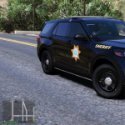


Got bored so I decided to try and make some skins worthy enough to share with everybody. Hope you guys like them!. These are my first skins so they may not be perfection but I will keep updating to give you guys the best quality I can put out. The Vic has 3 variants of the skin and all other vehicles have 2.
What's New in Version 1.7.0
Released
Did some cleaning up on all textures. I recommend using newest versions for best quality.
Added 2018 Charger from TickleMyElmo's pack.
Added 16 FPIU from Slendis's LSPD (WPD) pack.
Added all files to one folder for easier download and fixed front fender writing on Tahoe.
Added Toys Vespucci Pack just lacking the FPIS but will be out soon.
Added FPIS from Toys Vespucci Pack.
Put better screenshots.







![Los Santos County Sheriff Livery Pack [Berkeley County-based]](http://s3-screenshots.int-cdn.lcpdfrusercontent.com/resize/500/-/monthly_2026_04/20260415155948_1.thumb.jpg.4cd04373ce1cf72df8e99a993cf4a145.jpg)



![Clayton County Sheriff's Office [4K]](http://s3-screenshots.int-cdn.lcpdfrusercontent.com/monthly_2026_04/Screenshot_2511.thumb.png.e79613aafaa7abfbd34da660fe32acd3.png)

.thumb.jpg.96a3b82b9866eade5618dbec8b4f2fae.jpg)

![[NON-ELS] Unmarked 2018 Ford Taurus - FiveM Ready](http://s3-screenshots.int-cdn.lcpdfrusercontent.com/monthly_2026_04/Screenshot_5040.thumb.png.b1168547b80673783144294d18805701.png)

Recommended Comments
Create an account or sign in to comment