




Hi,
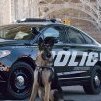
this is my first skin. I know isn't high quality but i looked around for impala skin and can't find one for security.
So i make this with paint.net.
Well i like it and someone could need this too 
Used Impala from this pack:
Lifeguard Mini-Pack [ELS] 1.0.0
yellow/ amber light "fix" is inside this textur
so have fun 
skin by GameSchlappohr
template by OfficerUnderwood
template by OfficerUnderwood

.thumb.png.d642ff9c57245d19627b16114298b2ea.png)






![[Non-ELS/DLSv2] LAPD BMW R1200RT-P [Addon/FiveM]](http://s3-screenshots.int-cdn.lcpdfrusercontent.com/resize/500/-/monthly_2026_04/1.Thumbnail.thumb.png.ee831bb3bb39882cf936bde4872b0c88.png)







Recommended Comments
Create an account or sign in to comment