


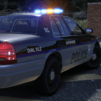


Changelog:
12/06/2025:
Initial LCPDFR.com Release.
=========
Installation instructions:
1. Launch OpenIV, enable edit mode
-
2. Copy the "premumk" folder to the following path: "mods/update/x64/dlcpacks"
-
2.9. Remove the spaces from the items in quotations from line 3 of the instructions. i had to add the spaces otherwise the website would delete them.
-
3. Navigate to: "mods/update/update.rpf/common/data" and add " < Item > dlcpacks:/premumk/ < /Item > " at the bottom of "dlclist.xml"
but above " < /Paths > "
-
4. Save and exit
-
5. Spawn name: "premierumk" (without quotes)
===================================
Join my discord for future mod releases!
My Discord: https://discord.gg/kAGXUspe3M
===================================
AniNova 2025
Edited by Elenova78204
screenshot
Short Description
Rockstar Games - Original premier model
Aquamenti - Original mapping
IlayAyre - Mapped door handles
11john11 - Model improvements
AlexanderLB - New badges
AllenKennedy - Model improvements
ActuallyToxic - Improved grille, bumper and headlights
Doutis - Resized Model
ElenovA204 - Added Assets, Screenshots, SirenSetting


(2).thumb.png.62d8dc71a69a1994803920a19551051e.png)


Recommended Comments
Create an account or sign in to comment