Skip to content
View in the app

A better way to browse. Learn more.

LCPDFR.com

A full-screen app on your home screen with push notifications, badges and more.

To install this app on iOS and iPadOS
  1. Tap the Share icon in Safari
  2. Scroll the menu and tap Add to Home Screen.
  3. Tap Add in the top-right corner.
To install this app on Android
  1. Tap the 3-dot menu (⋮) in the top-right corner of the browser.
  2. Tap Add to Home screen or Install app.
  3. Confirm by tapping Install.

Mil-Sim Suppression Effect 2.2 2.2

(0 reviews)

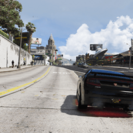
1 Screenshot

Suppression is a mechanic intended to represent the effects of weapon fire on an individual.
-("SQUAD" Game Wiki.)

This mod adds a vignette around the edges of the screen, and a dynamic movement-based suppression system. Together, these features encourage the player to seek cover when under direct fire from enemies.

Heavily inspired by various Mil-Sim First-Person-Shooters.

Changelog:
1.0: Release

2.0:
Complete Script Overhaul.
-New Gratual Suppression System
-Movement-based suppression
-Aim Sway

2.1:
-Fixed vehicle stuck bug while being suppressed
-Made Suppression more subtle
-Removed player being unable to sprint while being suppressed

2.2:
-New "Suppression" sound effects from real life & Mil-Sim games.

Plus More!

Installation
Put the .cs file in your scripts folder.

Requirements
ScriptHookV
ScriptHookVDotNet Nightly


Disclaimer:
This is MY mod from 5mods (itsyaboi0008), I am NOT stealing it from another person.


Short Description

Suppression is a mechanic intended to represent the effects of weapon fire on an individual.

AI disclosure

The author has disclosed that AI tools were used in creating the following aspects of this file:

  • Mod and Mod Content (Minor)

Fixing bugs.

User Feedback

Recommended Comments

Vagneto

Members

Downloading right now. Can you tell me which sound mod you're using in these videos?

Lepoisson

Members

Hello, I just wanted to point out that the assembly version of your plugin is: 0.0.0.0 instead of: 2.2.0.0

Create an account or sign in to comment

Account

Navigation

Search

Search

Configure browser push notifications

Chrome (Android)
  1. Tap the lock icon next to the address bar.
  2. Tap Permissions → Notifications.
  3. Adjust your preference.
Chrome (Desktop)
  1. Click the padlock icon in the address bar.
  2. Select Site settings.
  3. Find Notifications and adjust your preference.