
Skip to content
View in the app

A better way to browse. Learn more.

LCPDFR.com

A full-screen app on your home screen with push notifications, badges and more.

To install this app on iOS and iPadOS
  1. Tap the Share icon in Safari
  2. Scroll the menu and tap Add to Home Screen.
  3. Tap Add in the top-right corner.
To install this app on Android
  1. Tap the 3-dot menu (⋮) in the top-right corner of the browser.
  2. Tap Add to Home screen or Install app.
  3. Confirm by tapping Install.

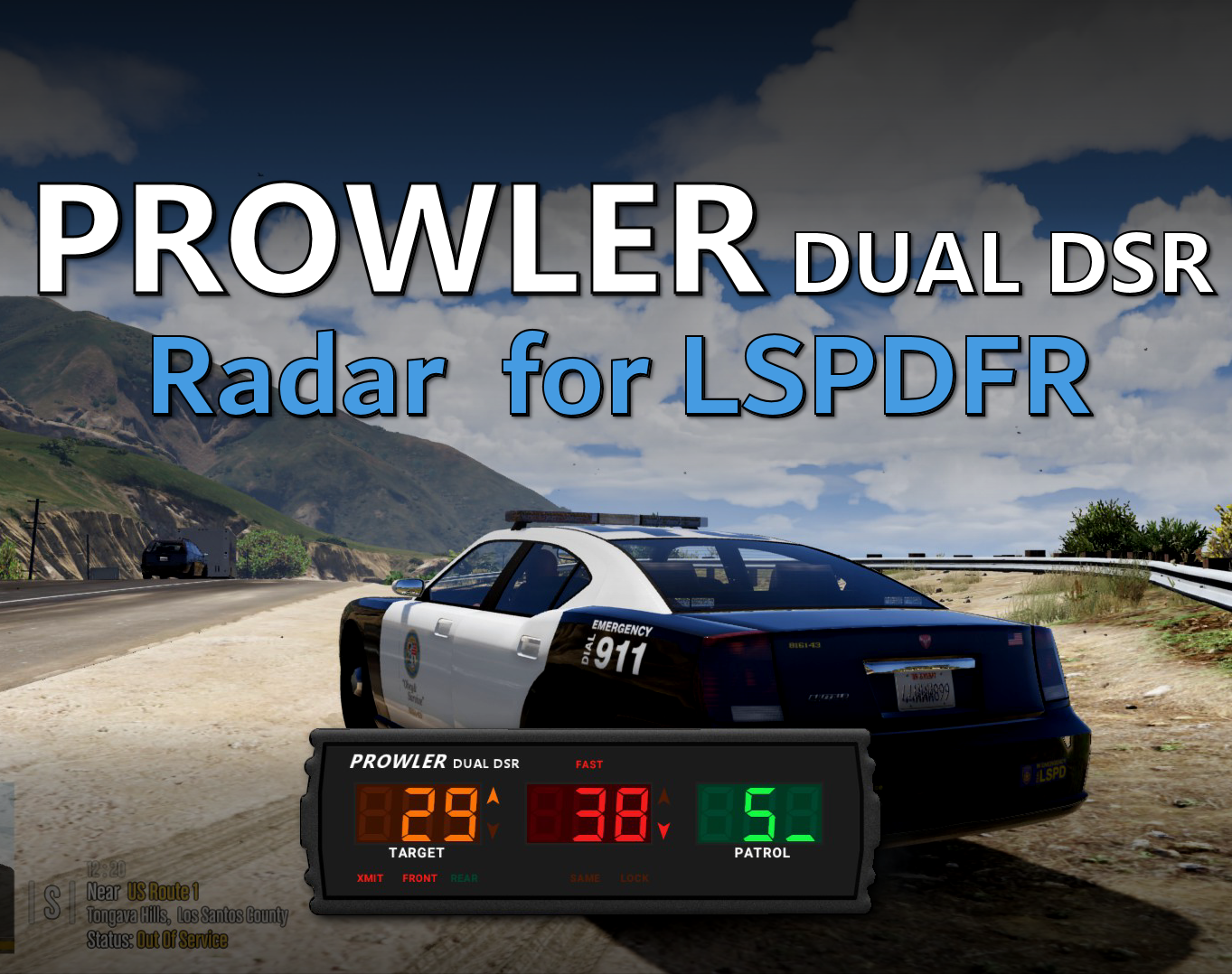
Prowler Radar 1.3.1

(37 reviews)

4 Screenshots


Discord: https://discord.gg/AuJCUag


Features:

  • A realistic radar system based on the real-world Stalker Dual DSR
  • Four different modes including stationary and moving
  • A "fast" tracker to differentiate between strongest and fastest signal
  • An "auto lock" feature that allows you to set a maximum speed


Prowler-Dual-DSR.pdf

Edited by opus49
Updated credits

What's New in Version 1.3.1

Released

Prowler Radar 1.3

  • Added on screen remote control
  • Added doppler sounds
  • Added "debug mode" so you can see the radar logic in real time
  • Made beam width configurable
  • Made police vehicle requirement optional
  • Added plate reader
  • Added minimum target speed


Short Description

A realistic police radar.

User Feedback

Recommended Comments

dangerxyz

Members

hi thank u so much for adding this plugin 


I ran intoo a issue where i dont have the menu setting in the ini, There is no setting menu if possible can u please assist


opus49

Insiders Author

10 hours ago, dangerxyz said:

hi thank u so much for adding this plugin 


I ran intoo a issue where i dont have the menu setting in the ini, There is no setting menu if possible can u please assist


long press the power button

dangerxyz

Members

lol yeah i only realised afterwards lolol excellent mod dude 


05mobi

Members

How i get into then menu today


J. Payton

Members

Love the mod man, did an awesome job!


Only hiccup I am running into is not being able to turn on the plugin at all at times? Did a fresh install and everything but nothing, then sometimes, it turns on

G. Johanson

Members

Hi! I love this plugin so much. I have been having an issue lately whenever I use the auto lock feature to blip vehicles, I get random red or orange blips that are from the radar that will pop up across the map or in cities. This happens even when not using the radar. Is this a common issue or is there anything I can do to fix this? Thank you!

Kuboszka

Members

Heey,


Is there a chance to set your own speed limit? I see that I can only lock of somebody's speed like 78 but if I want to setting my own speed limit, I cant

zombago2nd

Members

Hello! is this mod compatible with the "grammar police" mod because when I went to install the mod it said to replace the IPT common.dll file


IceGuy221

Members

the mod has been great, how ever it may be in need of an update, i've noticed that the game has been crashing a lot recently because of this mod. One thing i know for sure from the past is that when combined with an alpr mod, it will consistantly crash the game, but lately even without alpr, this has been the only mod that my game hasn't liked to much. Hope to see a stability fix soon.

opus49

Insiders Author

4 hours ago, IceGuy221 said:

the mod has been great, how ever it may be in need of an update, i've noticed that the game has been crashing a lot recently because of this mod. One thing i know for sure from the past is that when combined with an alpr mod, it will consistantly crash the game, but lately even without alpr, this has been the only mod that my game hasn't liked to much. Hope to see a stability fix soon.

Please provide a log from one of these crashes.  You are blaming this mod for crashes with no proof.

Mr.DudeMan

Members


hi love the mod bout do you think it would be possible to add souds like in this video would add to the immersion 

BlueLine Vibes

Members

(edited)

On 11/7/2024 at 2:53 AM, Mr.DudeMan said:


hi love the mod bout do you think it would be possible to add souds like in this video would add to the immersion 


Sure you can do that.  There are plenty of programs to "borrow" that sound.  They would go into the Prowler radar folder under audio.  There are also WAV file editors as well to trim it up a bit and also to create a volume level of the WAV file from 1-5 for example.   I can probably do that and edit it a bit.  I will see what I can do an then upload it on the discord or perhaps share it out via my website.  I can't post links here but you can find the links on my channel.

Edited by BlueLine Vibes

I keep getting a file error when I try to download the file


"archive is either damaged or unkown format"


??


The file looks like it has content in it and it's saved as .rar, so i'm stumped??

MadMatt

Members

This mod is not working for me. Installed and rage plugin hook recognizes the installation; it's ticked on in rage. However, when loading all the scripts on startup, it is not included. When running "reloadall..." in the f4 menu, it is still not recognized. Long pressing the default numpad9 does not get it to turn on either. In other words, this mod is not working at all. I am on duty, in a police vehicle, etc. All files are installed in the proper locations. I even tried putting it in the LSPDFR folder in the plugins folder and that did not help either. Many loads/reloads, and even adjustments were made to the notepad keys to see if there may have been conflicts. I also tried using with numkey toggled on and off. Still nothing. Please assist.

opus49

Insiders Author

11 minutes ago, MadMatt said:

This mod is not working for me. Installed and rage plugin hook recognizes the installation; it's ticked on in rage. However, when loading all the scripts on startup, it is not included. When running "reloadall..." in the f4 menu, it is still not recognized. Long pressing the default numpad9 does not get it to turn on either. In other words, this mod is not working at all. I am on duty, in a police vehicle, etc. All files are installed in the proper locations. I even tried putting it in the LSPDFR folder in the plugins folder and that did not help either. Many loads/reloads, and even adjustments were made to the notepad keys to see if there may have been conflicts. I also tried using with numkey toggled on and off. Still nothing. Please assist.

Follow the installation instructions. It's not a Rage plugin, it's an LSPDFR plugin.

cheetah5667

Members

(edited)

Plugin doesnt work every time i force duty. Though it does show it loading in the logs everytime. it works occasionally, when it doesnt seems to work i spam numpad nine (thats only if it  doesnt work i know you need to hold it down) and i see the plugin popping in and out off my screen?  any fixes for this issue?

Edited by cheetah5667

elixareos

Members

On 3/24/2025 at 4:32 AM, cheetah5667 said:

Plugin doesnt work every time i force duty. Though it does show it loading in the logs everytime. it works occasionally, when it doesnt seems to work i spam numpad nine (thats only if it  doesnt work i know you need to hold it down) and i see the plugin popping in and out off my screen?  any fixes for this issue?

Same for me! Please tell me if you have found a fix.

JM Modifications

Insiders

(edited)

On 3/24/2025 at 7:32 AM, cheetah5667 said:

Plugin doesnt work every time i force duty. Though it does show it loading in the logs everytime. it works occasionally, when it doesnt seems to work i spam numpad nine (thats only if it  doesnt work i know you need to hold it down) and i see the plugin popping in and out off my screen?  any fixes for this issue?


10 hours ago, elixareos said:

Same for me! Please tell me if you have found a fix.

Y'all need to drag and drop the provided IPT.Common.dll from this mod into main gta directory then replace it with an updated one with CalloutInterface. This plugin 100% Works.

Edited by JonJonGamesOfficial

cheetah5667

Members

i got it fixed the issue was me being on duty on game launch  you need set spawn location to your apartment at all times for it to work otherwise it glitches

elixareos

Members

15 hours ago, JonJonGamesOfficial said:


Y'all need to drag and drop the provided IPT.Common.dll from this mod into main gta directory then replace it with an updated one with CalloutInterface. This plugin 100% Works.

I don't think you read the comment- it doesn't work when you forceduty. It only works when I go into the actual police department and clock in. I know it works and I have all the prerequisites for this mod.

Isaiahmd

Members

Love this! anyway you could update it and make dual version with two screens? one for the front radar and one for the rear, so that way you can run both front and back radar at the same time


Could contain: text, measuring instrument, electronics, meter

0pheIia

Members

On 1/24/2022 at 2:20 PM, Big Honk said:

OH. MY. GOD.

Thank you SOOOO MUCH! I have been BEGGING for a plugin like this for over a YEAR and no-one has done it, when I get time time too Ill have to download it and see how it goes, ill make sure to leave a review!

This could be a feature and I just completely missed it looking through the video and stuff, but would it be possible that we could have some sort of option so instead of saying "Prowler Radar" on the display we could have it say Stalker Dual DLR? I know it might be a super small thing but IMO for me it just adds an extra layer of realism to my game, since all the cars I use are IRL cars like Ford/Chevy and whatever else instead of using the lore-friendly cars like Buffalo and Vapid.

Could contain: text, screenshot, clock, digital clock, electronics

On 1/25/2022 at 12:12 PM, xCashHerosx said:

You sexy summbitch! You freaking did it! So glad its out, nicely done sir! 


Could contain: text, screenshot, clock, digital clock, electronics

M.Williams

Members

Any plan on making this where you can run the rear and front at the same time?

bjackson1991

Members

(edited)

MAKE SURE YOUR KEYBOARD NUMPAD IS ON/OFF lol... helps the whole process lmao

Edited by bjackson1991

Create an account or sign in to comment

Latest Mods

Account

Navigation

Search

Search

Configure browser push notifications

Chrome (Android)
  1. Tap the lock icon next to the address bar.
  2. Tap Permissions → Notifications.
  3. Adjust your preference.
Chrome (Desktop)
  1. Click the padlock icon in the address bar.
  2. Select Site settings.
  3. Find Notifications and adjust your preference.












