Skip to content
View in the app

A better way to browse. Learn more.

LCPDFR.com

A full-screen app on your home screen with push notifications, badges and more.

To install this app on iOS and iPadOS
  1. Tap the Share icon in Safari
  2. Scroll the menu and tap Add to Home Screen.
  3. Tap Add in the top-right corner.
To install this app on Android
  1. Tap the 3-dot menu (⋮) in the top-right corner of the browser.
  2. Tap Add to Home screen or Install app.
  3. Confirm by tapping Install.

Route-13/Route-68 Highway Lights 1.0.0

(0 reviews)

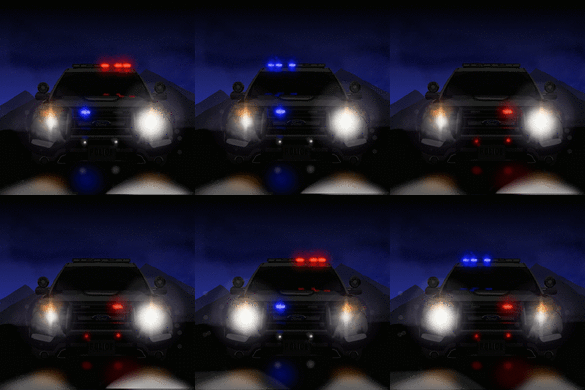
2 Screenshots

Hello, everyone hope all doing well with everyone i wanted to finally let you guys see my first ever Ymap and i know there is already one on here but unfortunately it does not work with FiveM but this one is FiveM ready with any server type Vmenu, ESX, and/or Standalone Server's 

DO NOT MESS WITH ANY FLIES OR CLAIM THESE FLIES AS YOURS AND/OR ANYONE ELSE 

Thanks , Chase 

11/24/23 

Updated Version 1.0.0


Short Description

Route-13 / Route-68 Highway Lights

User Feedback

Recommended Comments

Where do I put the YMAP file if I want to use this in SP?

ChaseSmith

Members Author

It's only FiveM Ready

Venoxity

Members

On 11/25/2023 at 12:32 PM, LIPDProductionsInc said:

Where do I put the YMAP file if I want to use this in SP?

if you download something like https://www.gta5-mods.com/maps/forests-of-san-andreas-revised it comes with a dlc ready for sp, and you can just add this ymap file into there and delete the rest. 🙂

Create an account or sign in to comment

Account

Navigation

Search

Search

Configure browser push notifications

Chrome (Android)
  1. Tap the lock icon next to the address bar.
  2. Tap Permissions → Notifications.
  3. Adjust your preference.
Chrome (Desktop)
  1. Click the padlock icon in the address bar.
  2. Select Site settings.
  3. Find Notifications and adjust your preference.










