Jump to content
View in the app

A better way to browse. Learn more.

LCPDFR.com

A full-screen app on your home screen with push notifications, badges and more.

To install this app on iOS and iPadOS
  1. Tap the Share icon in Safari
  2. Scroll the menu and tap Add to Home Screen.
  3. Tap Add in the top-right corner.
To install this app on Android
  1. Tap the 3-dot menu (⋮) in the top-right corner of the browser.
  2. Tap Add to Home screen or Install app.
  3. Confirm by tapping Install.
FiveM scripts have moved to Resources & Assets.

BETTER Radiance Final

(20 reviews)

20 Screenshots

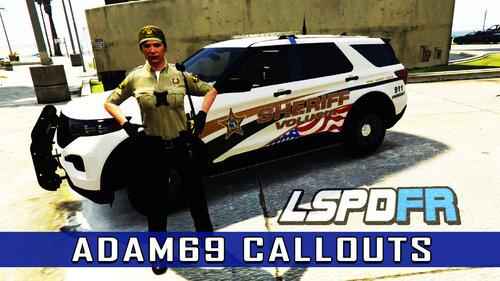
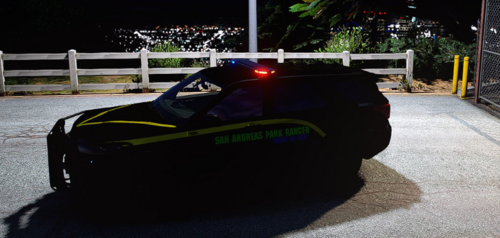
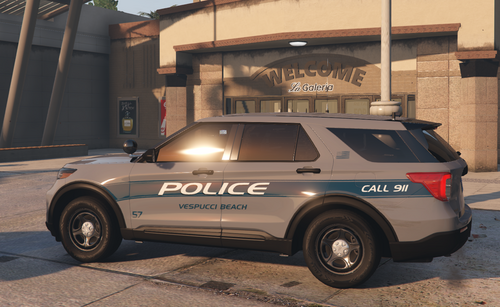
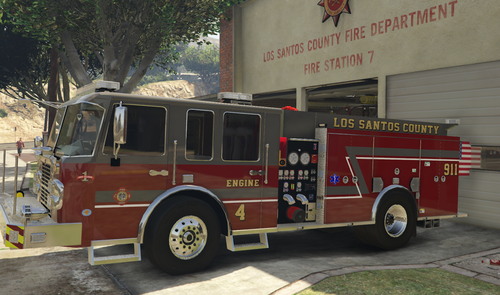
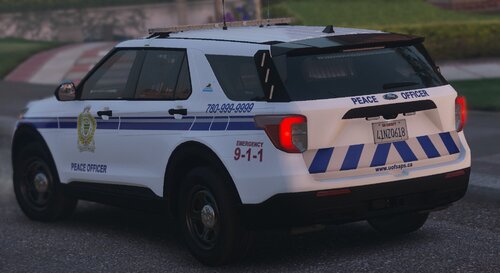
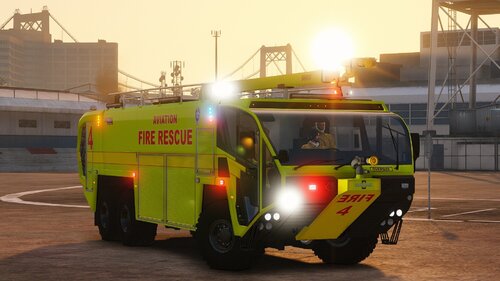
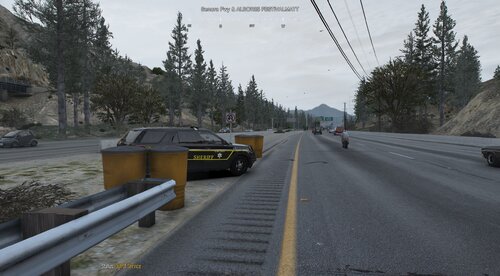
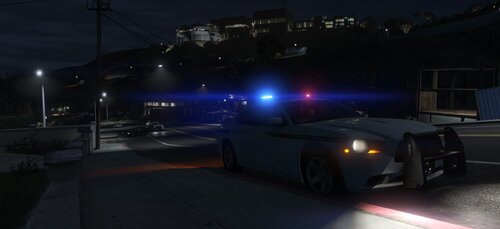
This mod Improves traffic lights, Streetlights, Headlights, Taillights, Indicator lights, Reverse lights, Brake lights, Police lights, Coronas, etc.


PLEASE USE A MODS FOLDER!
DO NOT RE-UPLOAD OR COPY THE TITLE WITHOUT MY PERMISSION!


Did you hit a snag? Or installing for the first time? Or maybe the mod isn’t working properly? Rest assured! Please join this discord server for help!

--https://discord.com/invite/gyw5rDHCfr


People who made this mod what it is today!

@Charlie686


@Dylann24
 

Benzo Effect - YouTube


Matty - YouTube


Geoffrey_Gamer - YouTube


RECOMMENDED USE WITH 


Edited by Matthew686

What's New in Version Final

Released

The main focus of this mod was to find a balance between real life and in game lighting. After multiple versions, testing and comparing to real life examples, i believe that balance has been found. 


can't name off all of the improvements I have made but day police lights are brighter, Brake lights fixed, Underglow and neon has been improved, etc.


Thank you to everyone who made this mod as big as it is today, never would i have thought this mod would be one of the most downloaded lighting mods. 


Special thanks to; 

@Dylann24

@Charlie686


and all the content creators who made showcase and install videos.


Short Description

BETTER Radiance Realistically Changes How Lights And Coronas Look In Your Game!

User Feedback

Recommended Comments

ConnorRhodesMD

Members

(edited)

On 12/20/2022 at 1:28 PM, StuckpigINC said:

have you deleted and reinstalled everything ELS completely? Also, have you tried installing a different ELS vehicle pack? I know there are links on the ELS page to "optimized" ELS packs, I'd maybe give that a shot too. I noticed for some reason that my advancehook.dll was gone for some reason even though I know I had it in there. Ive been seeing that this last GTA update caused a good handful of people to have to reinstall things like ELS. Also, do you have the latest gameconfig and scripthook files?

yeah, i have all of those.

Edited by ConnorRhodesMD

LtSnoDawg69

Members

So question I have is this, how different is this than Radiance V?

Matttyy

Members

Just want to ask if this works with NaturalVision Evolved\Remastered graphics mod?

Matthew686

Members Author

7 hours ago, Matttyy said:

Just want to ask if this works with NaturalVision Evolved\Remastered graphics mod?

It’s compatible with all graphic mods! Try it out and let me know.

Matttyy

Members

On 4/6/2023 at 2:19 AM, Matthew Skead said:

It’s compatible with all graphic mods! Try it out and let me know.

Looks great!

Piers Morgan

Members

(edited)

On 4/5/2023 at 7:19 PM, Matthew Skead said:

It’s compatible with all graphic mods! Try it out and let me know.

Not compatible with NVE. Mod installed correctly but a fuzzy black bar appears in the sky. Similar to other radiance mods.


The black bar is removed once visual settings are restored to default 

Could contain: outdoor, sky, cloud, vehicle, land vehicle, road, ground, wheel, car, tarmac, road surface, asphalt, way, grass, highway, red

Edited by Piers Morgan

LuvStax

Members

works great with quant v + nve appreciate ya

Piers Morgan

Members

22 hours ago, LuvStax said:

works great with quant v + nve appreciate ya

what version of NVE are you using?

bondi9mm

Members

whats the difference between this and rad v 

Charlie686

Members Contributor

AZi-6yWlOuXXTf_uzexMrsd6SbGmL_NCUIIlNBTQ

Live reaction from the BETTER fanbase.


The fanbase loves this new update.

They have a very important message to share with BETTERTM  :


Could contain: screenshot, text, lipstick, human face, eye liner, woman, makeover, eye shadow, cosmetics, eyelash, lip, hair coloring, mascara, lip gloss, eyelash extensions, fashion

Matthew686

Members Author

13 minutes ago, Charlie686 said:

AZi-6yWlOuXXTf_uzexMrsd6SbGmL_NCUIIlNBTQ

Live reaction from the BETTER fanbase.


The fanbase loves this new update.

They have a very important message to share with BETTERTM  :


Could contain: screenshot, text, lipstick, human face, eye liner, woman, makeover, eye shadow, cosmetics, eyelash, lip, hair coloring, mascara, lip gloss, eyelash extensions, fashion

dont ☠️

GCVFD CAPTAIN4

Members

it will not load when I drag it. shows blocking icon due to it doesn't have .dat .  It needs to be visualsettings.dat to be  put in on open iv  

Matthew686

Members Author

3 hours ago, GCVFD CAPTAIN4 said:

it will not load when I drag it. shows blocking icon due to it doesn't have .dat .  It needs to be visualsettings.dat to be  put in on open iv  

it definitely is a .dat file, usually when openiv shows a blocking icon it means your not in edit mode.

GCVFD CAPTAIN4

Members

13 hours ago, Matthew686 said:

it definitely is a .dat file, usually when openiv shows a blocking icon it means your not in edit mode.

I'm in edit mode. if it doesn't say visualsettings.dat it will not take it. It takes all the others

Chris B.

Members

Mate, I am intrigued by the York Regional Police FPIU in the photos. Do you have a link to that model?

bondi9mm

Members

(edited)

On 1/28/2024 at 3:21 PM, GCVFD CAPTAIN4 said:

I'm in edit mode. if it doesn't say visualsettings.dat it will not take it. It takes all the others

put it in then back out one to the prev folfer then go back in sometimes it happens to me 

edit: scrap that i just saw ur previous comment 

Edited by bondi9mm

Matthew686

Members Author

(edited)

On 1/28/2024 at 4:25 PM, Chris B. said:

Mate, I am intrigued by the York Regional Police FPIU in the photos. Do you have a link to that model?

Yesh 


On 1/28/2024 at 10:21 AM, GCVFD CAPTAIN4 said:

I'm in edit mode. if it doesn't say visualsettings.dat it will not take it. It takes all the others

Would you be able to screenshot it and send it me? Not that I don’t trust you it’s just nobody has had this problem before and my testers had no problem running it in their game. 
I downloaded a new file from this page and it says visualsettings.dat for me. 

Edited by Matthew686

249Xeno

Members

In honestly,


I would just go into Visualsetting.dat and change the emissive to a higher number to get the lightning I want. It is the same thing you're doing for Better Radiance. Plus I wouldn't need to replace the .dat either and I can edit how many times I want.

HashTagHell

Members

I noticed there's no longer a VisualV specific version or Brighter Daytime version included. Does this version cover all?

Matthew686

Members Author

(edited)

On 1/31/2024 at 8:47 PM, Parzival.Zio said:

In honestly,


I would just go into Visualsetting.dat and change the emissive to a higher number to get the lightning I want. It is the same thing you're doing for Better Radiance. Plus I wouldn't need to replace the .dat either and I can edit how many times I want.

i mean honestly ive edited more then just the "police lights", but yes you could, the police lights emissive are "defaultlight"

On 2/1/2024 at 12:22 PM, HashTagHell said:

I noticed there's no longer a VisualV specific version or Brighter Daytime version included. Does this version cover all?

it should, yes.


Edited by Matthew686

249Xeno

Members

1 hour ago, Matthew686 said:

i mean honestly ive edited more then just the "police lights", but yes you could, the police lights emissive are "defaultlight"

it should, yes.


You're doing a great job dude. I don't mean to sound rude or anything, I like to edit my own and tinker with it and know where I go wrong.  I like your work and the thing you do to help players police lights look better and much brighter. Just keep in mind that QuantV and NvE are doing their own brighter too and that will cancel out yours if they installed yours before they do with those graphic mods, it will also conflict with theirs. 

Wendigo

Members

Hey, I am enjoying the mod a lot, I just ran into one problem: at peak daylight my white vehicles seem to have very bright bloom, I dont know if there is a solution to this or if this is just a biproduct which is unavoidable, but the cars have a bit too bright of a reflection of the sun. Other than that the mod works fine, thanks

Kingtutuk

Members

I installed this but found the interior lights far too bright so edited "car.interiorlight.intensity 1.50" to "car.interiorlight.intensity 0.70". A lot better.
Having seen some other posts on here talking of editing "Police lights" I might just have a go at that as well.
Great Plugin.

OFFICER PEIXOTO

Members

Hi man, do you need to set the shader to maximum, so the lights look nice and thin? because I have a weak PC, and I don't want to lose fps, and congratulations, for the great work.

Matthew686

Members Author

On 8/7/2024 at 7:39 PM, OFFICER PEIXOTO said:

Hi man, do you need to set the shader to maximum, so the lights look nice and thin? because I have a weak PC, and I don't want to lose fps, and congratulations, for the great work.

its been awhile but i believe postfx and shaders need to be on very high (or the highest setting) for you to get the best results. Thank you!    

Create an account or sign in to comment

Account

Navigation

Search

Configure browser push notifications

Chrome (Android)
  1. Tap the lock icon next to the address bar.
  2. Tap Permissions → Notifications.
  3. Adjust your preference.
Chrome (Desktop)
  1. Click the padlock icon in the address bar.
  2. Select Site settings.
  3. Find Notifications and adjust your preference.