


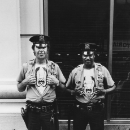


I created this pack to go with my Port Authority Livery Pack (Linked Below!)
The Port Authority Police have a unique mission: their primary duty is to safeguard some of the most critical infrastructure facilities in the world. Their span of control spreads across numerous jurisdictions within two states. Their singular responsibility is to provide security for thousands of employees, millions of commuters, passengers, and visitors who travel through the Port Authority’s transportation facilities and structures. The duties of the Port Authority Police include high-visibility police patrol, preliminary criminal investigation, emergency response, counter-terrorism tactics, commercial vehicle inspections, directed patrols and aircraft rescue and firefighting.
Uniform Textures:
- Patrolman Shirt
- Patrol Soft-Vest
- PAPD Hat
- PAPD Jacket
PORT AUTHORITY POLICE LIVERY PACK:
!!!MUST HAVE!!!!
Please Do NOT re-upload or rip off.
Please Credit me if you're gonna use the pack in a video or any media.
------------------------------------------------------------------------------------
© 2025, FORTY 7 GRAPHICS & DESIGNS
Edited by FORTY 7






(2).thumb.png.62d8dc71a69a1994803920a19551051e.png)



Recommended Comments
Create an account or sign in to comment