


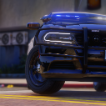


Hello, As the name says, this is a Quarter Glass Mega T Bucket fitted to raz3r's 23-24 Tahoe ppv, Fitted for GetInmyBelly's model (link in credits)
This is my first 3d model that has actually made it out of blender & now released. Any feedback would be appreciated.
You may not reupload this file anywhere.
You may not claim my work is yours.
You may use this for any projects, commercial and non commercial with credits, vehicle must be locked.
I do have plans for more mounts alike this, progress can be tracked via my discord:
discord.gg/e8CneDJGnK
Edited by tempe
Updated Description.
Quarter glass bucket mount credits:
Original design & Inspiration by Bearded3D (https://bearded3d.com/products/2021-tahoe-quarter-glass-mega-t-bucket-kit)
Modeled and fitted to raz3rs 23-24 Tahoe PPV by Tempe.
Textures were NOT made by me, I believe the textures (dinghyblack & env) are made by R*
GetInmyBelly's T-Series light:
https://www.lcpdfr.com/downloads/dev-resources/lightbars/49238-whelen-t-series/
Original design & Inspiration by Bearded3D (https://bearded3d.com/products/2021-tahoe-quarter-glass-mega-t-bucket-kit)
Modeled and fitted to raz3rs 23-24 Tahoe PPV by Tempe.
Textures were NOT made by me, I believe the textures (dinghyblack & env) are made by R*
GetInmyBelly's T-Series light:
https://www.lcpdfr.com/downloads/dev-resources/lightbars/49238-whelen-t-series/










.thumb.png.d642ff9c57245d19627b16114298b2ea.png)





Recommended Comments
Create an account or sign in to comment