Skip to content
View in the app

A better way to browse. Learn more.

LCPDFR.com

A full-screen app on your home screen with push notifications, badges and more.

To install this app on iOS and iPadOS
  1. Tap the Share icon in Safari
  2. Scroll the menu and tap Add to Home Screen.
  3. Tap Add in the top-right corner.
To install this app on Android
  1. Tap the 3-dot menu (⋮) in the top-right corner of the browser.
  2. Tap Add to Home screen or Install app.
  3. Confirm by tapping Install.
98 files
    • 1,312 Downloads
    • 6701 Views
    • 147.76 MB File Size
    • 16 Comments
    Updated
    • 85 Downloads
    • 1426 Views
    • 80.77 MB File Size
    • 1 Comments
    Updated
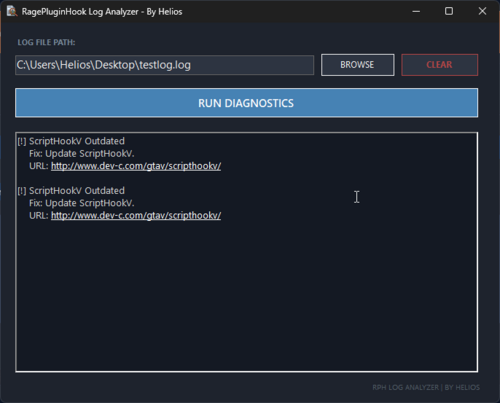
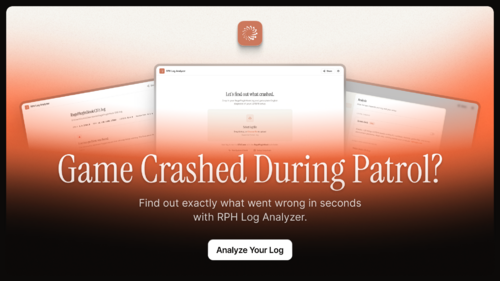
  1. A free GTA V / LSPDFR log analyser that reads your RagePluginHook.log, explains crashes in plain English
    • 3,042 Downloads
    • 15686 Views
    • 70.49 MB File Size
    • 15 Comments
    Updated
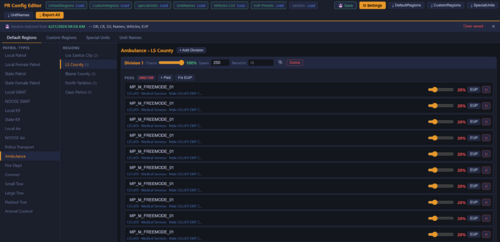
  2. A unified XML editor for LSPDFR: edit Native, UltimateBackup, and PolicingRedefined configs in one GUI. MIT, free, multi-languag
    • 183 Downloads
    • 2995 Views
    • 59.8 MB File Size
    • 15 Comments
    Submitted
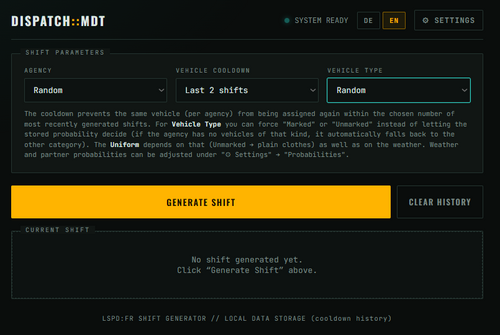
  3. Fully custumisable web-app to generate shifts
    • 62 Downloads
    • 1712 Views
    • 12.8 kB File Size
    • 1 Comments
    Updated
  4. Find out why rage plugin hook is crashing
    • 110 Downloads
    • 1148 Views
    • 62.51 kB File Size
    Submitted
    • 3 Downloads
    • 227 Views
    • 42.84 MB File Size
    Updated
  5. This is a very simple helper-tool for Policing Redefined. This exists as a single .html - you may open with your browser.
    • 164 Downloads
    • 2079 Views
    • 24.15 kB File Size
    • 3 Comments
    Updated
    • 38 Downloads
    • 1315 Views
    • 39.4 MB File Size
    Updated
    • 45 Downloads
    • 883 Views
    • 15.43 MB File Size
    Updated
    • 54 Downloads
    • 932 Views
    • 9.28 MB File Size
    Updated
    • 11 Downloads
    • 894 Views
    • 5.81 MB File Size
    Updated
    • 37 Downloads
    • 1717 Views
    • 71.35 kB File Size
    • 2 Comments
    Updated
    • 9 Downloads
    • 737 Views
    • 12.9 MB File Size
    Updated
    • 15 Downloads
    • 452 Views
    • 1011.84 kB File Size
    Updated
    • 444 Downloads
    • 4459 Views
    • 388 B File Size
    • 9 Comments
    Updated

Account

Navigation

Search

Search

Configure browser push notifications

Chrome (Android)
  1. Tap the lock icon next to the address bar.
  2. Tap Permissions → Notifications.
  3. Adjust your preference.
Chrome (Desktop)
  1. Click the padlock icon in the address bar.
  2. Select Site settings.
  3. Find Notifications and adjust your preference.