Skip to content
View in the app

A better way to browse. Learn more.

LCPDFR.com

A full-screen app on your home screen with push notifications, badges and more.

To install this app on iOS and iPadOS
  1. Tap the Share icon in Safari
  2. Scroll the menu and tap Add to Home Screen.
  3. Tap Add in the top-right corner.
To install this app on Android
  1. Tap the 3-dot menu (⋮) in the top-right corner of the browser.
  2. Tap Add to Home screen or Install app.
  3. Confirm by tapping Install.
Due to overzealous filtering on Microsoft’s side, some emails to Outlook and Hotmail addresses may not be delivered. If you’re affected, please use a different email address or try again later.
98 files
    • 1,056 Downloads
    • 5478 Views
    • 147.64 MB File Size
    • 16 Comments
    Updated
    • 65 Downloads
    • 799 Views
    • 80.77 MB File Size
    • 1 Comments
    Updated
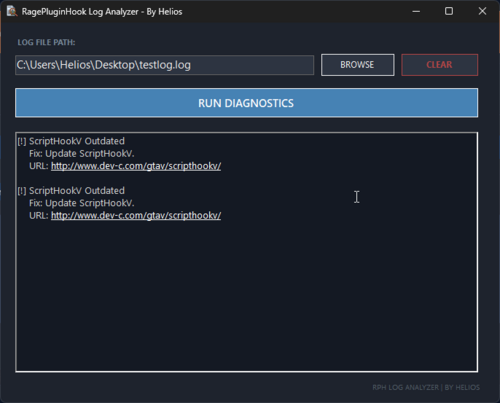
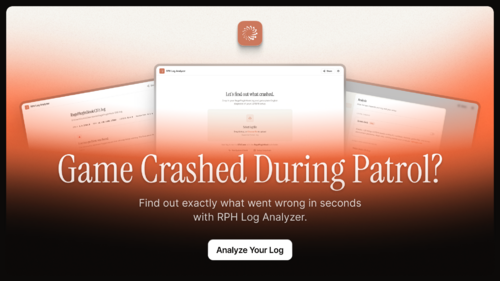
  1. A free GTA V / LSPDFR log analyser that reads your RagePluginHook.log, explains crashes in plain English
    • 2,557 Downloads
    • 13607 Views
    • 70.49 MB File Size
    • 13 Comments
    Updated
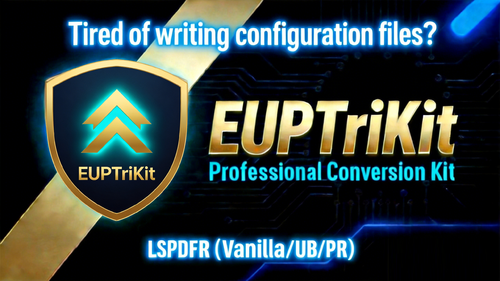
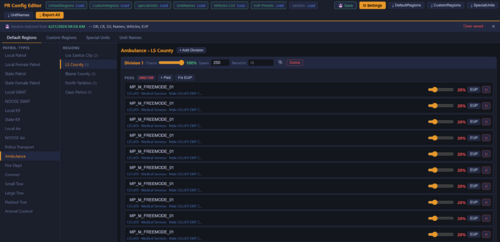
  2. A unified XML editor for LSPDFR: edit Native, UltimateBackup, and PolicingRedefined configs in one GUI. MIT, free, multi-languag
    • 173 Downloads
    • 2563 Views
    • 59.8 MB File Size
    • 15 Comments
    Submitted
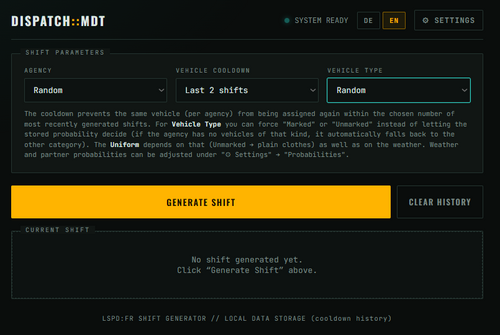
  3. Fully custumisable web-app to generate shifts
    • 61 Downloads
    • 1624 Views
    • 12.8 kB File Size
    • 1 Comments
    Updated
  4. Find out why rage plugin hook is crashing
    • 98 Downloads
    • 1007 Views
    • 62.51 kB File Size
    Submitted
    • 3 Downloads
    • 204 Views
    • 42.84 MB File Size
    Updated
  5. This is a very simple helper-tool for Policing Redefined. This exists as a single .html - you may open with your browser.
    • 156 Downloads
    • 1960 Views
    • 24.15 kB File Size
    • 3 Comments
    Updated
    • 32 Downloads
    • 1160 Views
    • 39.4 MB File Size
    Updated
    • 39 Downloads
    • 819 Views
    • 15.43 MB File Size
    Updated
    • 48 Downloads
    • 867 Views
    • 9.28 MB File Size
    Updated
    • 9 Downloads
    • 875 Views
    • 5.81 MB File Size
    Updated
    • 37 Downloads
    • 1641 Views
    • 71.35 kB File Size
    • 2 Comments
    Updated
    • 8 Downloads
    • 673 Views
    • 12.9 MB File Size
    Updated
    • 14 Downloads
    • 438 Views
    • 1011.84 kB File Size
    Updated
    • 425 Downloads
    • 4291 Views
    • 388 B File Size
    • 9 Comments
    Updated

Account

Navigation

Search

Search

Configure browser push notifications

Chrome (Android)
  1. Tap the lock icon next to the address bar.
  2. Tap Permissions → Notifications.
  3. Adjust your preference.
Chrome (Desktop)
  1. Click the padlock icon in the address bar.
  2. Select Site settings.
  3. Find Notifications and adjust your preference.