



Ok, this is for anyone intrested in 3dModeling. I am by no means an expert at it, and I am constantly learning something new. I will used this as a guide on how to model a vehicle. If someone with more experience are know-how wants to fill in/add something, by all means, DO SO! :D Now, I started 3d modeling with a program called FSDS for Microsoft Flight Simulator, and within the past year and a half started working in both GMax and 3dsMax. The biggest thing to remember is that all object use basic geometry (Spheres, Tubes, Boxes) After searching youtube.com I came across a tutorial of modeling a Mustang. It was very straight forward.
Let's start with the first and most very important step....the 3 views....Google is your friend when it comes to this....Search for car blueprints or 3 views. Now everyone has their own method of doing this, but the method I use is to split the 3 view up into 3 different files. I then crop the images so that the images are only of the line drawing.
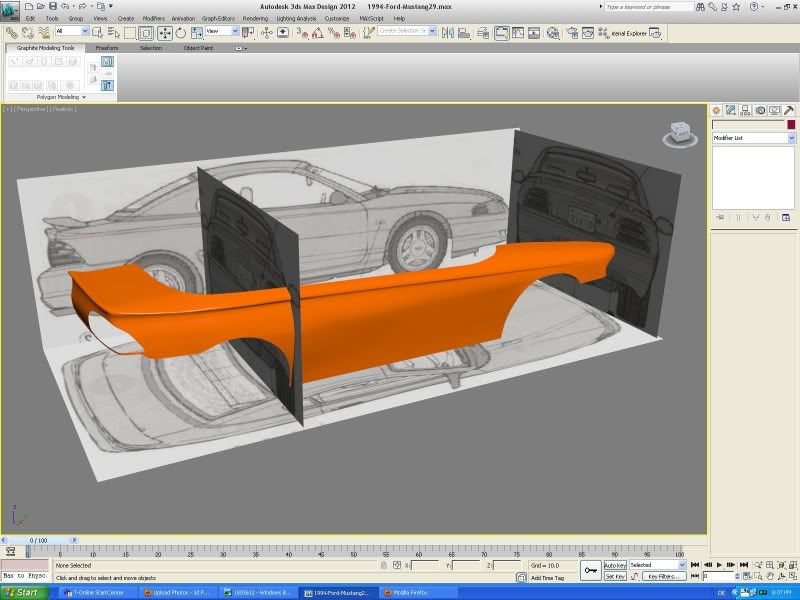
What I then did, using the tutorial is start with a tube on the x axis, and deleting everything but the cap. I moved the circle poly to a wheel well, converted the poly to a editable mesh, and extruded the edges, welding the verticies as I went along.
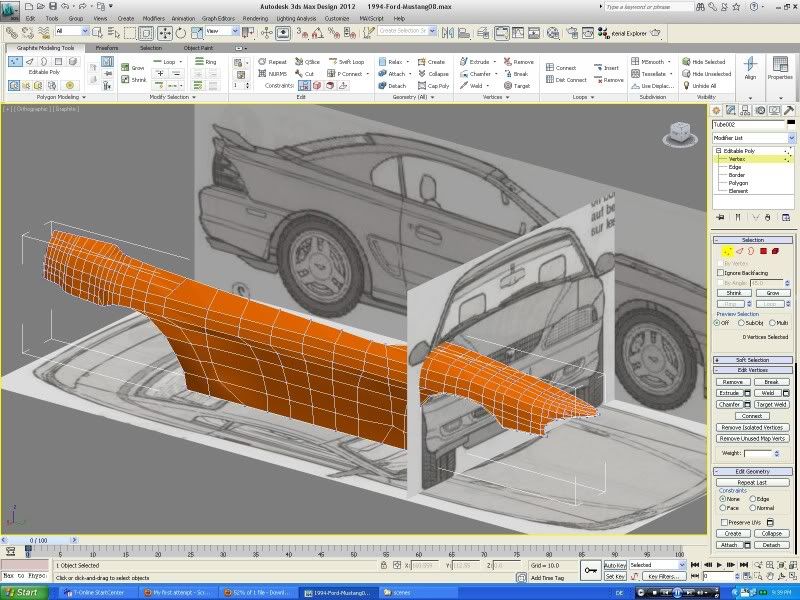
It takes time, but after you get used to it, you start to think three dimensionally
Recommended Comments
Join the conversation
You can post now and register later. If you have an account, sign in now to post with your account.