


Ekalb
Members
-
Joined
-
Last visited
Everything posted by Ekalb
-
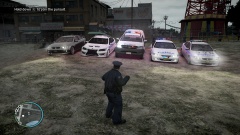 Shameless self-promotion but there is a NSW hilux if you're interested..
 -
ctrl-f ekalb no results sadface
-
I'm a big fan of the look of the black SAHP livery on that car with the blu/red/whi lightbar. Nice.
- 10 comments
- 5 reviews
-
-
Are we likely to see further bug fixes in the near future? A few examples of what I've frequently seen are some issues with the event-cam when accessing the police MDT and also on mugging calls the victim peds seem to be quite literally bent out of shape.
-
-
-
-
 They could be red but then the back two would have to be both blue/white. The fbi slot only supports siren1-4 (1 & 3 are red, 2 and 4 are blue).
 -
Awaiting approval at time of upload.
-
The assorted modded cars I uses plus some player textures I have done.
-
Now Available...
-
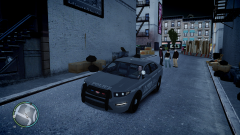 Lurking about
-
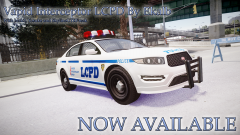 Now Available...
-
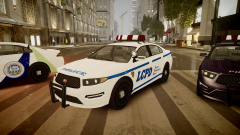 LCPD Vapid Interceptors
-
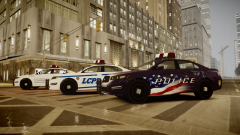 LCPD Vapid Interceptors
-
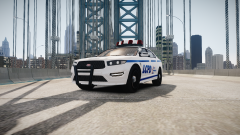 LCPD Vapid Interceptor
-
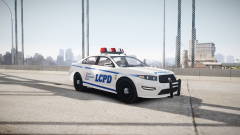 LCPD Vapid Interceptor
-
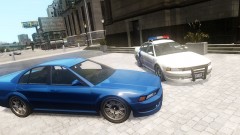 Police Vincent 2.0!
-
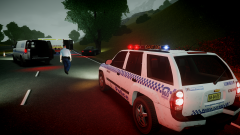 Crash Investigators Attend Collision (2)
-
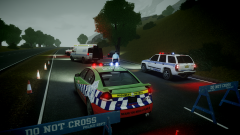 Crash Investigators Attend Collision
-
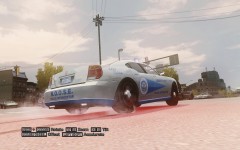 Buffalo Interceptor WIP
-
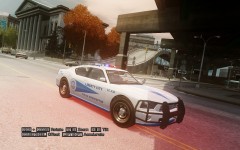 Buffalo Interceptor WIP
-
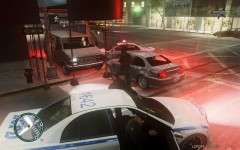 Police Vincent In Pursuit II
-
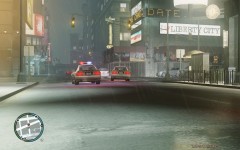 Police Vincent In Pursuit I
-
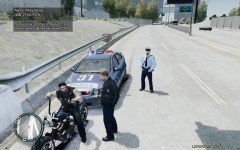 Highway Patrol
-
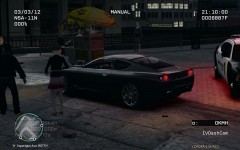 Undercover SuperGT
-
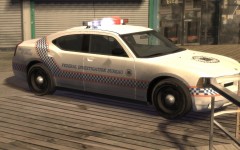 FIB Charger - WIP
-
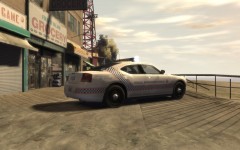 FIB Charger - WIP
-
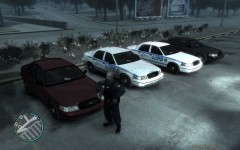 Police Patrol - Crown Victoria (2)
-
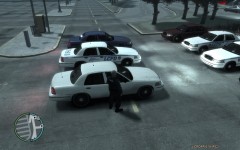 Police Patrol - Crown Victoria (1)
-
-
From the album: My Vehicles
-
I really had to rush this one out before I lose internet for a short time. I hope there are no bugs, but on that same note only limited support will be available from me while I get things sorted out with my net. Enjoy!
- 16 comments
- 5 reviews
-
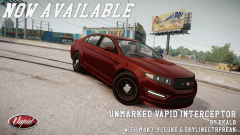
Back again with another GTAV car mod. This time it's a stealth/unmarked version of the Vapid Interceptor, optimised for the fbi slot. Once again it comes courtesy of SkylineGTRFreak's unlocked models (via Yosuke and m4k3) after being livery-mapped and edited in various other ways by me. Again, the model is unlocked in the hopes that we'll see modders paying greater attention to the great vehicles Rockstar have made, rather than just concentrating on the endless surge of crown vics and chargers. Please advise me of any bugs or other feedback in the comments below or in my modding development thread. **NB: I'm not 100% sure on the handling line I've provided. I'd imagine that the default fbi one should be fine though. If you have problems, just experiment. ** CREDITS Original Vapid Police2 by Rockstar Games, Ripped from GTAV by M4k3, Converted to GTA SA by Yosuke, Converted to IV & provided in open, unlocked format by SkylineGTRFreak, Black trim on liveries by Yard1, UV-Mapping, attachment and modification of other police equipment, liveries, stealth/unmarked setup, other editing etc. by Ekalb
- 16 comments
- 5 reviews
-
Thanks everyone, I'm sure DLer and Yard are hard at work on a heap of awesome liveries so just sit tight on that front.
- 34 comments
- 10 reviews
-
I'm not really an ELS kind of guy (which is pretty well known by now) but if people want to do an ELS version of the original I would recommend using mine as a base, then importing the original parts from Skyline's model so they can take advantage of the livery mapping and the couple of bug fixes I've done.
- 34 comments
- 10 reviews
-
Okay that's enough gallery spam, I promise!
-
From the album: My Vehicles
Coming soon! -
-
File is being taken down briefly for a couple of bug fixes. See version 1.1
-
Approved! Thank you Yard, enjoy!
-
- multiple liveries - non-els - unlocked :)
-
** currently awaiting approval at time of upload
-
From the album: My Vehicles
-
SkylineGTRFreak has been doing wonders for the GTA IV community following work from Yosuke and M4k3 in converting GTA V vehicles to our favourite game. I'm also really thankful that SkylineGTRFreak has supported the community in such a way by providing some of his models unlocked for other models to customise further. As soon as he had uploaded this one I grabbed it straight away and worked on it all day to produce something I've known the community was after. So I present the Vapid Interceptor, ready for GTA IV, livery-mapped and with the standard Liberty City Police Department setup. I've also provided the model unlocked so that people can make their own customised versions in an effort to breathe further life into new and exciting areas of the GTA modding scene. I myself currently have an unmarked variant also underway optimised or the fbi slot. I'll most likely also work on an EVCS pack if I get the time. Please advise me of any bugs or other feedback in the comments below or in my modding development thread. **NB: I'm not 100% sure on the handling line I've provided. I'd imagine that the default police2 one should be fine though. If you have problems, just experiment. ** Thanks! UPDATES HAVE BEEN RELEASED + Version 1.1 fixes a couple of quick issues related to ped positions in the backseats (no more heads sticking out the top) and collision alignment issues related to the front bumper and pushbar. + Version 1.2 adds a police antenna to the roof the vehicle and I've included 2 of Yard1's LCPD liveries that more closely resemble the NYPD counterpart for those seeking more realism. CREDITS Original Vapid Police2 by Rockstar Games, Ripped from GTAV by M4k3, Converted to GTA SA by Yosuke, Converted to IV & provided in open, unlocked format by SkylineGTRFreak, Extra liveries: Yard1 with source material from Abraxas, UV-Mapping, attachment and modification of other police equipment, liveries, other editing etc. by Ekalb
- 34 comments
- 10 reviews


