


Ekalb
Members
-
Joined
-
Last visited
Everything posted by Ekalb
-
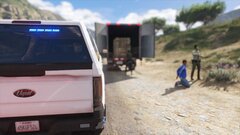
From the album: Plugin Pics
-
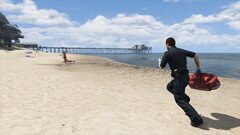
From the album: Plugin Pics
-
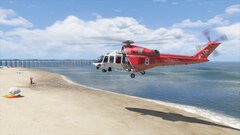
From the album: Plugin Pics
-
I started having this issue today too out of nowhere (I was able to play modded GTA yesterday) but I have now fixed it. What fixed it for me was running Rockstar Games Launcher from the start menu. It needed to run a couple of times to install updates. Once the Rockstar launcher was updated and running successfully, I could launch Gta via Rage Pluginhook without any issues.
-
-
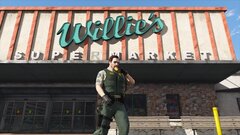
From the album: Willie's Tactical Supermarket
-
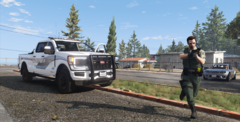
From the album: Willie's Tactical Supermarket
-
It seems your game is crashing at the same point as mine was. If you have lml and/or addon DLC packs installed, try installing this https://www.gta5-mods.com/tools/cweaponinfoblob-limit-adjuster
-
Boom! That solved it - I've never had that installed before despite using all the same mods, but after installing it I was able to re-enable all my lml files and my mods folder with extra dlcpacks. Thanks @PNWParksFan and @LMS !! I haven't re-installed packfilelimit adjuster and that doesn't seem to be an issue... @InfamousNathan I am sorry for hijacking your thread but it appeared we had the exact same issue. I would recommend installing the weapons limit adjuster suggested above and seeing if that fixes your issue. Same for anyone else with the ERR_MEM_EMBEDDEDALLOC_FREE_2 Game Memory Error.
-
Thanks mate, I've had a go as suggested: mods folder disabled (renamed to xxmods) packfilelimitadjuster removed. I have HeapAdjsuter in place with the ini set as HEAP_SIZE = 10000 Command line settings -DX11 -windowed -borderless -hdr -ignoreDifferentVideoCard -shadowLongShadows All LML mods disabled except for Coastal Callouts and Park's recent GameConfig Steam version, launched via RPH Result: Crash while loading after 'Loading and Populating Game World', as per usual (see screenshot. This seems to be the exact same point (and same point in the RPH log) as other people with this error. Attached RPH log and vfs log. vfs.log RagePluginHook.log

-
Can you link to the specific files you refer to at point 3? Including the specific gameconfig.xml you are using and where you have it installed. Also whether or not you have LML installed.
-
Hm, on further investigation: I get the memory crash if Coastal Callouts is enabled in LML, but no other LML folders seem to cause it I also use some dlcpacks in the mods folder for mods. I'm able to run the game with my MODDING, coroner (coroner vans addon), rass (roadside assistance vehicles addon), eup and sup dlcpacks enabled, but not with my coastguard (lore-friendly coastguard vehicles addon), bcat (lore-friendly bearcat addon) or beanbag (less-lethal beanbag shotgun addon) dlcpacks. The crash doesn't seem to be related to a particular number of modpacks running, but it may be related to their filesize or complexity... Either way I'm very confused.
-
I am experiencing this same error too. I have found that as a workaround the game will run correctly if you disable some LML mods (e.g. coastal callouts) and/or custom DLC packs. This makes me think it's something to do with the gameconfig or packfilelimitadjuster/heapadjuster files.... @LMS any thoughts..?
-
try FriendA.Tasks.Clear(); or FriendA.tasks.ClearImmediately();
-
If you want a ped you have defined as 'FriendA' to perform an animation you need to use the function this way: FriendA.Tasks.PlayAnimation("mp_facial", "mic_chatter", 3f, AnimationFlags.None); The argument are the specific animation dictionary (in the above example: "mp_facial"), then the specific animation ("mic_chatter"), a float for speed, then any flag (in the format AnimationFlags.None or AnimationFlags.Loop, for example) Try Google for a list of dictionaries and animations, e.g. https://alexguirre.github.io/animations-list/
-
Callout pack... Testing...
-
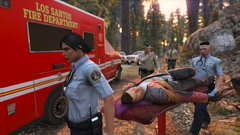
From the album: Callout Pack
#spoilers -
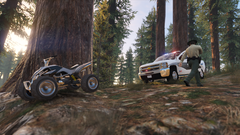
From the album: Callout Pack
-
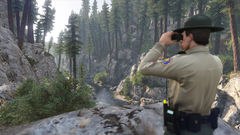
From the album: Callout Pack
-
An update is due to be released for LSPDFR which will hopefully fix this issue. It's not on your end.
-
Confirming I am experiencing the same issue with the pause menu after going on duty. It seems I can access the LSPDFR menu once, and then the next time I pause the game the 'BRIEF' menu won't load, no notifications appear, the default police computer UI doesn't appear properly, Bejoijo's PC doesn't work correctly etc. Basically all the 'Pause menu' style menus break. @LMS ?
-
I'm a bit confused with how to actually use this. I want a ped (Suspect) to do to the WORLD_HUMAN_PARTYING scenario during an intoxicated subject callout. Do I add this class to my project, then use the relevant functions at the bottom inside the class I have for the specific callout? e: Disregard, I think I figured out what I needed.
-
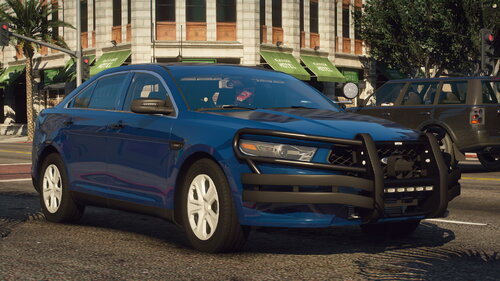 @JackTheDev FYI this was crashing my game initially when i installed it (via lml). After some investigation I found that the handlingID in the handling.meta was incorrect - it was 'taurus' when it should have been 'ftaurus'. After fixing this I haven't had any issues.
 -
 (copied from a post in your dev thread in case you look here instead) These looks great. Are there any more equipment variants to come in future? I'm looking for a shoulder mic that is part of a vest model, possibly also with other gear attachments/pouches. Is that something on the radar?
- 85 comments
- 27 reviews
-
-

- 1
-
-
These looks great. Are there any more equipment variants to come in future? I'm looking for a shoulder mic that is part of a vest model, possibly also with other gear attachments/pouches. Is that something on the radar?


