




RolandHUE
Members
-
Joined
-
Last visited
Everything posted by RolandHUE
-
-
-
-
-
-
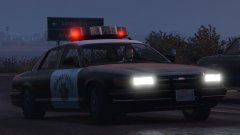 The SAHP's finest car finally is back!
 -
-
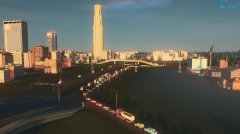 Indeed, it's Cities Skylines :D
 -
-
-
-
-
-
-
-
-
-
I'm from Brazil, Rio de Janeiro.
-
-
.thumb.jpg.57b6862f6420628763316243b5fbd116.jpg) First of all, use this models to install my skins: This pack of textures contain my version of LSPD. I worked in all main vehicles + the added Buffalo S(if you use as a added car), Granger and the Police Transporter. For the textures i used elements from the game. The decals on the back i created also using elements from GTA V increasing a little bit the quality. Each vehicle have a variety of liveries: 1 for Police Transporter and 1st Gen Stanier 2 for 2nd Gen Stanier and Buffalo S 3 for Granger 4 for Interceptor and Buffalo Install instructions are on the files. Credits: I want to thanks a lot of people for their hard work on these cars, without them, none of this work could be possible: *Rockstar Games for the base vehicles models; *LtMattJeter for his work on Templated Buffalo S; *LtMattJeter, iansonwheels, windows446 and LtCaine for their work 2nd Gen Stanier; *Lundy, Yard1 and ChrisTuffur for their work on 1st Gen Stanier; *Lt.Caine for his work on Granger Default-Type and V Interceptor Default-Type; *Yard1 for his work on Bravado Buffalo 1st gen Mapped Default-Style; *ns0112 for his work on [UV MAPPED]Police Transport. If i forgot someone who worked on one of these cars please tell me to include here. Enjoy! :)
First of all, use this models to install my skins: This pack of textures contain my version of LSPD. I worked in all main vehicles + the added Buffalo S(if you use as a added car), Granger and the Police Transporter. For the textures i used elements from the game. The decals on the back i created also using elements from GTA V increasing a little bit the quality. Each vehicle have a variety of liveries: 1 for Police Transporter and 1st Gen Stanier 2 for 2nd Gen Stanier and Buffalo S 3 for Granger 4 for Interceptor and Buffalo Install instructions are on the files. Credits: I want to thanks a lot of people for their hard work on these cars, without them, none of this work could be possible: *Rockstar Games for the base vehicles models; *LtMattJeter for his work on Templated Buffalo S; *LtMattJeter, iansonwheels, windows446 and LtCaine for their work 2nd Gen Stanier; *Lundy, Yard1 and ChrisTuffur for their work on 1st Gen Stanier; *Lt.Caine for his work on Granger Default-Type and V Interceptor Default-Type; *Yard1 for his work on Bravado Buffalo 1st gen Mapped Default-Style; *ns0112 for his work on [UV MAPPED]Police Transport. If i forgot someone who worked on one of these cars please tell me to include here. Enjoy! :)- 5 comments
- 1 review
-
-

- 4
-
-
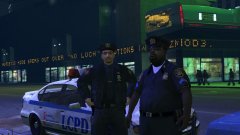 I miss these guys, did nice patrols around LC with them. Hope they come to LS.
 -
-
-
-




.thumb.jpg.57b6862f6420628763316243b5fbd116.jpg)


