


Creators: Due to background reprocessing of files, approvals and file security checks may be delayed. Thanks for your patience.

MascottePaper
Members
-
Joined
-
Last visited
Everything posted by MascottePaper
-
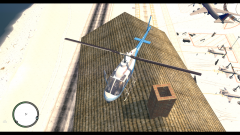
From the album: Chicago emergency Services Roleplay
I was just experementing with the "add buildings" to liberty city project. I got it in game, and got it working ( Yeah ), only issue was... the size was a tiny bit big even though it looked fine in the program I was using. Looking foward to putting in some fire stations and some secondary buildings where they don't belong :) Only problem is.. 3D models of firestations arn't there alot that are properly converted -
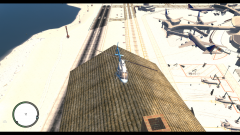
From the album: Chicago emergency Services Roleplay
I was just experementing with the "add buildings" to liberty city project. I got it in game, and got it working ( Yeah ), only issue was... the size was a tiny bit big even though it looked fine in the program I was using. Looking foward to putting in some fire stations and some secondary buildings where they don't belong :) Only problem is.. 3D models of firestations arn't there alot that are properly converted -
Guess its a mystery so far, maybe somebody else comes up. Don't have more pictures of that lightbar though. Used by CPD in their unmarked tahoe's
-
Isn't it, after comparing it though. One in the bar has 5 LEDS the supervisor has 4 with one on 45 degree turn if i`m correct.
-
Hey all, Got a question about a lightbar, used for an unmarked tahoe : Picture is below, but after looking at it for hours I couldn't identify it :/ Any help would be greatly appreciated. Regards, MascottePaper.
-
I named it for example with the toolbox : Toolbox paint 1 and then the setup, that should work
-
Did you attach it to chassis? I had the same issue, how does your materials look?
-
Your welcome!
-
You need to set up your textures properly. If you look at this topic, a great guy explained it to me :
-
-
-
-
-
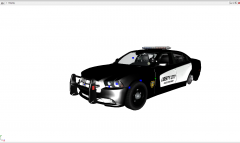 Yeah i believe i already released it :P
 -
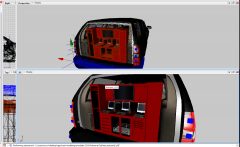 Sides aren't finished yet, was planning on making those gunstands / jacketstands ( one with vests/ jackets ) the other one with M4/Mp5's. The tv on the roof is a nice idea though, appreciate it.
 -
I know right, still need to texture it, but I always texture after I put it in place, and did all of the rest. Going to be in either grey / chrome or in Black with some white.
-
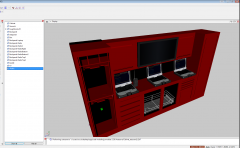 Thnx for the feedback :)
 -
From the album: MascottePapers W.I.P
Decided to scale it, and put it in the tahoe. Though this is easy, will be texturing it in PPV colors so it matches the appearance of the tahoe. The cabinet alone is aprox ( without all of the extra walkies ) around the size of 70.000. -
Most of it is due to the walkies, 51.000 total with 8 walkies.. but it are the only ones that I have.
-
Nehh its not high. Its about the 120.000 :P
-
Not sure, I`ll test it tonight and i`ll bring out a rapport :P
-
From the album: MascottePapers W.I.P
Little project i`m working on -
Yeah it is, now time to do some more stuff with interior parts. Maybe not the right look for a cop car yet, but what isn't there yet, can be made. Really appreciate it :'D!
-
Well sir, I appreciate this, because all of this made it work. Now my adventure with this part of modeling will continue, and I really appreciate this. Pictures as proof :
-
These are the ones that I tried so far. And multiple others. Uvmapped it, generated new ones, assigned them to old ones, nothing worked.

