


ToothlessZulu
Members
-
Joined
-
Last visited
Everything posted by ToothlessZulu
-
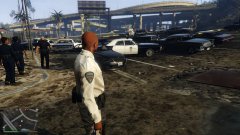
From the album: Out on Patrol
Aftermath of a pursuit which ended in a shootout -
Where the screenshots I take while patrolling lie
-
 do want
 -
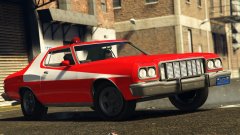
I would love to play with someone, I use ELS 8, VDH Policehelper with Tow Truck Scripts, and this car: GFWL Username is ToothlessZulu
-
GTAIV is not designed to use multiple cores and it will only use one. It depends on how fast each core is in your processor. Also it may be your 2 gigs of ram that is causing this.
-
That error you are getting is the SMPA60 error. Info on it can be found >here
-
Also, Make sure you have run the game at least once and completed the first mission.
-
Well lets begin. First off, you dont have an ASI loader. Second off, you dont have C++ Scripthook installed, and third, you dont have ScriptHookDotNet. Get those and it should work like a charm.
-
Dark, I am highly sure he did what dtdetroit said.
-
This happened to me too, I turned off water reflections and lowered water quality down to low, all the other things above the ani stuff should be down to medium. Its something that has to do with AMD Processors I believe.
-
You wouldnt happen to have a 64 bit system would you?
-
This wouldnt have to do with a pirated copy as it involves the dsound.dll file. At least I hope it doesnt.
-
I am guessing that this is a rare occurrence as I have now only seen 3 people with this case. I don't know about this, but everything we've tried doesn't work.
-
I get this every once in awhile, but I normally close it and wait about 10 seconds and try opening it again.
-
Windows Vista may be a problem but I highly doubt it. But I noticed something here: It seems like each time this script fails to start, causing GTAIV to CTD (crash to desktop), but it could be more than that.
-
I think that where ever it puts the callout it cant find a suitable (clear area) to place a backup/emergency vehicle for the callout. Thats just a wild guess but I might be on the right track.
-
I am unsure but unless they state specifically that it wont work with ELS 6 then it should be fine.
-
-snip- Im not sure on this one but from a wild guess I think it cant place your model back in the Police station again for some reason.
-
I would use SparkIV instead of OpenIV. SparkIV can be found here: http://www.gtaforums.com/index.php?showtopic=384933
-
It has something to do with IE not loading the pictures correctly or something along those lines.
-
Im running GTAIV with LCPDFR and custom cars with only 413 megs on my GPU. But I had to tone down the settings.
-
Download service is probably down still, the website was down earlier today.

