


Sheriff Van Dyck
Members
-
Joined
-
Last visited
Everything posted by Sheriff Van Dyck
-
 I like that mod but damn it's about 2GB weight!
 -
 Keep calm and blame... blame on... on the... shit no, i just can't help you on that
 -
Oh yeah that would be awesome, i like that car too (i have a toy just like that one) There is a LTD or something on Gta inside or gta4-mods i guess, if it can help you of course. Is not the same but it's pretty similar Btw i dunno how to model, i've tried mny times and i just couldn't :(
-
Ohhhh thank you FCV, that chase was crazy! Thank you for the info ;-)
-
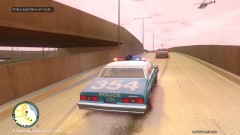
Hey is this a movie or a real chase? If it is a movie, wich one is it? and so on the third pic on the first post (Caprice chasing the Crown Vic)
-
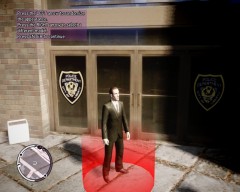 Oh forget it i've just found him ;-)
 -
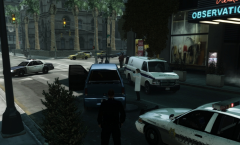
Oh thank you Kit!!! If i'm not bothering you, i have two models for the FIB agents in the TBoGT when LCPDFR asks me to select my model, i can see my modded one and at the end (next to this one in the pic) i see another! and i can't find him neither, do you know something about it?
-
From the album: Radom things
Does anybody know who is this guy? He's on TBoGT but I can't find him on the .img files over TBoGT or main .img file, damn, he looks pretty amazing -
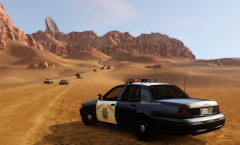 Hey bro, is Red Dead Desert '12 you can get it on www.gta4-mods.com
 -
 Yeah, that one ;-)
 -
 Oh man i would love to but i can't get my game working on MP
 -
 hahaha tht's ok buddy, jk. Oh and thank you for the link
 -
 Yeah, me too. Would be cool!
 -
LOL weird small AMC do u know where can i find that gremlin?
-
Yeah, maybe... i dunno why but i guess you will do it! jk
-
haha my mom too. Hey but i'm not a fag!
-
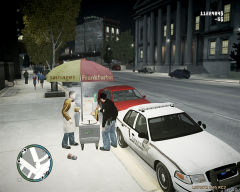 Oh men i can't remember but PM me bro, if it's good for the copyrights stuff i can share it with you.
 -
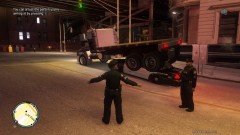
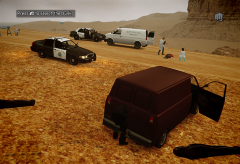
Here is a picture of the METT workig on the map LtChuckSmiley
-
I can't edit my post. I mean, the LCPDFR and Braveheart's script, both work, but if you receive a call out from any of them you need to get into the city to respond, i mean the suicidal subjects and stuff doesn't appear in the desert.
-
Hey Lt. This map is RDD 12 or something, it's on gta4-mods(dot)com, is the second version of the red dead desert map. AS i say above this map has traffic paths and all of my mods (wich are Towing script, Police Helper, and of course the METT works pretty well, oh and the traffic stops too, you can pull over any car just be aware that once the people get out of their cars they just stand still as the map has not a path for the peds to walk. the Braveheart's script and the callouts from LCPDFR (only the call outs) work outside the map,ie if you receive a disturbance call or something you will need to drive back to the city to respond to them. Oh and before i forget about, when you call the METT they will stand still for a while and then they will run to the dead bodies, that's all dude, and your questions are not stupid as we need to help each other in any way, there are plenty of assh*les around here but some of us have the will of help and answer any question. ;-)
-
From the album: Radom things
© Me, and Rockstar for the model.
-
Thank you buddy, the call outs do work, but not into the map, i.e if you get a disturbance call out it would be from Broker and you will need to drive back to the city. The pull over part actually works here. The only thing i've noticed is that Pedestrians doesn't know where to go once they're out of the vehicle, so when you arrest someone you need to take them to the PD because if you ask for back up to take them the other officers just stand still next to their cars since the map has only Traffic paths. I dunno if i explain myself right
-
From the album: Radom things
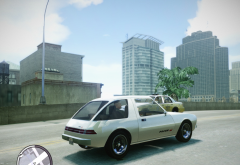
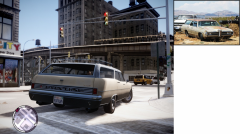
I like this ca a lot, so i made for it the AMC and Pacer badges. I'm doin it for the Regina too, just putting some Pontiac Badges on it. -
From the album: Radom things
-
From the album: Radom things

