


Sheriff Van Dyck
Members
-
Joined
-
Last visited
Everything posted by Sheriff Van Dyck
-
-
For what I've read, you are using the mod to make traffic lights solid, I have a high end system and I run a lot of mods, like LCPDFR, real traffic mod which is an asi mod and a popcycle.dat, and another ones. I also run sometimes the fire inspector mod... I don't have any issues on those but when I started using the solid traffic lights modification, my game was lagging as hell, like 17 to 8 FPS, and then have crashes every 10 minutes. Try to run the game without that script, and if it doesn't work I suggest you to remove all the other ones and try playing with one by one until you find the script that is probably giving you the problem. In my opinion, it must be a script issue. Have you experienced any problem before making that ped modification? Or are you using a command line? Also, always remember that it doesn't matter if you have the NASA computer, GTA IV is badly optimized for PC since it came out. Its my personal opinion. Lemme know if I helped you with this, and sorry for my bad English.
-
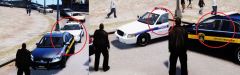 Finally! Someone has heard my prayers...! Well, i'm using RealTraffic.asi, because the other ones causes (in my game) a lot of textures bug, and with this one i have no lag. But with other traffic mods, i still have the same issue. I have even put back my vehicles.ide backup and it was the same result
 -
-
-
-
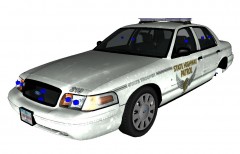 This one looks great, any chances to get a rambar version?
 -
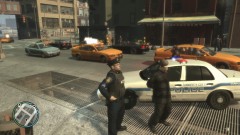 LOL Can i have a download link for that CVPI?
 -
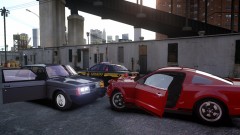 i keep thinking that the thumbnails are real pictures LOL
 -
-
-
I think the best fight was that Batman VS Bane, you gotta love that movie
-
What's that movie?
-
Hey this one looks cool, great job
-
-
-
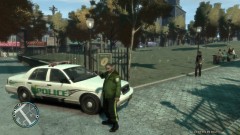 That skin looks cool !
 -
i guess you need to put the correct colors on carcols.dat on common/data folder. Check what's the color you want to have there and look for the code/number of that color, then put that on the line of the car that you have replaced with this one
-
I've made this skins as a request from Lt.J Council These are made with PS, in the file there's a few real pictures so you can see the real one vs the game version.. There aren't my first skins but i'm not a professional, so if you have any comment or suggestion please feel free to tell me. Help me to be better with constructive criticism. All credits for the things showed are explained in the README.txt Please enjoy and tell me if you find any bugs or abnormalities. Am i missing something in the credits or the skins? If so, please let me know.
- 14 comments
- 4 reviews
-
You're welcome bro
-
Ok cool, i think that's the most common template. I've finished my things i will start working on your textures now. I'll let you know when i'm done
-
Do you want the 4 skins with a different license plates in each car, right? Just give me an hour as i'm filling my application to college... Yeah that too, you need to specify which one.
-
Maybe i can do this in PS. For which car do you want it?
-
Holy f*ck! That intro is awesome bro! i must say that It's a nice video. Can i have a link for the gun sounds too?
-
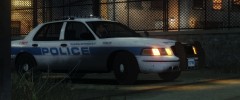 This picture looks fantastic.


