


Sheriff Van Dyck
Members
-
Joined
-
Last visited
Everything posted by Sheriff Van Dyck
-
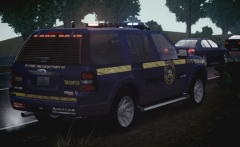
From the album: NLSP
I will release it today, hope you will like it! -
![[TEASER - DAY #13] Rope rescue- Firefighter mod by gangrenn [WIP]](//s3-gallery.int-cdn.lcpdfrusercontent.com/gallery/album_547/sml_gallery_2101_547_702531.png) I think it is.... freaking awesome!!!!
I think it is.... freaking awesome!!!! -
You're going the right way, keep it up! I have made a lot of ugly skins when i started with skins, now i can even do models. The practice makes the master, keep it up!
- 26 comments
- 1 review
-
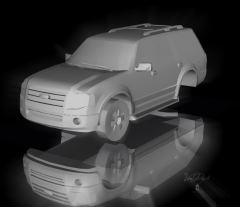
From the album: WIP
-
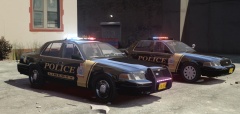 Bro, i'm just in love with your enb.
 -
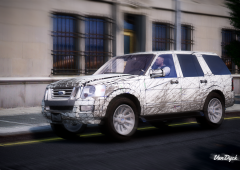 There will be two versions! Will put like 20k antennas on it. LOL two versions are coming Thanks! They look big in the pics, in the game i think they look normal. When i make the wheels smaller, they look pretty funny in game, trust me.
 -
From the album: WIP
Now let's make a police version! Any ideas? -
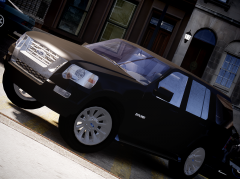 hahaha they're too big, maybe?
 -
From the album: WIP
Damn! -
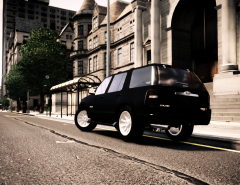 Thank you!
 -
From the album: WIP
Almost done!! -
Yep. There's not gonna be anothe version as my pc died and lost all of that work, and i can't find that unlocked Silverado.
- 51 comments
- 5 reviews
-
-
![[WIP] 2008 Ford Explorer](//s3-gallery.int-cdn.lcpdfrusercontent.com/gallery/album_2619/sml_gallery_928_2619_92966.png)
From the album: WIP
Just the beginning of the progress on this model. Will release in civil version and Police Version, trying to upgrade my skills and put this test for myself, hope everything goes as planned! -
-
-
-
Great, thanks a lot, will try it once i finish with another CVPI i'm working on and let you know.
-
I've done that already, but even trying with every type of shader it stills giving me the problem. Will try it, do i need to do another thing with that?
-
 Looks pretty cool! I'm waiting for it !
 -
Hey guys, just a quick one. I can't assign any texture to this object (it is a rim). Not in UV-Mapper nor materials editor, every texture i try to assign to it (being mesh or tire shader) just leaves the object in plain black texture. Does anybody knows why is this happening? Here's a picture of what im trying to say:
-
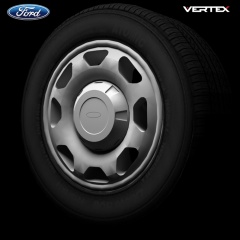 Hey bud, are you going to release some of this parts? I woul love to have some of them on my next models. Good job btw.
 -
 It sounds great, i will be waiting for the "Roll up/down windows" feature, sounds very promising.
- 21 comments
- 2 reviews
-
-


![[TEASER - DAY #13] Rope rescue- Firefighter mod by gangrenn [WIP]](http://s3-gallery.int-cdn.lcpdfrusercontent.com/gallery/album_547/sml_gallery_2101_547_702531.png)
![[WIP] 2008 Ford Explorer](http://s3-gallery.int-cdn.lcpdfrusercontent.com/gallery/album_2619/sml_gallery_928_2619_92966.png)
