Jaytee0421
Members
-
Joined
-
Last visited
-
-
-
-
-
-
-
-
http://www.gta4-mods.com/vehicles/2011-dodge-charger-rt-hemi-v11-dev-f21397
-
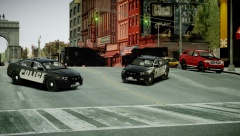
In game press ctrl+m to bring up a menu, U will change primary, I will change the traffic advisor (if there is one) O will change the the Wig-Wag flash (I forgot what they are called).
-
Here are some simple steps for ELS setup. Extra_1 (Primary Flash) Color- Usually blue Extra_2 (Secondary Flash) Color- Usually red Extra_3 (Secondary Flash) Color- Usually blue Extra_4 (Primary Flash) Color- Usually red Extra_5 (Wig_wag 1) [ will activate to take-down 1) Color- Usually white Extra_6 (Wig_wag 2) [ will activate to take-down 2) Color- Usually white Extra_7 (Traffic Advisor 1) Color- Usually orange/yellow Extra_8 (Traffic Advisor 2) Color- Usually orange/yellow Extra_9 (Traffic Advisor 3) Color- Usually orange/yellow Dummy Primaritives (Extra_1) Size 0.04 Scaled on X-Y-Z axis. (Extra_2) Size 0.04 Scaled on X-Y-Z axis. (Extra_3) Size 0.04 Scaled on X-Y-Z axis. (Extra_4) Size 0.04 Scaled on X-Y-Z axis. (Extra_5) Size 0.04 Scaled on X-Y-Z axis. (Extra_6) Size 0.04 Scaled on X-Y-Z axis. (Extra_7) Size 0.04 Scaled on X-Y-Z axis. (Extra_8) Size 0.04 Scaled on X-Y-Z axis. (Extra_9) Size 0.04 Scaled on X-Y-Z axis. Extra_1 Should consist of, Extra_1_L0 & Extra_1_L1 Extra_2 Should consist of, Extra_2_L0 & Extra_2_L1 Extra_3 Should consist of, Extra_3_L0 & Extra_3_L1 Extra_4 Should consist of, Extra_4_L0 & Extra_4_L1 Extra_5 Should consist of, Another Dummy named Extra5, size should be 0.02 scaled on X-Y-Z axis. Extra5 Should consist of L0 & L1 also. Extra_6 Should consist of, Another Dummy named Extra6, size should be 0.02 scaled on X-Y-Z axis. Extra6 Should consist of L0 & L1 also. Extra_7 Should consist of, Extra_7_L0 & Extra_7_L1 Extra_8 Should consist of, Extra_8_L0 & Extra_8_L1 Extra_9 Should consist of, Another Dummy named Extra9, size should be 0.02 scaled on X-Y-Z axis. Extra9 Should consist of L0 & L1 also. (If no second dummy is added to Extra5,6,9 They will mostly likely not flash, or will be darker then the rest) Example, I did not have L1's but make sure you create them. (Hope this helped)!
-
So today I was on my computer all day like I always am and decided to play xbox. So I plugged my ethernet cord into my xbox and played gta 5 for a little. Suddenly I smell smoke and Im disconnected from xbox live. Well guess what caught on fire my wifi modem. -_- So now im screwed. I thought this was weird and kinda funny so I thought I'd share my experience. XD
-
If you have trainer enabled go to options > disable keys (on the end of first page) And your saying you have els installed? Make sure the car your using is els. Also the default cruisers arent els enabled.
-
Just push K to get warning only, or press L to get the secondary. If thats what you mean?
-
I've been trying to get my collisions to work forever now but I can seem to figure it out. If I shoot the car in game there is no bullet holes and I can walk through the doors. If anyone can help me resolve this let me know.
-
-
-
-