Skip to content
View in the app

A better way to browse. Learn more.

LCPDFR.com

A full-screen app on your home screen with push notifications, badges and more.

To install this app on iOS and iPadOS
  1. Tap the Share icon in Safari
  2. Scroll the menu and tap Add to Home Screen.
  3. Tap Add in the top-right corner.
To install this app on Android
  1. Tap the 3-dot menu (⋮) in the top-right corner of the browser.
  2. Tap Add to Home screen or Install app.
  3. Confirm by tapping Install.

xDodox

Members
  • Joined

  • Last visited

Everything posted by xDodox

  1. Consoles are good, PCs are better. :happy:
  2. xDodox replied to AlconH's topic in Discussion
    :thumbsup:
  3. xDodox replied to AlconH's topic in Discussion
    LCPD: FR for GTA V :turned:
  4. For police cars look at gtapolicemods.com
  5. Then you have to use the Editor mode, there is a button in OpenIV.
  6. And don't forget the 'Games for Windows Live Update for GTA IV' (just google it).
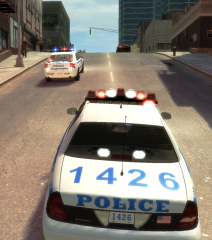
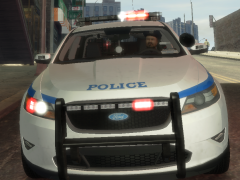
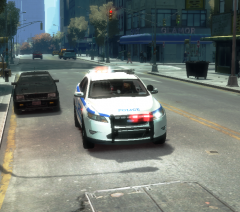
  7. xDodox posted a gallery image in GTA IV Galleries
  8. xDodox commented on xDodox's gallery image in GTA IV Galleries
  9. xDodox commented on xDodox's gallery image in GTA IV Galleries
  10. xDodox commented on xDodox's gallery image in GTA IV Galleries
  11. xDodox posted a gallery image in GTA IV Galleries
  12. xDodox posted a gallery image in GTA IV Galleries
  13. xDodox commented on xDodox's gallery image in GTA IV Galleries
  14. xDodox commented on xDodox's gallery image in GTA IV Galleries
  15. xDodox commented on xDodox's gallery image in GTA IV Galleries
  16. xDodox commented on FDLC FF/EMT Boxer's gallery image in GTA IV Galleries
  17. xDodox commented on xDodox's gallery image in GTA IV Galleries
  18. xDodox commented on xDodox's gallery image in GTA IV Galleries
  19. The Live Wall gives following error: I just want to report this error. Dodo
  20. xDodox commented on FDLC FF/EMT Boxer's gallery image in GTA IV Galleries
  21. xDodox commented on Monty0112's gallery image in GTA IV Galleries
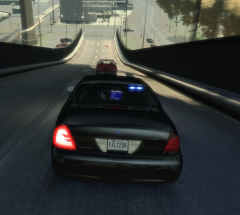
  22. Same here: Red/White lights.
Account

Navigation

Search

Search

Configure browser push notifications

Chrome (Android)
  1. Tap the lock icon next to the address bar.
  2. Tap Permissions → Notifications.
  3. Adjust your preference.
Chrome (Desktop)
  1. Click the padlock icon in the address bar.
  2. Select Site settings.
  3. Find Notifications and adjust your preference.