



xDodox
Members
-
Joined
-
Last visited
Everything posted by xDodox
-
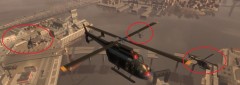 No thats some choppers from the drug war in TBoGT.
 -
??? Just download LCPD:FR 0.95 RC2 from the download section??? Then just run the installer. The other mods just install like in GTA IV.
-
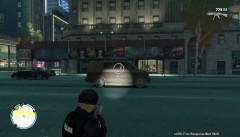 Saw your post very late....this is one from Grims Weaponpack for IV an TBoGT.
 -
If you want one with flashlight, just install Grims Weapon Pack for GTA IV and EFLC.
-
Just Fatal Error or is there a number after Fatal Error? Do you have other mods than LCPD:FR or ELS if yes remove them, then try again. But you could try to launch the game as an admin (right click on the LaunchEFLC.exe then choose run as admin....) Then you could try xlive.dll or xlive.dll and dsound.dll.
-
 Thanks! :)
 -
Ok, no problem!
-
No, just use xlive.dll and download a 100% savegame, then you can play. Or do the first mission then you can play lcpd:fr (it enables all islands) too.
-
E is right. I think another mod is the problem, there was another guy with the same problem. Please remove all other mods exept LCPD: FR 0.95 RC2.
-
If you launch it as an admin it get full rights, means it can do almost all: For example: Write in read only folders...etc.
-
Ah yes, GTA IV. Just start the LaunchGTAIV.exe as an admin ;)
-
-
Hi, thats normal for Windows 7! I didn't find a solution yet. But you could try to start the LaunchEFLC.exe as an admin (just right click, then choose run as an admin....).
-
Your mouse doens't work with GTA IV or with the mod?
-
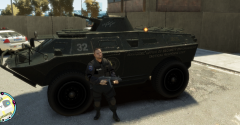 Really? Cool, where is it? :-)
 -
From the album: xDodox's Pictures
© xDodox
-
-
install LCPD: FR 0.95 RC2 to your desktop, then move all files manually to your gta install dir. And run it as an admin (right click on the installer).
-
Should work now.
-
-
Update your EFLC. The Log say you have the version 1, 1, 1, 0.
-
And update your EFLC to v. 1.1.2.0.
-
ATI Radeon HD 5970 2GB GDDR5 vram.
-
Try xlive.dll instead of dsound.dll or try booth.
-
Then try xlive.dll instead of dsound.dll. Or try booth.


