


Caine
Members
-
Joined
-
Last visited
Everything posted by Caine
-
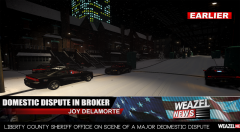 Haha Yea. Most of the criminals are inside due to the snow.
 -
Just something I put together :)
-
From the album: Weazel News
Domestic Dispute on Savannah Ave. in Broker. -
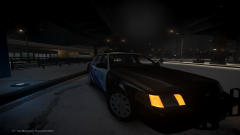 Lol Yea. It's pretty crazy!
 -
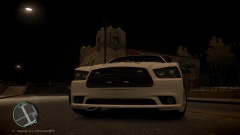 Interesting idea you have here. Have u considered this Charger though. http://www.gta-mod-center.com/forum/index.php?/files/file/188-2013-dodge-charger-pursuit/It's alot more realistic then this one.
 -
Yea I got it off from a model from GPM. Then I later realized later you uploaded a whole pack. Now I feel stupid lol
-
From the album: Random Model Pics / W.I.P's
Liberty Metro Police Department out on a snowy day at the FIA. -
Anyone available to map a template to a vehicle for me. I have tried many times but can't do it. P.S - I have a template, just need someone to map it to the car. Thanks!
-
lmao
-
I was just about to say if this was in the US they most likely would have opened fire on him. But then I realized this was in Iowa. I'm just gonna stop there. lol
-
-
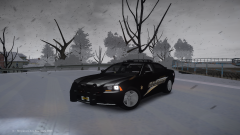 I'm Sorry? If your referring to me making a replica of a Monroe County Charger, I wasn't. I am using the skin that says Liberty on it. Just my assumption on what you mean. idk
 -
From the album: Random Model Pics / W.I.P's
Comments? Suggestions? Update - Fixed wheels. Video - -
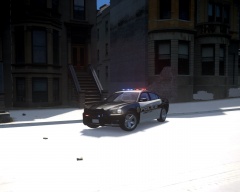 This Charger looks pretty Badass! lol
 -
I was actually in the process of Converting a Chrysler 300 for this exact reason. Progress is at about 30% though and most likely won't be released 'till after Christmas. http://gyazo.com/8d90a837ec7fc2803ade07fda9070ffc
-
-
Here's a video of my newest Vehicle that I'm putting together for a Christmas Release! Tell me what you think!
-
-
-
-
-
-
-
Model Overview 2013 Dodge Charger LCSO Code 3 Defender V1.00 ________________________________________________ Credits - 2011 Dodge Charger R/T from Real Racing 3, ripped by DMN - Converted and edited into a 2013 Dodge Charger Pursuit by GeorgieMoon - Template by GeorgieMoon - Taillights by Forza - Wheels by GerryStudio, Edited for GTA IV by Bxbugs123 - Rim textures by Bxbugs123 - Rambar - Turn 10 Studios (Forza4) - Tim98 / "Kygo" for Federal Signal TS-100N - Whelen Inner Edge TIR3 made by Tim98 - Watch Guard made by Bxbugs123 - SHERIFF/EMS/FIRE & BErad1502 for the skins! - Decatur Genesis made by Bxbugs123 - ProGard Partition Created, textured, rendered and converted by BFRS-EMT - Rockwell Collins Laptop Made & Converted by Bxbugs123, Textures By Bxbugs123 & DoTTGaMMa - XT6 by Bxbugs123 - Code3 Defender, Kygo - Feniex Pegasus, Scratch modeled and textured by Reboot23, ELS mapped by Reboot23 _________________________________________________ Video (Video is Partially outdated, screenshots are more accurate.) https://www.youtube.com/watch?v=_vSi89bWrPE&list=UUsWrwpwRoG4rvZ1Q8qYzbeQ
- 14 comments
- 4 reviews
-



