


scottm2014
Members
-
Joined
-
Last visited
-
That seemed to work! Thank you very much!!
-
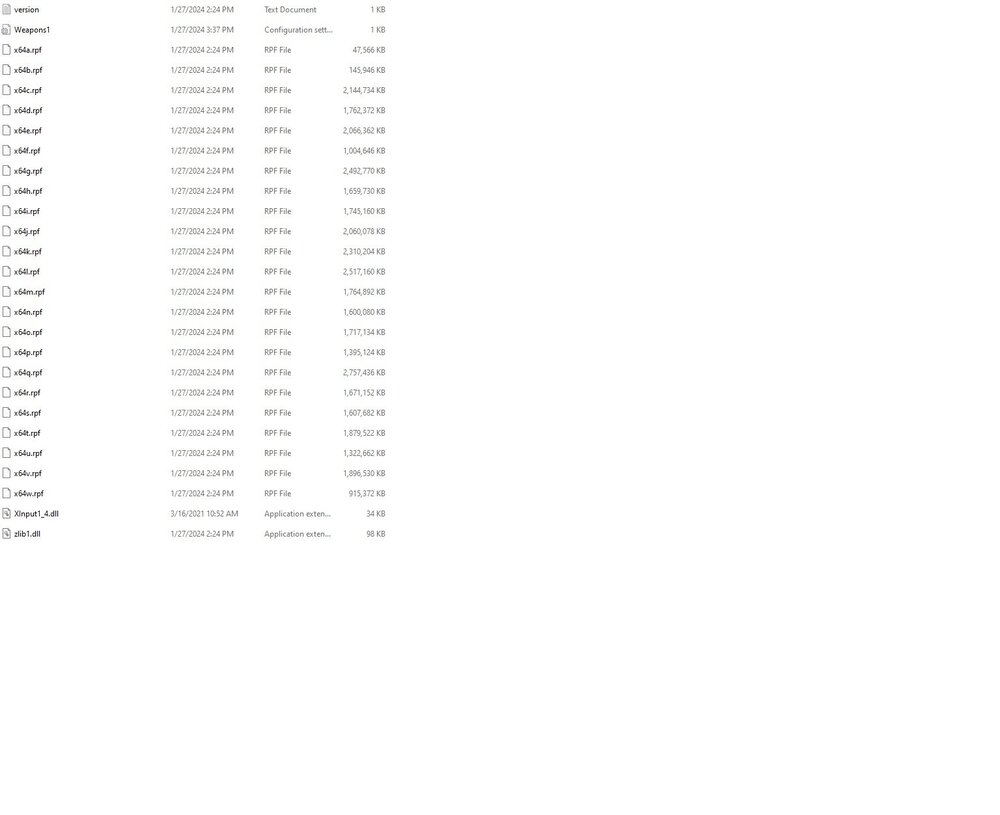
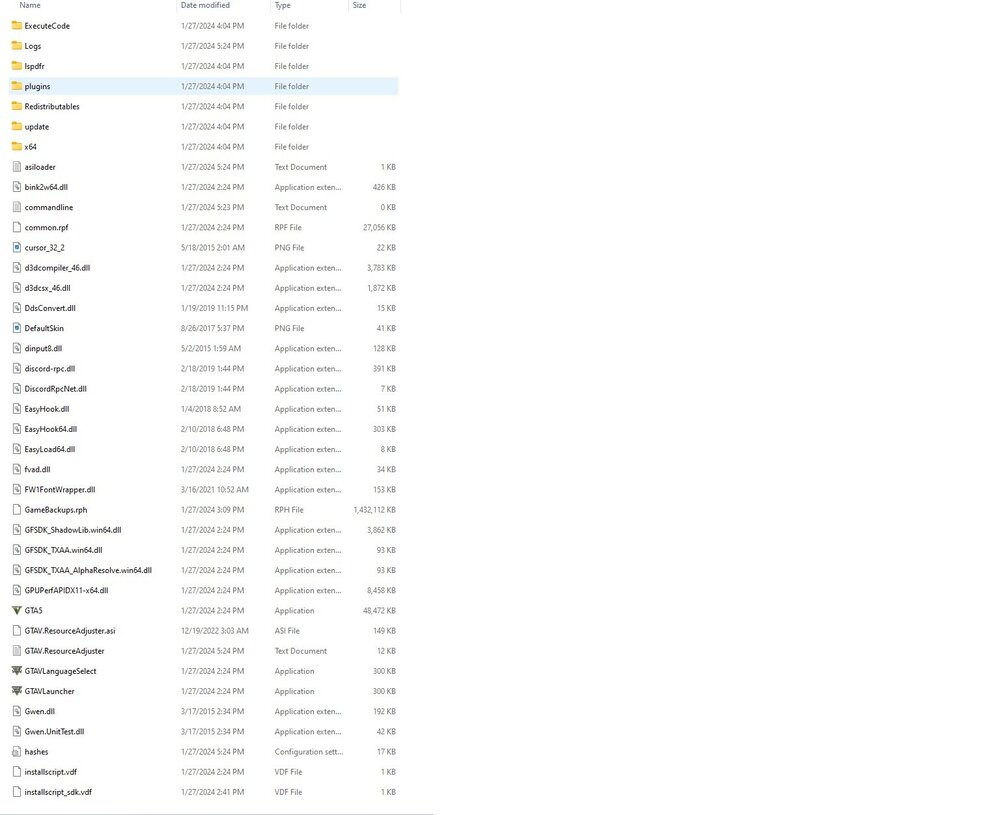
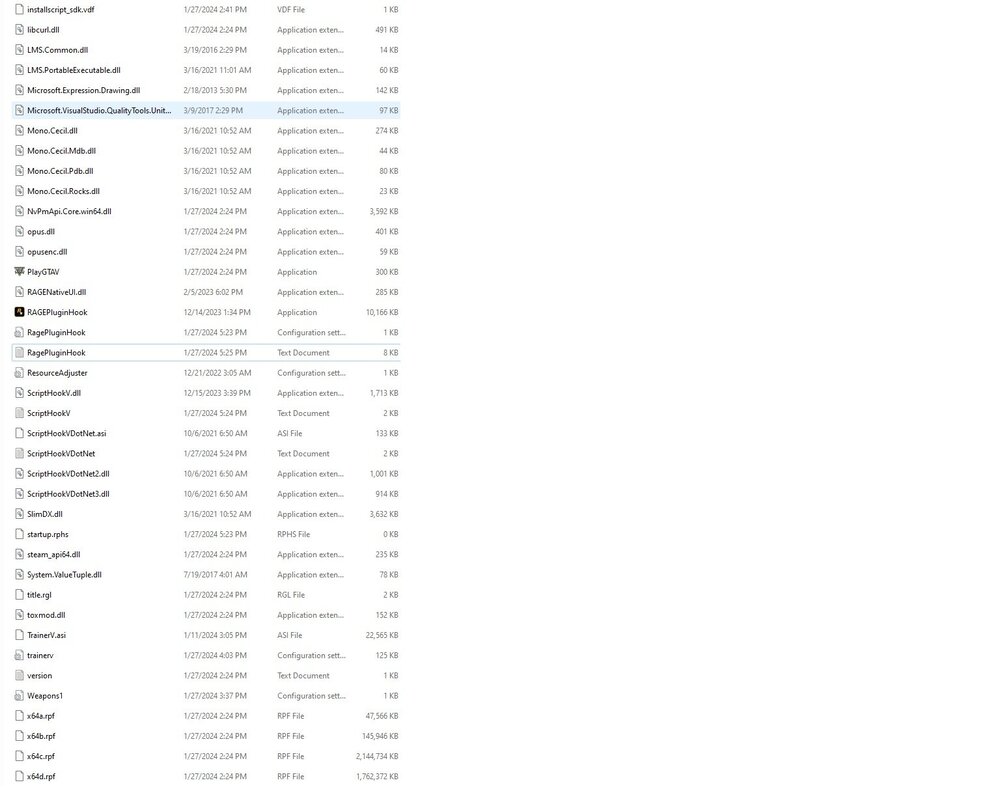
As the title suggests. I've tried everything that I can think off. Starting RHP with nothing loaded, with the LSPDFR plugin loaded, loading within the game, starting RHP with admin permissions, all with no success. I'm probably just missing something because it's been so long since I've used this. Everything should be up to date, did a fresh manual install today. Any help is welcome, thanks! RagePluginHook.log
-
I am happy with what we have now. It's proof that progress is being made. And while y'all (the devs) could have just made a youtube video of the gameplay, you release the current version for everyone to play around with. It's a very nice gesture and I think it'll satisfy the community until the next update. Yes, the mod is at a barebones state, but it's something. Like you said, the mod in it's current form is more stable than even the latest form of LCPDFR, and I believe that. I haven't had a single crash yet. The install was easy. The whole ragehook thing with the typing into console is the worst part of the entire mod I think, but for now it will work. I know that once an easier way is found, it'll be implemented. Everyone just needs to be patient. Although, you have given us a sample of that juicy, 20oz. steak, and now you have to deliver it to us. But I know that won't be a problem ;) Keep up the terrific work guys! You've got a whole community supporting you!
-
-
 scottm2014 reacted to a post in a topic:
GTA V modding in the future? If so could LCPD:FR Also become LSPD:FR?
scottm2014 reacted to a post in a topic:
GTA V modding in the future? If so could LCPD:FR Also become LSPD:FR?
-
If you mean that they leaked a version of the game back on Jan. 8th, then who cares. That version isn't the finished product and most likely doesn't have all the features that the finished version does have. Regardless, every game is going to get pirated. Period. It's the sad reality. And it's not just PC games, console games can easily be pirated too. Game dev's have a few ways to help prevent pirating and ways to fight it, like activation codes for example. But pirates gonna pirate.
-
Well thank you for your help. I'm in the process of building a new computer and that one will probably have Windows 7 on it so maybe that'll help? Also, should I just spend the $20 and get the Steam version? I've been using a CD version. Maybe the Steam version will be better? What do you think?
-
I don't know which log it would be in so I'll just give you all of mine. Plus, my game has started crashing now after like 5 or 10 minutes of playing, so maybe you can see what that problem is too. I'm just full of issues right now. I feel like no one usually has this much trouble. Here are my last twp LCPDFR logs Here's the AdvancedHook log And the AdvancedHookInit log Any other logs you need?
-
So that is why the taser wouldn't work hahaha well here you go, hopefully it's an easy fix.
-
I had that installed before, but reinstalling the VC++2012 did it. LCPDFR works now, so thank you all for your help, I really do appreciate it. But putting the AdvancedHookInit.asi back into the directory doesn't allow me to load the game still, so I'm just going to leave that out. Will that be a problem? I haven't experienced any so far.
-
Hopefully I did it the right way. If not, just call me stupid and I'll do it again. I've never used Dependency Walker so I really didn't have a clue as to what was going on. I just opened the AdvancedHook.dll and saved it like you told me too.
-
Doesn't seem to be the case since Im having all this trouble haha didn't have this much problems when I ran this on my old laptop which was on Windows 7. Only problem there was that the game barely ran GTA IV because the laptop wasn't really made for gaming. I hope I or someone else can figure out the problem soon. I really did enjoy this mod during the little time I got to play it.
-
I said in the original post that I was running Vista, However, I checked the compatibility options and I don't have Vista SP1 in the options, the most recent is XP SP2. But the game will only run if I have that unchecked, so maybe unchecked means I'm running Vista SP1? Downloaded what I was missing, still getting the same error in game, with the script not loading. The LCPDFR.log is still the same as the one I had posted earlier.
-
That was a typo, didn't mean to say LSPDFR, my bad. Here is the LCPDFR log [iNFO - 12:38:24 PM] [Log] Started [iNFO - 12:38:24 PM] [Main] Main: Initializing... [iNFO - 12:38:24 PM] [Main] Main: LCPDFR Engine © 2011-2013 LMS [iNFO - 12:38:24 PM] [Main] Main: DO NOT USE THIS WITHOUT PERMISSION. YOU MAY NOT SHARE, MODIFY OR DECOMPILE THIS FILE. [ERROR - 12:38:25 PM] [] System.IO.FileNotFoundException: Could not load file or assembly 'AdvancedHook.dll' or one of its dependencies. The specified module could not be found. File name: 'AdvancedHook.dll' at ct.a() at ct..ctor() at LCPD_First_Response.Engine.Main.e() at LCPD_First_Response.Engine.Main.d() The ASI log if you need it... ...and the ScriptHookDotNet as well...
-
i had done that already and I still wasn't able to launch the game. I figured out that I had to delete the AdvancedHookInit.asi. It starts now, but now I'm getting the 'LCPDFR_Loader.Loader' error thing. And the diagnostics tools still isn't working for whatever reason.
-
Like the title says. GTA IV ran fine before I installed LCPDFR. Whenever I try to load the game it gives me this: http://i.imgur.com/f3owWNl.jpg?1 So I tried looking up the solution for this, found that maybe it had to do something with xlive.dll, dsound.dll, etc. Well that isn't it. I don't have both in my directory. Here's what I have: '> I wasn't even able to open the LCPDFR diagnostics tool. I just get this: '> I looked around to see if I could find anyone with a similar problem as I but didn't see anything, if someone did then I didn't see it and I apologize. Yes I have been running everything as administrator. I have no logs because I haven't been able to get into the game. Running v1.0.7.0 GTA IV on Windows Vista if that matters, which I would think it wouldn't. -Edited for typos


