Skip to content
View in the app

A better way to browse. Learn more.

LCPDFR.com

A full-screen app on your home screen with push notifications, badges and more.

To install this app on iOS and iPadOS
  1. Tap the Share icon in Safari
  2. Scroll the menu and tap Add to Home Screen.
  3. Tap Add in the top-right corner.
To install this app on Android
  1. Tap the 3-dot menu (⋮) in the top-right corner of the browser.
  2. Tap Add to Home screen or Install app.
  3. Confirm by tapping Install.

OperatorOperating

Members
  • Joined

  • Last visited

Files posted by OperatorOperating

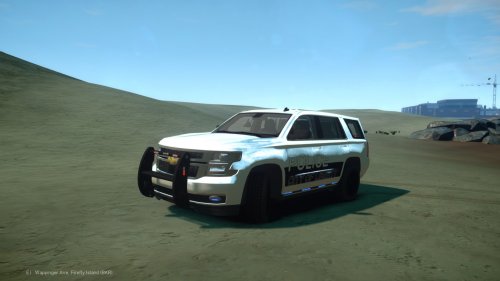
  1. 2015 Tahoe PPV Slicktop with LCPD and LCSO textures, somewhat based upon a similarly setup 2015 Tahoe being upfitted at my work.
    Handling line included along with ELS config.

    You may not redistribute this elsewhere, nor attempt to unlock it.
    • 317 Downloads
    Updated
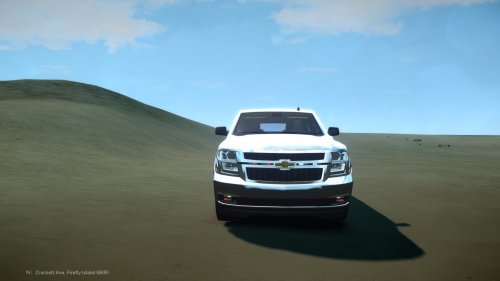
  2. 2015 Tahoe SSV unmarked based upon one like it for Pensauken Twp's Fire chief, rear Whelen Raiders on trunk function as directionals. ELS config file included.  

    Will possibly also map rear Whelen Raiders to serve as primary lights as well.
    • 544 Downloads
    • 9 Comments
    Updated

Account

Navigation

Search

Search

Configure browser push notifications

Chrome (Android)
  1. Tap the lock icon next to the address bar.
  2. Tap Permissions → Notifications.
  3. Adjust your preference.
Chrome (Desktop)
  1. Click the padlock icon in the address bar.
  2. Select Site settings.
  3. Find Notifications and adjust your preference.