



Beren
Members
-
Joined
-
Last visited
Everything posted by Beren
-
 As I suspected, he must have updated the template for his model. I'll have to make new textures for it. I'll be flying around Asia for the summer, but I'll find the time to update this and include other requests in as well.
- 71 comments
- 16 reviews
-
-

- 1
-
-
Oh, you're right. I'm assuming he updated the model and the templates changed. I'll have to make some news ones. Thanks for bringing this up!
- 71 comments
- 16 reviews
-
-
- 1
-
-
I'll be doing some texturing over the weekend, keep an eye out for updates What exactly happened to the texture? Mine still works fine. Good to see that @Hystery was able to help you, kudos to him! Also @rybak04, the 2008 LAPD Tahoe you linked is compatible with the skins used for GlitchGamer's Tahoe
- 71 comments
- 16 reviews
-
-
- 1
-
-
 Sure, I'll be doing some textures over the weekend, I'll make one for that. Bugs' Impala is already covered Unless there's a new pack I'm not aware of, in which case send me the link and I'll work on it.
- 111 comments
- 23 reviews
-
 Texture looks good to me though, but won't complain for an upgrade :)
 -
Yeah, these shouldn't be a problem. The previous methods I described in my earlier post only makes them spawnable ingame. Having them respond and act for specific agencies requires more file editing. When I get the free time this weekend, I'll help you set them up in their own addon folder. Also, what is this video you speak of? Can I have the link to see the methods they use to go through it? EDIT: This thread should probably be moved to the modding & discussion forum, since it has little to do with LSPDFR itself.
-
Adding new cars is actually easier than people realize, same goes with adding new peds too. The files files you really have worry about are the car model/texture files, carvariations.meta, and vehicles.meta. The car model/texture files are pretty self-explanatory, they're the model and texture file of your specific car. You can give this any name you want, so long as each file type share the same name (eg. police7.ytd, police7+hi.ytd, police7_hi.ytf etc etc.) The name you've given these files will be used once you put the basic info of the car within vehicles.meta. In vehicles.meta, you can simply copy-paste existing car entries based on the type of car you want. You want to add a new SUV? copy and paste the data of sheriff2 and simply rename parts of that entry with the appropriate name you've given your model files (in this case, police7). The rest of the changes are small and simple, such as choosing which siren sound group to use. To have the proper light patterns ingame, you'll have to modify carvariations.meta. The models you can download here usually come with their own carvariations entry that you have to use anyway, so it's another simple case of copy and pasting. That's pretty much all you have to do to add a new car ingame. What kind of car do you plan on adding? I can show you how to add it with more in-depth info.
-
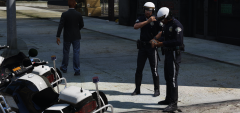 Ok, no worries. Either way, these two will be in an LCPD uniform pack I'll be releasing at some point anyway. I just don't want to prevent anyone from releasing content on my account.
 -
No, Lundy, feel free to release it if you have it finished. I don't care about being first lol, only that the community gets it. And heh, I know. I really need to make my own belt textures for these peds.
-
From the album: Los Santos Police Department
Motor uniforms with proper badges WIP -
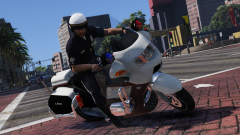
From the album: Los Santos Police Department
Motor uniforms with proper badges WIP -
I thought about doing it, though I never bothered since I use your pack anyway, heh. I actually even have taxi textures for a crown vic taxi, based on the companies I usually see around LA. I'll probably release those at some point. I'm just waiting for someone to finally make a prius model for taxis. In any case, I just wanted to say that I'll be taking a break from texturing for a bit, this week has been hectic for me. However, I'll still be visiting the site every once in a while, so feel free to leave your car suggestions and I'll work on them once I get some free time again.
- 111 comments
- 23 reviews
-
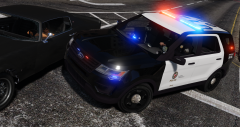
From the album: Los Santos Police Department
-
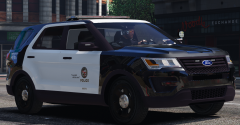
From the album: Los Santos Police Department
-
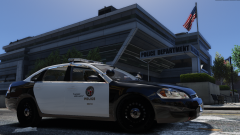
From the album: Los Santos Police Department
-
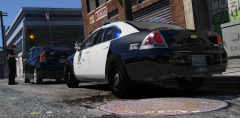
From the album: Los Santos Police Department
-
Ok, just released the first half of the requested vehicles (I do them by order requested). I'll have the rest by the end of this weekend.
- 111 comments
- 23 reviews
-
-
- 1
-
-
Let me know which cars you use then, and I'll add them in later updates. I just tend to start off with cars that use the same model/lightbars as their real-life counterparts.
- 111 comments
- 23 reviews
-
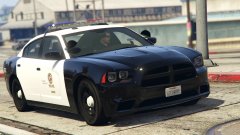 Sexy.
Sexy. -
As far as I can tell, Gump's CVPIs uses F5544's template. The skins I have for it now works for them too. I'll make some for Bug's CVPI.
- 111 comments
- 23 reviews
-
Los Santos Police liveries re-textured to appear more similar to their LAPD counterparts. NOTE: The archive has been re-structured to make things more organized (CVPI liveries will be inside the CVPI folder etc) --------------------------------------------------- You'll need to cars listed below, however most of these skins will work on other models that use the same template (F5544's cars, FPIU's that use Desmond98's model, etc): I realize that there are a dozen LSPD skins out there, but I just wanted to put out my own take on it. As always, I'm open to suggestions and requests. Enjoy!
- 111 comments
- 23 reviews
-
-
- 17
-
-
Uploaded the 2015 Tahoe and the 2016 FPIU. Will be adding F5544's Taurus by tomorrow.
- 71 comments
- 16 reviews
-
-
- 1
-
-
-
Jeez, how long was that shoot-out? Sounded like a friggin warzone...
-

