


CastleBravo1
Members
-
Joined
-
Last visited
Everything posted by CastleBravo1
-
I've got a couple of modeling questions, so you'll have to bear with me. I'm the newbiest of the newbies when it comes to modeling cars. I've got somewhat of the basics down, but even then, it's like pulling teeth. So I'm trying to apply this OuterEdge lightbar to my Tahoe, but it's really testing my patience. I looked at the handful of Tahoes that have this lighting set up, but even then I'm still wondering how they made it work. Has anyone applied this this "lightbar" to a Tahoe? My issues are these: Scaling the lightbar so it is flush to the Tahoe, but doesn't compromise the "realistic" set up of the lightbar. Copying or mirroring the OuterEdge for the OTHER side of the Tahoe. Also: Is there anyway I can select ALL of the parts of a model? Like a glass piece for a lighting unit AND the lighting unit? Any help would be appreciated. If I need to post pictures, I will. I'll keep tampering with it just in case I have some sort of breakthrough. Thanks! -CastleBravo1
-
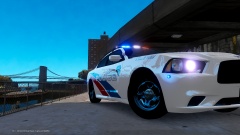 Yesssss. Can I also get dibs on this? Please and thanks!
 -
-
Maybe a Whelen Delta? I'm still trying to figure it out.
-
Perfect. Thanks for your help!
-
I'm trying to figure out how to make all rear deck lights activate using secondary lighting or during the stage two lighting (if that makes sense). Instead of the direction stick being activated, I want all rear deck lighting activated. Is this possible? Would it needed to be reconfigured on a modeler program? What I'm referring to is similar to Spitfire7's set up. Thanks for your help and answers! -CastleBravo1
-
Uploaded some LCSO skins that are similar to the graphics of my local SO. Link to Tahoe model submitted by Cj24: http://www.lcpdfr.com/files/file/242-chevrolet-tahoe-lcpd-els/
-
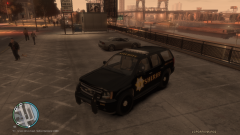
From the album: Liberty County Sheriff's Office skin WIP
-
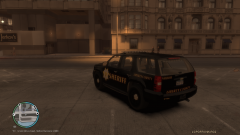
From the album: Liberty County Sheriff's Office skin WIP
-
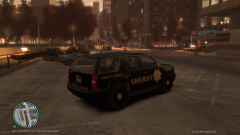
From the album: Liberty County Sheriff's Office skin WIP
-
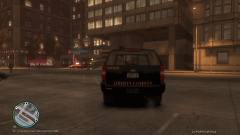
From the album: Liberty County Sheriff's Office skin WIP
-
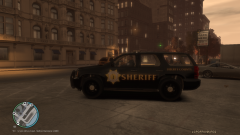
From the album: Liberty County Sheriff's Office skin WIP
-
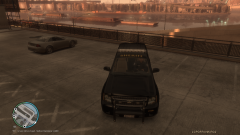
From the album: Liberty County Sheriff's Office skin WIP
-
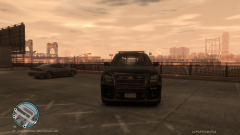
From the album: Liberty County Sheriff's Office skin WIP
-
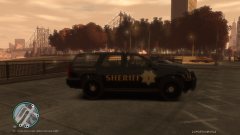
From the album: Liberty County Sheriff's Office skin WIP
-
I think the black and yellow scheme is the best looking. Are you going to release a skin for the Tahoe as well? Would you be willing to create a Supervisor skin for the Charger and/or Tahoe?
- 4 comments
- 3 reviews
-
-

