JewishBanana
Members
-
Joined
-
Last visited
Everything posted by JewishBanana
-
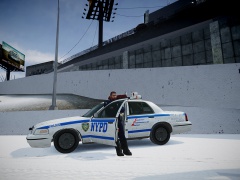
From the album: The Precinct Life.
Just waiting for a speeder. -
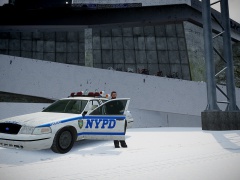
From the album: The Precinct Life.
Just waiting for a speeder. -
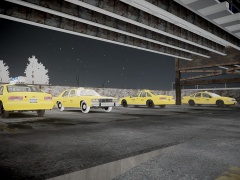
From the album: The Precinct Life.
Some old cabs just sit out waiting in the cold winter night. -
Favorite police background. Favorite fire background.
-
True, but traffic load is more intensive on your game though if you have the right hardware you can run it just fine. Traffic flow: Simple and should work on MOST PCs. Traffic load: Memory intensive and works on mid-high end PCs.
-
-
Many lights indeed. I like it except for the grill. If you were responding code 3 to a call with that car you would probably blind oncoming traffic. On a side note about the video: Are you pushing a dead Roman in that charred vehicle?
-
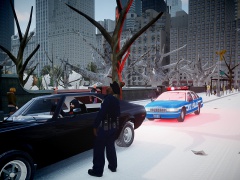
From the album: The Precinct Life.
"Do you know why I stopped you today?" -
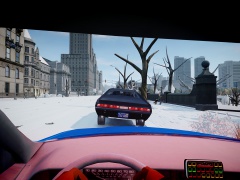
From the album: The Precinct Life.
This damn Javelin driver blew right through a red light near Central Park. No wonder he did though, he's a Californian driver. -
 Completely agree with ya. Didn't think to much when I was deciding a timeframe, though. I'll also consider putting an old all blue livery on the Crown Vic.
 -
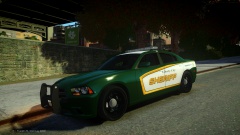 Very nice texture! I love how the gold orange line curves with the vehicle and reveals the white. Definitely should release it.
 -
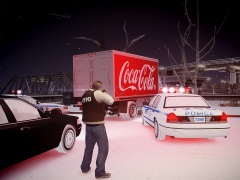
From the album: The Precinct Life.
Dec.4.2001.4:47 A.M. A suspect who was involved in a case of hit-and-run tried to escape officers of the New York City police department in the early morning. He was using a large delivery truck to make a getaway, but officers quickly caught up with him and he had no choice but to be cornered in a parking lot near Rosedale, Queens. He will be taken into custody on evading arrest and the hit-and-run charge. -
Actually, it looks like the new interceptor's paintjob is based on a mix of the showroom style livery and the Los Angeles airport police's livery. As for the sheriff cruiser, they should have not based it off of the volunteer department rather than the actual Crown Vics driven around by deputies. Though I do give R* a bit of slack considering Rockstar North is a company based in Scotland and not in the United States and so the law enforcement uses different vehicles and a different system over there. Like stated before, they did an amazing job on the lighting and the vehicles themselves, but when it came to liveries it just sort of fell apart.
-
In front of the large church in Algonquin, can't name the street it's on off the top of my head, there should be a patrol car parked behind a civilian vehicle in which the officer is at the driver's window preforming a routine traffic stop. I don't know wether or not that it came with installation of LCPD:FR or it was included in the original GTA IV. I completely agree with the idea of having little things like this around the map, not callouts, in which you can either interact with them or let them be and watch what occurs if you don't interact.
-
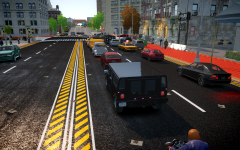 Alright. Just saying because your images are so cluttered and it's difficult to navigate through your gallery uploads. I do love the shots you take though!
 -
You know, you don't haaave to create a new album for each one of the images you upload..
-
Welcome to the world of vehicle modeling.
-
Pretty neat design, though I wish you had gotten screenshots of what the right side looked like. 5/5
- 9 comments
- 8 reviews
-
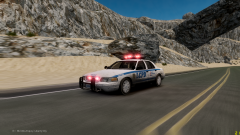 Must've gone to far upstate to be in the desert!
 -
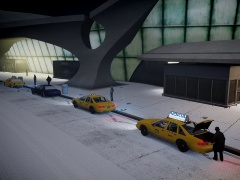
From the album: The Precinct Life.
It's a cold and windy night at the JFK airport in New York City. -
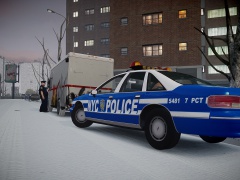
From the album: The Precinct Life.
An officer spots a suspicious vehicle that matches the description of a recently reported stolen delivery van. He'll just have a 'friendly' chat with the driver. -
Jesus, these random question threads have gotten out of hand. Seriously what kind of discussion would come out of this?
-
So it's time again for another birthday topic. Yay. This one is a little special though because it is for the beloved LCPD:FR founder, Sam Thomson. Sam is a neat guy once you get to know him. He's always there for anyone needing support and it seems like he always has the answer! Sam is also one of the reasons I think a lot of us on here began to get an interest in law enforcement. When I discovered LCPD:FR I was immediately fascinated by the amount of work and effort people put into making GTA IV mods and I thought, "Hey, I kind of like this stuff" and here I am today. Not only am I wishing Sam a very happy birthday but I am also thanking him for the amazing work he and others have done with making LCPD:FR and putting the GTA modding community where it is today. Best wishes to you Sam and have a happy birthday!
-
Are the textures your importing using the same template as the one that came with the model? Do you get any error messages when trying to import the textures?
-
We need more clans that focus on fire/ems role play. I would like to see a clan just based on that rather than police role play 90% of the time.