



Treyb8m8
Members
-
Joined
-
Last visited
Everything posted by Treyb8m8
-
From the album: [WIP] LSPD Police Pack
-
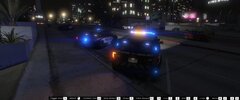
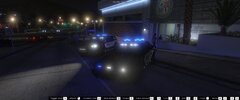
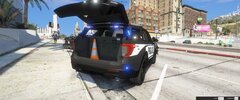
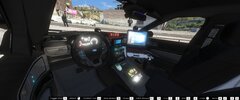
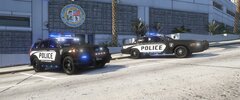
some pics of a police pack im working on. Going to be high detail and include about 6-10 vehicles. More pics to come. suggestions welcome
-
From the album: [WIP] LSPD Police Pack
-
From the album: [WIP] LSPD Police Pack
-
From the album: [WIP] LSPD Police Pack
-
From the album: [WIP] LSPD Police Pack
-
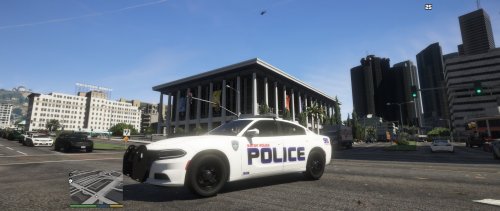 Sorry, the original author removed the vehicles. You can use another users model of the vehicles though. The skins can fit any one of the cars.
 -
 Yeah that’s my fault. I accidentally set the LODs too low so it disappears when your still close to it. Basically, LODs are “level of detail” depending on the distance you are from the car. Something’s disappear when your far enough away to make the car more optimized and I accidentally set the push bar to disappear to early. Sorry!
- 27 comments
- 15 reviews
-
-
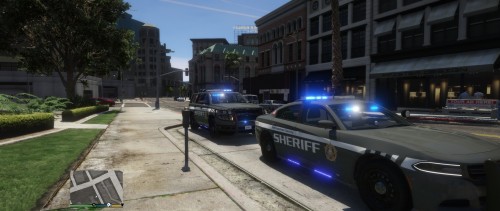
What's up party people this is just one of the vehicles I'll be releasing in my Blaine County Sheriff's Office Pack. This is just a few pics of the first reflective livery I finished so I hope you like! Click links to view the Livery Reflection https://gyazo.com/95bc129c96e05b373028b890f8944bb5 https://gyazo.com/396b9c754b6cf509272ac5c8d41e8b67 PICS OF CHARGER https://imgur.com/gallery/OhctRR3 Gonna try to release this Sunday but it's St. Patty's so idk but it's def. coming soon!
-
-
Lastest patchday will be in dlclist folder. So for example the lastest patch day is patchday19. They have a lot of YouTube videos on it too!
- 27 comments
- 15 reviews
-
 In OpenIV, go to ASI Manager and uninstall ASI Loader and OpenIV.ASI and then click install again to reinstall them. Next, restart your PC, and try loading into the game again and see if that works.
- 31 comments
- 7 reviews
-
Hmm, are any of the lights on the vehicle on a steady burn, where they don’t turn off?
- 31 comments
- 7 reviews
-
-
I’m actually working on a red/blue mega pack right now that will include sheriff department!
- 31 comments
- 7 reviews
-
-

- 1
-
-
Hello! This is my second vehicle pack so let me know what you think! I put the vehicles together using development parts from LSPDFR, (credit below) Vehicle liveries also made by me. The charger is the same from my LSPD Pack but with side runners and a different livery. Install in your latest patchday folder Thank you and hope you enjoy! Credits: Charger: Thehurk Tahoe: Fabe Setina Pack: Twurtleee Partitions: Twurtleee Christmas Development Pack: HP Deskjet Westin Pit Bar Elite (2016 Explorer): HuskyBaud Panasonic Toughbook: OfficerUnderwood Westin Push Bumper Elite XD (15-17 Tahoe): XTheGreatJamesX Turtle Console: Twurtleee Kustom Signals Golden Eagle II Radar: Gump Federal Signal SmartController: OfficerUnderwood ELS Caprice Console: majorpaine2015 Setina Pushbar: PoliceDev ALPR: MrPotato DEV generic Laptop Stand: HDgamerzPC DEV Default Carbine Rifle: SkillfulCorpse DEV Decatur Radar Equipment: HDgamerzPC Whelen Liberty II: Fabe Fenix Fusion 100: krul Soundoff 3000 Lumen work light: krul Generic LED light package: Bueno Whelen LINZ6 Super-LED Lighthead: OfficerFive0 Whelen Dominator Series Converted: Aaron W. Mods SoundOff Intersector Mirror LED: RobertTM Federal Signal/ Soundoff Spotlight: RobertTM\ Siderunners: Raptor2000 Do not re upload these in anyway
- 31 comments
- 7 reviews
-
-
- 10
-
-
Yeah! I was looking for a design for the skins and saw that. I tried to make it similar with the blue stripe.
- 27 comments
- 15 reviews
-
-
Hello! This is my first vehicle pack so let me know what you think! I put the vehicles together using development parts from LSPDFR, (credit below) Vehicle liveries also made by me. Install in your latest patchday folder As this is my first attempt at a vehicle pack and just learned zmodeler a few weeks ago, please leave constructive criticism or your opinion on the vehicles. Thank you and hope you enjoy! Credits: CVPI: Thehurk Charger: Thehurk Tahoe: Fabe Setina Pack: Twurtleee Partitions: Twurtleee Christmas Development Pack: HP Deskjet Westin Pit Bar Elite (2016 Explorer): HuskyBaud Panasonic Toughbook: OfficerUnderwood Westin Push Bumper Elite XD (15-17 Tahoe): XTheGreatJamesX Turtle Console: Twurtleee Kustom Signals Golden Eagle II Radar: Gump Federal Signal SmartController: OfficerUnderwood ELS Caprice Console: majorpaine2015 Setina Pushbar: PoliceDev ALPR: MrPotato DEV generic Laptop Stand: HDgamerzPC DEV Default Carbine Rifle: SkillfulCorpse DEV Decatur Radar Equipment: HDgamerzPC Whelen Liberty II: Fabe Fenix Fusion 100: krul Soundoff 3000 Lumen work light: krul Generic LED light package: Bueno Whelen LINZ6 Super-LED Lighthead: OfficerFive0 Whelen Dominator Series Converted: Aaron W. Mods SoundOff Intersector Mirror LED: RobertTM Federal Signal/ Soundoff Spotlight: RobertTM Do not re upload these in anyway
- 27 comments
- 15 reviews
-
-
-

- 17
-
-
Yes, I will be releasing the All Blue's first since it won the poll but later this week Ill release the Red/Blue!
-
https://imgur.com/gallery/gPfKWhq This pack will be realeased this weekend. These are the vehicles currently finished. I plan on adding a 16 Tahoe and another vehicle (not sure yet) . Might get bored and add more too. Let me know what you think so! (Ps: I just leaned ZModeler Like last week so this is my first model release) https://gyazo.com/6aa641317e9836ae134293b6260d03c5
-
-
Yes
-
Yeah! I actually live in BR so that is my next project!


