Wilbon
Members
-
Joined
-
Last visited
Everything posted by Wilbon
-
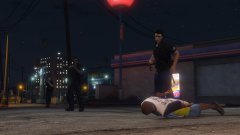
Just another late night foot pursuit
-
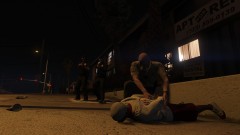
From the album: Wilbon's Random Snaps
-
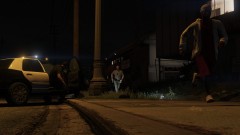
From the album: Wilbon's Random Snaps
-
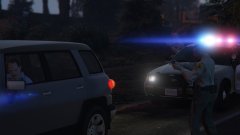
From the album: Wilbon's Random Snaps
-
From the album: Wilbon's Random Snaps
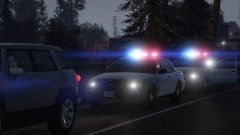
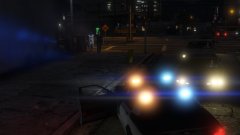
Under the 24-KING callsign, Deputy Eric Dumont responds to a backup request at Deputy Colin Logan's traffic stop. Upon arrival, Deputy Dumont exits his vehicle and speaks with Deputy Logan. Upon Deputy Logan's approach, the suspect evades the traffic stop and a pursuit is initiated. The suspect was later apprehended. -
From the album: Wilbon's Random Snaps
-
From the album: Wilbon's Random Snaps
-
From the album: Wilbon's Random Snaps
-
From the album: Wilbon's Random Snaps
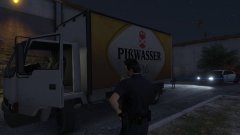
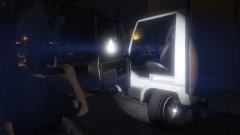
Routine patrol under 1-LINCOLN-11 callsign in the Davis area when Officer Minh heard a vehicle alarm begin to ring. Officer Minh approached the location of the alarm and identified a BMA standing next to an open driver-side of a Grey Mule. The subject then became aware of Minh's presence and fled on foot. Minh reported the incident over the radio and gave chase to the subject, eventually catching up and apprehending them once backup arrived. Minh performed a preliminary investigation and found a screwdriver used to smash the window of the van. The subject was transported to the Mission Row Police Station and documented as a member of the Original Covenant Ballas set in Davis. -
Deputy Sheriff III Eric Dumont responding to a traffic stop backup request
-
Some caps from the first patrol. Officer Jason Minh
-
 When I reinstalled and mine didn't have the space anymore, it started working. But I would definitely install that gamesettings.xml and try after that.
- 1,742 comments
- 172 reviews
-
I had this issue as well. I noticed that 'ComputerPlus.dll' was all as one word compared to 'Computer Plus.ini'. When I reinstalled the mod again, I noticed this time the space was removed and it was then 'ComputerPlus.ini'. Since then I've been able to look up in the database. Perhaps try that and see if that helps you.
-
So, now that 0.4 is out, what are some of the best spawn scenarios you guys have seen so far? If you're unaware, 0.4 adds a feature that makes it so you can choose where your last played character spawns. By default it is set to 'Random', which means it can spawn at your apartment, at a police station, or even on duty. At the apartment I've spawned the most, either watching TV or in the shower. Occasionally I'll spawn as my character after receiving a ride to a police station, although unfortunately it's always an LSPD station while playing a LSSD character. But I have encountered one where I spawned as my character, in uniform, on duty, just as he was finishing up a traffic stop.
-
I do, and the only things I had installed plugin wise at the time was Computer+, EUP Menu, and maybe Assorted Callouts. Gonna reinstall the assets because it's been a consistent crash each time and it didn't do it before. Edit: False alarm. Computer+ does work as intended and so far so good. I figured out the issue.
-
Does Computer+ crash in traffic stops when loading the vehicle database for anyone else?
-
So since the update, I've noticed that things seem to work fine for the most part except two things. 1. AI are daft as hell. Between zooming into a scene and mowing down cops for no reason to every ped insulting my character or spunking over my car. 2. Prisoner transportation doesn't seem to work well for me. When I arrest a suspect and call for a transport unit, most of the time it seems to bug my game where I cannot receive anymore callouts nor can I force them. I also cannot perform traffic stops and the only fix seems to be restarting LSPDFR, which doesn't crash. However; most recently I just finished a callout (the stolen police car one from 'Assorted Callouts') and my LSPDFR crashed when the AI (who did the arrests) went to transport. I've attached my log. I think it's possible the two issues are related, which is why I bunked them together. If all else fails I plan to uninstall LSPDFR and then do the manual install but first, is there anything I should try to change to fix my transport issues? RagePluginHook.log
-
Just crashed while trying to open the vehicle database on .4 during a traffic stop. Have all the extra assets installed, computer opens and what not fine. Any ideas? Edit: Just did a little more testing. If I am not on a traffic stop and I open the vehicle database, it opens with no issue. But if I'm on a traffic stop it crashes. Here's the last few lines of my RPH log: [2/25/2019 8:14:14 PM.224] LSPD First Response: [TRACE] Suspect has parked successfully [2/25/2019 8:14:16 PM.102] LSPD First Response: C+: Pause [2/25/2019 8:14:16 PM.590] LSPD First Response: [TRACE] PlayerCharacterStatsManager: Acknowledged [2/25/2019 8:14:17 PM.419] LSPD First Response: C+ DEV: Populating ALPR list [2/25/2019 8:14:17 PM.419] LSPD First Response: C+ DEV: Checking currently pulled over It crashes as saying GTA V has stopped unexpectedly. I have the recommended gameconfig, heap and packfile adjsuter installed as well. Edit: Found out why it was crashing.. Seems to work great so far, but does show every vehicle as having an alert for nada. Thank you for updating so quickly!
- 1,742 comments
- 172 reviews
-
-

- 1
-
-
Same issue. Day shows more red and blue properly now. But yeah it still flips sides on the lights when I get to a certain distance. It's not a tragic issue, but wondering if its more an issue with this car model/ELS or a settings thing.
-
Yep. That's showing a lot better. Except the unmarked seems to show weird. In the days the lights are more blue/yellowish. And at a distance, the lights actually swap so the red becomes blue and the blue becomes red. This is probably just the way the ELS/model was made, yeah? The CVPI is consistent and the red and blue is correct on both day and night.
-
http://prntscr.com/mq2oy5 https://image.prntscr.com/image/4a0dCMBiS6GTBgknL3aeEw.png Compared to any other media, such as: I use Radiance V (but I previously sued Realistic Radiance and had the same effect) and ELS. I've tried it with various different mods. Any idea why my lights look so bare. Day and night are like this. http://prntscr.com/mq2to1 The lights are supposed to be red/blue. Something with my lighting is really messed up. Edit: The lights look more proper at distance but when I'm close they look like this. For example the unmarked in the last picture up close has more like light blue and yellow lights up close but at a distance they flash red and blue properly.
-
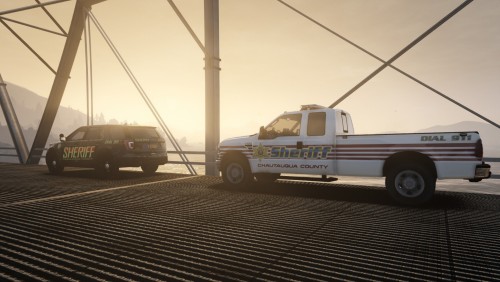 This is awesome. Also a Chautauqua resident. Any plans to make EUP uniforms for like JPD and what not? I'd cut about in gear like that.
 -
The inventory.xml thing is cool as hell. Being able to make some small modifications to the loadouts for going on duty. Thank you for posting documentation with tag examples. Is there anywhere we could get a master list of all the the names of weapons, attachments, etc for deeper editing? Edit: Found links on the wiki.
-
The sync settings page has been there for days btw. I saw it a few days ago when I namechanged.
-
That'd be sick. Enough to hit my main 3 agencies at least with ease. Else EUP Menu would be coming very in handy!