


syscrash
Members
-
Joined
-
Last visited
Everything posted by syscrash
-
-
He should be thankful he even has the freedom to spew his misinformation on the internet. Another generation of ungrateful kids taught to hate America by their grandparents yet if it wasn't for American/NATO/European intervention most of these theaters wouldn't be where they are today. We didn't choose to be the World Police, most of us don't like the idea but we as the WORLD aka NATO will not stand by and watch innocent children and women get slaughtered. Your Welcome, for my service and the service of my brothers and sisters to give you the freedom to run your mouth on the internet like you actually know what your talking about. You kids on these forums crack me up. No offense but most of you were not even born to argue this point.Please get some real world experience instead of playing video games before you talk about a topic you obviously know nothing about. Nobody wins in any Conflict....NOBODY. There are no innocent, there are no winners. We all Lose.
-
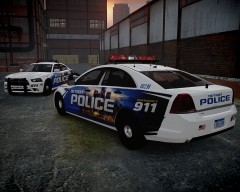 Can I have your babies? That is sweet. What's funny is I remember a time when DPD didn't even have functioning MDTs let alone cars that wouldn't die on the road. It's nice to see some positive change in that community.
 -
-
You might also want to check out if you can purchase the game through STEAM, since it's Mac compatible. But maybe someone can correct me here, I'm not sure if the mod itself is Mac compatible.
-
It's the new Duo Whelen Liberty. I have the same lightbar at work and flipping love that thing. It lights the night up. Here is a you tube video of it.
-
Just a suggestion. Ever try using MySQL or even openoffice for those that don't have access to MS Office. I'm experienced with MySQL but I'm still learning the scripting of the game. Very nice job
- 20 comments
- 3 reviews
-
Exact same siren I have at work and love it. I'm downloading this.....thanks so much
- 14 comments
- 12 reviews
