Skip to content
View in the app

A better way to browse. Learn more.

LCPDFR.com

A full-screen app on your home screen with push notifications, badges and more.

To install this app on iOS and iPadOS
  1. Tap the Share icon in Safari
  2. Scroll the menu and tap Add to Home Screen.
  3. Tap Add in the top-right corner.
To install this app on Android
  1. Tap the 3-dot menu (⋮) in the top-right corner of the browser.
  2. Tap Add to Home screen or Install app.
  3. Confirm by tapping Install.

Mooseman1149

Members
  • Joined

  • Last visited

Everything posted by Mooseman1149

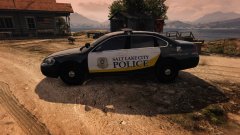
  1. Mooseman1149 commented on Tardis's gallery image in GTA V Galleries
  2. can you make this same cruiser skin but in slicktop
  3. I agree, a dually version would be perfect (man i "love" night call) this tow truck is soooooooo perfect but not 100% would really love to see it like this and add the rear wheel like truck wheels you know the double wheels in the rear
  4. this pack would be perfect with a slicktop crown vic can you please make one (im watching this pack like a hawk)
  5. This cruiser is just so kickass that my gaming computer fried right as i tried to use it (PC LAPTOPS) put liquid cooling in it and it busted so two wrongs same company, it is my favorite cruiser even though i got 3 minutes alone with it....
  6. The cruisers looked great then i remembered that LAPD uses the Argent light bar. (did i spell that right?)

Account

Navigation

Search

Search

Configure browser push notifications

Chrome (Android)
  1. Tap the lock icon next to the address bar.
  2. Tap Permissions → Notifications.
  3. Adjust your preference.
Chrome (Desktop)
  1. Click the padlock icon in the address bar.
  2. Select Site settings.
  3. Find Notifications and adjust your preference.