


.jpg.e1e30b5364bf0b8faae6705e45a335d6.jpg)
pledge8236
Members
-
Joined
-
Last visited
Everything posted by pledge8236
-
My advice would be to go through and check the data you have added tot he Vehicle.meta is correct. Namely that it has no addition spaces and also includes the correct lines at the start and end of each line. For example: Correct Data - Top <Item> <modelName>ninef</modelName> <txdName>ninef</txdName> -------------------------------------- Correct Data - Bottom </Item> <Item> <modelName>elegy2</modelName> Incorrect Data - Tom <Item <modelName>ninef</modelName <txdName>ninef</txdName> -------------------------------------- Incorrect Data - Bottom <Item <Item> <modelName>elegy2</modelName> The above shows both the top and bottom lines of the vehicle.meta. I have found that if they are incorrect you will crash (see items marked in bold). Try and work through the vehicles you have added and ensure all is OK. Failing that, add a fresh Vehicle.meta to your mods folder and check that the game loads if it does then you know it is your meta file that is wrong. (Worth saving the modded one though until you have checked if the fresh one works in case its not that.
-
I have also experiences crashes. I'm standing by for further updates. If you read through the forum it's currently a common theme. We will just have to be patient. Sorry dude
-
I think it may have something to do with the update. I dont have any flashing lights on my cars and i have changed nothing other than the updates. I guess we should standby for a few days to see if anything further is updated. Be worth flagging up on the Rage Plugin website also.
-
And the above report is what your getting. Ok let me have a read of the report.
-
Try and reinstall them both againew just on the off chance something didn't go in. They start up the game and screen shot the crash and anything that's there should it crash. If nothing has changed themy it should load unless there is an issue with the new updates...
-
OK...have you changed anything else? I have experiencedone issues also but not the game crashing yet but I only went on for a few minutes. Try running as the administrator also see if that has any impact.
-
At what point does it crash? Have you tried running the Albo troubleshoot? That's normally I good way to go as it does find many errors.
-
Have you updated your script hook??
-
Morning All, I have had a look through and do seem to be able to find anything suggesting this issue. I have updated my game today and have now lost all my emergency lighting on every vehicle. I have the sirens but no lights. Any suggestions as this all working fine pre-updates. Cheers Pledge
-
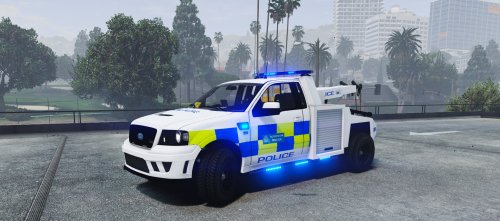 Looks awesome buddy. Nice job. :-)
 -
@Ravalli I note there is a folder containing the Car-variations for a Merc Sprinter however; when following the instructions you provided, the lights for the follow then become out of place. Are you able to take a look and possible supply an additional one? https://www.gta5-mods.com/vehicles/2014-british-mercedes-sprinter-ambulance Many thanks in advance. Pledge
-
Folks, Does anyone have a working Carvariations for the Merc Ambulance by British Gamer. I was able to find something that was close however the lights are then out of positions. My need for it is so that the lights are flashing all blue and not red as they currently do. Your assistance is as always appreciated. Pledge enb2016_9_20_18_47_42.bmp enb2016_9_20_18_47_15.bmp
-
Awesome. Thank you. All sorted. :-)
-
Folks, Some assistance is required again if you wouldn't mind. I have swapped out my police bike for a car. Everything is running peachy apart from the car sounds like a bike. I am unsure as to where i need to change this, i have searched the site however there are mentions of engine sounds but nothing clear as how to correct the issue. Your input and assistance as always is greatly appreciated. Kind Regards Pledge
-
Your a legend. Thank you. All sorted. :-)
-
Peeps, I have searched the site and made changes to settings however I cant fix the issue. I have recently modded a British set up. Added the cars etc and everything was good. I then updated radiance v and visual v and sadly now the blue flashing lights on the British cars are also flashing red...this wasn't happening before. Csn any suggest a fix???
-
-
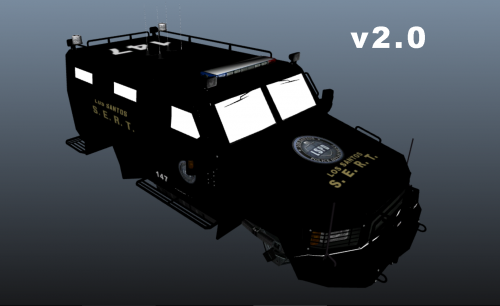 I do like this and it looks good. + I know have the 360 look as requested. Good Man!! Pledge
- 6 comments
- 1 review
-
-

- 1
-
-
.thumb.jpg.a4a34b706ab065eb1cdc7c8e75034ea3.jpg) Guys, Can anyone oblige in why the lights are not all working? Has anyone had the same issue? The only slight change is that i have placed this in the FBI slot as i like the unmarked version. Sits nicely. Thanks Pledge
Guys, Can anyone oblige in why the lights are not all working? Has anyone had the same issue? The only slight change is that i have placed this in the FBI slot as i like the unmarked version. Sits nicely. Thanks Pledge- 30 comments
- 28 reviews
-
 Nope. I have put the originals back and the game loads. Some lights are not working correctly however this i would expect without the carvariation files. It is extremely odd i have to say. I have tried uploading manually and the same happens...
- 501 comments
- 104 reviews
-
I have to agree. I have tried every which way but the vehicle.meta if placed in the updates/updates etc simply crashes. So i took the original meta and replaced the lines manually. Loaded it and it again crashed. Without this the cars are not working well. I added these in previously but owing to a melt down of GTA 5 i had to complete a full restore. I am not sure why this isn't working. Some divine intervention would be good. I love this pack. Truly awesome.
- 501 comments
- 104 reviews
-
-
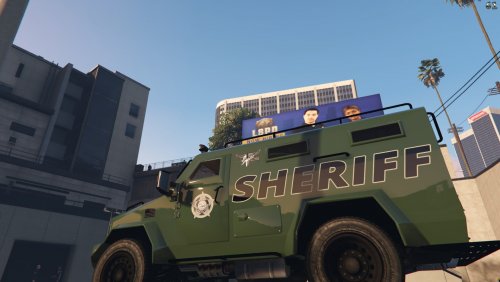 Awesome skin dude. Works well with the other skins i have in game. Look forward to more skins. :-)
 -
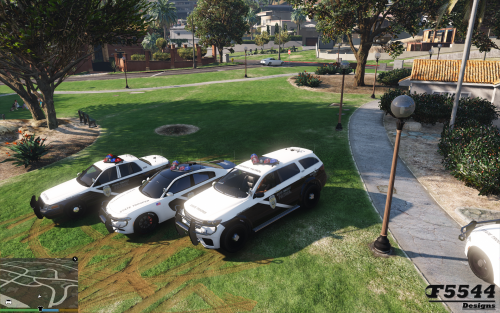 Did you delete any of the other packs you uploaded? It's not too complicated to add these in. You just need to follow the instructions exactly as provided. Just ensure the old ones are removed so as not to confuse anything. Happy to help if I can as I did the install last night with no issues apart from the audio which I can see has been fixed. @F5544thank you for the speedy fix dude :-)
- 81 comments
- 9 reviews
-
I have to say that i am having the same issue with the sirens. Uplaoed the pack without issue and man are they awesome looking cars. :-)
- 81 comments
- 9 reviews
.jpg.e1e30b5364bf0b8faae6705e45a335d6.thumb.jpg.599db8333ee69d0cd9afcdbfdc0b2133.jpg)
.thumb.jpg.a4a34b706ab065eb1cdc7c8e75034ea3.jpg)

