Iactuallyforgotmyname
Members
-
Joined
-
Last visited
Everything posted by Iactuallyforgotmyname
-
Not possible unless scripted....
-
Try disabling the trainer with your designated controls, and then try and re-enable trainer, and then press the button that would make the trainer go opposite of the direction it is currently going. Now please remember this error is a glitch so you may have to play with it ! Like my comment if it worked or helped !!
-
-
So recently (Just today) I created a new self extracting modpack for my members. It included Police 3 and 4, and Police B all the other vehicles within the default MoreVehicles CD Image was remove (to prevent Crashing) But my members have reported more crashing. So what Can I do to fix (prevent) this ? Any tips or experiences ? Thanks for all the help ! THANKS FOR THE SUPPORT !!
-
yeah thats in open iv titled loadingscreen there are multiples of them !
-
Depends which part of the loading screens for GTAIV you would like to edit ! Which part(s) are you talking about ?
-
-
How ???
-
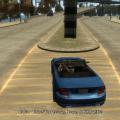
So i was creating my mod pack for my clan, and I put an F-150 in my Noose slot, and now the bed of the car is now green for some reason, I have changed my carcols noose slot to black (10,10,10) and nothing seems to work can anyone please help me thanks!!