




OblongGaming
Members
-
Joined
-
Last visited
Everything posted by OblongGaming
-
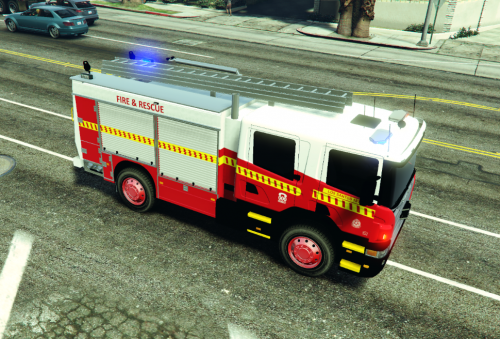 Great Job on the firetruck skin for WA mate, if only their was a proper WA Firetruck that was released to the public to use and just maybe if @AussieGamer1 could do something with his firetruck to make it into a WA one, will post a pictures if needed of front and back of a WA firetruck
- 1 review
-
-

- 1
-
-
 looking good, mate
 -
where can i find that VF skin @gooface1014 the traffic car number is completly wrong as they range from 200 - 299 where as General Duties cars range from 101 - 199 also with the transperth bus sking the number for them is on the left hand side with a white background with black the WA Police ped is made by AussieProgrammer @Thommoj
-
for everyone who missed or haven't seen ELS V yet
-
OK all g, just asking a question @snit
-
looks good, will it be templated for skins to be made or nah @snit
-
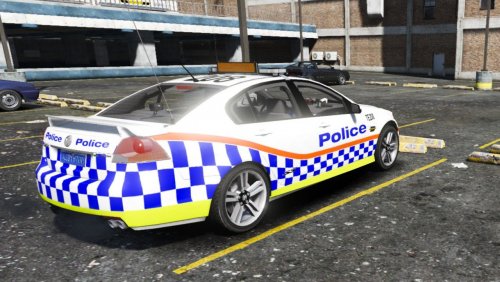 looks good, with the blue plate, would this fit on Moose's VE Commodore for highway, too also could you make this but for the VF if you could that would be awesome
 -
all g, redownloading now, do you use MVGA at all, if so does it up ur fps when in game
-
the ped looks great in game by the way, coz i put it in the cop01 slot and it looks amazing plus im gonna get your ambo skin now
-
Could anyone here tell me how to convert a Ped model from GTA V back to GTA IV by using Zmodeler2, due to myself not having Zmodeler3
-
but, it usually costs more to get it game ready/have them who you buy the model from, create the pod as well
-
looking good, mate, if you need me to test it out in game, just shoot me a message on here and or steam
-
yeah, i would put it in my game and replace the sheriff ped to use it
-
yeah, if i knew what type of model it was from motorola, i would be able to tell you, but the one you have used looks pretty much spot on, even if you updated the ped on a later date, if you need any pics of the blue LBV, just let me know in a PM
-
the Radio that the WA Police use are the Motorola radios, not sure on the type tho
-
looking good, will there be the blue LBV version too, possibly, also traffic enforcement cars have TE200 and above, on their cars, where as GD cars have the 100 based numbers, would also like to see the thigh holster option, if possible, not good job
-
@Kyben were you talking about the Police Recruits or Police Cadets, as for memory police cadets were aloud to drive the work cars, while displaying their P plates, where as the police recruits don't need to as they are doing driver training for the priority driving and that's unusual, as i remember seeing a news story on YT of an white unmarked ve wagon with the L plates on and the my family stickers
-
that would be awesome if you could bud, if you need any pictures of the uniform feel free to message me
-
Hey Aussieprogrammer, i need something like that for a gta iv WA Pack for my clan link below in signature, if you could do that for me i would be so greatful, can you pm
-
nice touch on number plate, @hully28
-
 damn dude that looks good 1000/1000
 -
looking forward to it Moose, will you be focusing on one state or are you planning on doing tops for the other states as well, with the load bearing vest, coz i can get you some pictures if need of the West Australian police load bearing vest in both navy blue and high vis
-
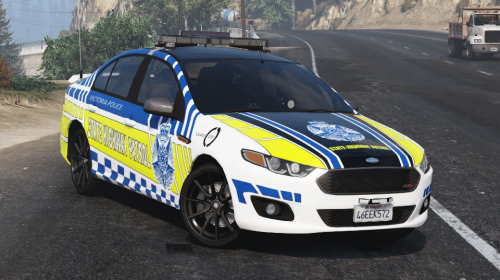 i thought that VICPOL were using a Mercedes Benz 4wd as their state highway vehicle
 -
but why on a falcon
-
Damn son that wagon looking good

