



Post Design
Members
-
Joined
-
Last visited
Everything posted by Post Design
-
Thanks guys
-
I started putting els vehicles in place of "patriot", "stockade" and "feroci2". I used to never have the original cars spawn around me before. But now I got Lenco Bearcat's and F250's all over the damn place. (I was in Francis most of the time). I'm hoping there was maybe a way I could change something that would fix this. Because I know people have done this before... Or is it because I hung out in Francis for too long? EDIT: Sorry, thought I posted this in support... If someone could move this, that'd be nice
-
-
Yeah. I'll probably make a skin for it. That is if I can find a template. I really like the light setup on it.
-
I recently found a really nice Chevy Suburban with an NYPD vector... The thing is, the skins it came with are horrible. I was wondering if anybody has or knows of an NYPD/LCPD skin that goes with this model. I believe it was made by Bxbugs. I've searched all over and can't find anything. If nobody can help me, I'll just make one for it. Picture: As you can see, the texture looks like it belongs to a different model...
-
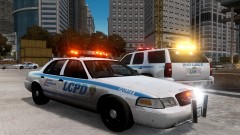 Oh. Sorry, was thinking you meant something else. Yeah, they're all by Lt.Caine, he does a good job.
 -
Hmm?
-
From the album: Random Pics
An LCPD ESU Tahoe responded to a 10-32 at the construction site at Castle Tunnel. Two patrol units soon arrived minutes later to assist the 3 ESU officers. The suspect was shot down by (ESU) Officer Davis when he pointed his shotgun at an innocent construction worker. The worker was alright and the suspect was transported to the City Hall Hospital. -
 I believe the NYPD still has some still in use (Barely). I'm working on an LCPD skin for the newer Impala. I don't think there's one already... There might be.
 -
Well, I actually only have 7 cars instead of 8. Each car has 4 liveries, the charger has an unmarked livery, a patrol livery and two diff Hwy Patrol liveries. Making it basically two different cars (Not really). If you would want more car slots (2 more) then EFLC gives you that.
-
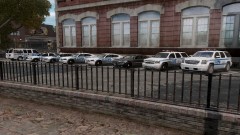
From the album: Post's Fleet
Found this fleet to be the most realistic to the NYPD and also fit to my liking. GMC Savana, Crown Vic, Older Chevy Impala, Older Rough Top & Slick Top Dodge Charger, Chevy Tahoe and the GMC Yukon. -
 Thanks!
 -
Thanks! I'll probably release it soon
-
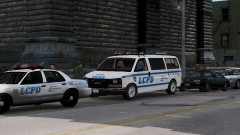
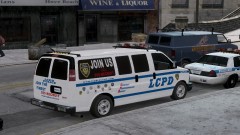
From the album: Post's LCPD Skins
LCPD Recruitment Van skin for the NYPD GMC Savana. Based off the real NYPD Recruitment Vans! (Did not make model) -
Just some LCPD skins I've put together
-
From the album: Post's LCPD Skins
LCPD Recruitment Van skin for the NYPD GMC Savana. Based off the real NYPD Recruitment Vans! (Did not make model)

