
PassatB5By
Members
-
Joined
-
Last visited
Everything posted by PassatB5By
-
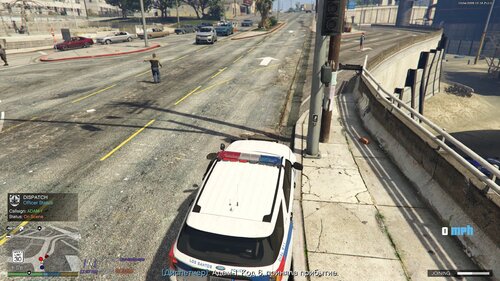 AstraPolice AI — Next-Gen Police Voice & Dispatch Suite Created by PassatB5By Overview Tired of robotic, rigid voice recognition systems and the abandoned, broken microphone inputs on Windows 11? AstroPolice AI is a complete modern overhaul of police radio mechanics for LSPDFR. Powered by a high-speed local/cloud LLM backbone and neural TTS voices (with authentic Motorola Astro radio sound filters and mic-clicks), AstroPolice replaces outdated speech engines with an adaptive, realistic police dispatcher that actually understands context, radio codes, and tactical situations. Key Features Windows 11 Microphone Fix: Solves the notorious audio capture bug found in legacy voice plugins. LLM-Powered Dispatcher: Strict radio protocols (10-Codes, California LAPD style), no hallucinations, concise and authentic responses. Neural Voice & Radio Audio Pipeline: Realistic PTT squelch, radio chirps, and custom bandpass audio filtering for true in-patrol immersion. Full Tactical Integration: Status updates (10-8 Available, 10-7 Out of Service, Code 6 On Scene). Traffic Stops (Code 5, 10-11) & Speed/Traffic control commands. Pursuit handling, spike strips, air support authorization, and coroner requests (10-54). Panic button & Code 3 officer assistance calls (10-99). The full ported list of GrammarPolice commands High-Speed & Resilient: Sub-second latency responses with built-in automatic voice fallbacks. Installation Ensure you have RAGEPluginHook and LSPDFR installed and up to date. Extract the contents of the archive into your main Grand Theft Auto V directory. Go to the google ai studio website and create an api key and paste it into custom.ini Install the appropriate package for your language Microsoft Speech Platform Runtime 11 (x64) Install it .NET Framework 4.8 Python 3.10+ Run the setup_and_run.bat file in the AIDispatcher folder Run start_ai_dispatcher.bat Configure the configuration and check your microphone using the AstraPoliceMicconfig program Launch the game via RAGEPluginHook and go on duty! Roadmap (Upcoming Features) [ ] Context-Aware World Dispatch: Dynamic callouts based on exact street, district, weather, and time of day. [ ] AI Partner System: Intelligent conversational passenger unit responding to voice commands. [ ] Interactive NPC Interrogations: Natural, unscripted AI dialogues with stopped drivers and suspects. [ ] Dynamic Dispatch Ambient Chatter: Background radio traffic between other patrol cars to bring Los Santos alive. AstraPolice is a deep modification of Opus47's GrammarPolice