DarthDrew
Insiders
-
Joined
-
Last visited
Everything posted by DarthDrew
-
-
-
-
-
-
-
-
-
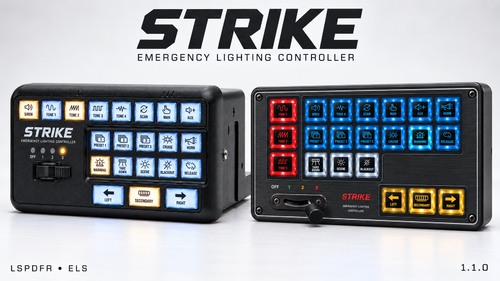 GTA V\plugins\StrikeEmergencyLightingController\StrikeEmergencyLightingController.ini follow same instructions as above except in this ini instead. change it in here instead. my mistake, it wont produce a panel preferences.ini unless you've moved or resized the panel in game. when you restart please send me your ini file as well as a fresh ragepluginhook.log and see if you can get a screenshot of the F12 menu of after you have pressed the cursor/pointer key
 -
-
-
-
-
-
-
-
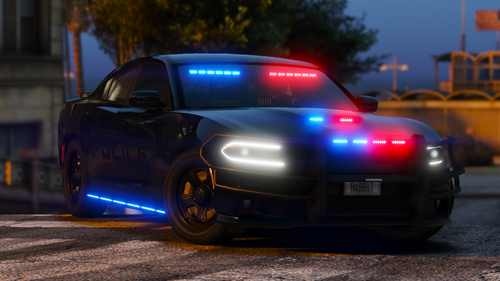 As always, a high quality release from you. Bravo
 -
-
-
STRIKE Emergency Lighting Controller brings a realistic, interactive ELS panel to GTA V Legacy and LSPDFR. Control lighting stages, siren tones, takedowns and secondary lights with animated buttons, customizable backlighting, vehicle-specific pattern presets, and a movable, resizable display. Will work as UI as well. will not replace your existing keybinds and will work normally with keys as well. First-Time Binding SetupSTRIKE runs binding setup automatically on first load. Press F12, enable the pointer with NumPad0, and open DISPLAY / INPUT to check the status. Use SETUP BINDINGS to run setup again if needed. STRIKE backs up your original ELS.ini before assigning unbound controls and preserves existing key assignments. Leave the plugin’s bindings on AUTO. If prompted, fully close and restart GTA V. Reloading STRIKE alone will not complete initialization. Press F12 to open settings and NumPad0 to enable the pointer. PATTERNS: Adjust LEFT/RIGHT patterns and three presets for each lighting stage. Stage tabs choose which presets you’re editing. Edits preview live when that stage is active on the vehicle. Click SAVE PATTERNS to save for that vehicle model. APPEARANCE: Select a button, then choose its face and backlight colors. Use TEST BACKLIGHT to preview illumination. Changes save automatically. DISPLAY / INPUT: Resize the controller and settings menu independently, choose stay-visible or auto-hide, and adjust click audio. Click and drag just outside the settings frame to move it. Right-click disables the pointer; F12 closes settings. Also be sure to check out my other plugins!: Videos, Streams and UsageGameplay videos, livestreams, reviews, tutorials, screenshots, and monetized showcases are welcome. Please direct viewers to this Design Overhaul download page. Reuploading, redistributing, selling, or bundling the plugin requires prior express written permission from Darth Drew. Complete terms and third-party credits are included in the download.
-
-
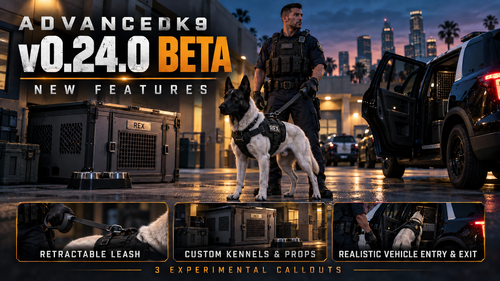 how do i properly update? just asking cause i dont see a guide on that and i dont want to just throw it in my file explorer and hope it works.
- 57 comments
- 5 reviews
-
-
-
 you shouldnt be getting notifications unless you have debug mode on. if you have a white underlay with all the text at the bottom of your screen then you are in debug mode. hold F10 to exit debug mode. if you want debug mode but dont want notifications then yes there is a setting for that. if you tap F10 everything you need is there with descriptions of what every setting does….
- 49 comments
- 3 reviews