


.png.b16277de5682f5fb414a7d8ae43ec8ce.png)
bluesignal
Members
-
Joined
-
Last visited
-
Currently
Viewing File: Dynamic Dispatch (For Policing Redefined)
Everything posted by bluesignal
-
 @Luum Not at the moment, unfortunately. The AI understands what you say, but the dispatcher responses are prerecorded in English, so changing the language setting won’t change the voice replies. I’d definitely like to look into custom language prompts and additional audio packs in a future update though!
 -
@nova2727 Thanks for clarifying. I’m working on reducing response times further in the next update. Your internet connection and API latency can also affect the delay. If responses take unusually long, please send me your RagePluginHook.log so I can investigate. The plugin was also updated yesterday with improvements to response speed and voice recognition, so please make sure you’re using the latest version. (V1.1.0)
-
-
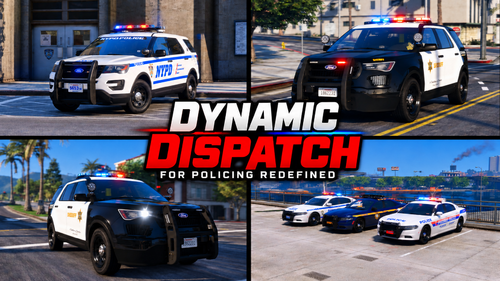
Dynamic Dispatch is an immersive voice-controlled dispatch system for LSPDFR and Policing Redefined. Hold your push-to-talk key, speak naturally, and dispatch will understand your request, respond with custom radio audio and perform the appropriate in-game action. Please ReadDynamic Dispatch is still actively being developed and may contain bugs. Please check the included TROUBLESHOOTING.txt before requesting support and report any problems you encounter. Holiday NoticeI’m currently away on holiday, so replies to messages, comments and support requests may be delayed. You can still report issues, and I’ll respond as soon as possible when I return. Thanks for your patience! CompatibilityDo not use Dynamic Dispatch alongside: GrammarPolice BlueLine Realism AI Dispatch Nexus Dispatch VocalDispatch Any other voice-controlled dispatch modification StopThePed and Ultimate Backup are not recommended alongside Policing Redefined unless official compatibility is added. MAKE SURE TO SET VIDEO TO HIGHEST QUALITY Content Creator NoticeUsing Dynamic Dispatch in a video? Send me a message with the link! I’d love to check it out, and your content may be featured on this download page. What’s New in Version 1.2.0Significantly expanded natural voice-command recognition Improved pursuit and suspect-fleeing phrases Real LSPDFR pursuit creation and termination Pursuits automatically end when the tracked suspect is arrested EMS and Fire & Rescue staging Staged units appear on the minimap with status-labelled service icons Commands to roll in EMS, fire or every staged unit Automatic staged-unit cleanup after Code 4 or cancellation Panic alert tone for shots fired, officer down and emergency requests Improved stop, slow and clear-traffic commands Custom Dynamic Dispatch startup logo Additional reliability improvements and bug fixes FeaturesNatural voice commands using Groq and Gemini Automatic Gemini transcription fallback Code 1, Code 2 and Code 3 backup Local patrol, state patrol, K9, SWAT, NOOSE and air support EMS, fire, medevac, coroner and animal control Tow service and prisoner transport Pursuit support, PIT requests, roadblocks and spike strips EMS and Fire & Rescue staging Stop, slow and clear-traffic controls Plate, VIN and pedestrian checks Voice-controlled statuses, callout acceptance and Code 4 More than 700 custom dispatcher audio files Customizable status badge, radio gestures and transmission blips Editable speech hints for callsigns and police terminology Configurable INI and F7 in-game menu Some commands require the correct gameplay context. For example, spike strips require an active pursuit, transport requires an arrested suspect and VIN checks require the player to be on foot near a vehicle. Default ControlsRight Alt: Hold to speak F7: Open the Dynamic Dispatch menu Both controls can be changed in plugins\LSPDFR\DynamicDispatch.ini. RequirementsGTA V Legacy RagePluginHook LSPDFR 0.4.9 Policing Redefined Common Data Framework Active internet connection Personal Gemini API key Personal Groq API key Common Data Framework is included. Policing Redefined must be installed separately. InstallationInstall LSPDFR, RagePluginHook and Policing Redefined. Drag everything inside the included Grand Theft Auto V folder into your main GTA V directory. Open plugins\LSPDFR\DynamicDispatch.ini. Add your keys after GeminiApiKey= and GroqApiKey=. Start RagePluginHook and go on duty. Never share your configured DynamicDispatch.ini, as it contains your private API keys.
-
 @N4STR0N4UT Sorry for the late reply, that error usually means NAudio is trying to use an invalid or unavailable audio output device. I haven’t encountered it myself, and nobody else has reported it so far, so I’m not certain it’s being caused by Background Radio Chatter. Please make sure your default Windows playback device is enabled and working, then send me your latest RAGEPluginHook.log so I can check whether the error originates from my plugin or another mod.
- 23 comments
- 3 reviews
-
@BlueLine Vibes Thanks for the heads up. I’ll add a compatibility notice and continue testing alongside mods that use NAudio 2.2.1. I may align the versions in a future update if necessary. Big fan btw.
- 23 comments
- 3 reviews
-
-

- 1
-
-
@BlueLine Vibes Yeah, but Background Radio Chatter was using NAudio 1.8.4, which was released in December 2017, and it’s been causing compatibility problems for me a lot. And I'm pretty sure it was NAudio was causing all these problems because I've replaced it in the new version and now it works way better.
- 23 comments
- 3 reviews
-
-

- 1
-
-
@jacalapar next update will come soon, and i will add an option to make it stay on automatically and I will also be replacing the NAudio so don't worry.
- 23 comments
- 3 reviews
-
@Marcorgan8472 yeah so basically Background Radio Chatter uses an older version of NAudio, I sometimes have problems with my BlueLine Realism mod as it uses a newer version of NAudio and doesn't support the Background Radio Chatter one. In the next update tho I will make sure to switch NAudio to the newest version of it. Thanks for letting me know.
- 23 comments
- 3 reviews
-
-

-
- 2
-
-
@Marcorgan8472 Go into your main game directory, plugins -> LSPDFR, then find BackgroundRadioChatter.dll and rename it to BackgroundRadioChatter.dll.disabled. Then join GTA 5 again and let me know if it crashes again.
- 23 comments
- 3 reviews
-
@mahamlyrics that's actually exactly why I made it, I downloaded More Radio Chatter one day and it worked but crashed my game. So I had an idea.
- 23 comments
- 3 reviews
-
@jacalapar currently its coded to be started manually. but if you do go into the .ini I've already got a setting in there that says Enabled=false, that setting will allow the scanner to work automatically. That will come in the next update though.
- 23 comments
- 3 reviews
-
. @MAJ14 Thank you, that is exactly the atmosphere I wanted the plugin to create. I really appreciate you giving it a try!
- 23 comments
- 3 reviews
-
-
- 1
-
-
-
Thank you, I really appreciate it! I hope you enjoy it, let me know what you think once you’ve had a chance to try it out.
- 23 comments
- 3 reviews
-
Background Radio Chatter adds a realistic, low volume police radio atmosphere to your LSPDFR patrols. Hear random background transmissions from dispatchers, officers, and other units while you patrol.Requirements: A Legal copy of GTA V, RAGE Plugin Hook, and LSPDFR. SHOWCASE VIDEO:(For the best experience, set the video quality to its highest setting).Content Creators:Using Background Radio Chatter in a video? Send me a message with the link! Selected showcases and gameplay clips may be featured on the official mod page. Please include a link to this official download page so viewers receive the latest and safest version.
- 23 comments
- 3 reviews
-
-
-
- 4
-
.thumb.png.7648dae005b21df3785a18c6d310be60.png)

.thumb.png.8cef6bf40847c87cdc7f2b84d14bb45d.png)