


VooDoob
Members
-
Joined
-
Last visited
Everything posted by VooDoob
-
There are alot of videos on youtube on how to convert GTA 4 cars. From the looks of it, your looking at converting the vehicles from google sketchup? I've heard of some people getting okay stuff from sketchup, but they've said you need the pro edition of sketchup to export the model to even import it into Zmodeler. Even then, once you do import it, you'll have alot of work ahead of you to texture and UV map the model and whose to say that the specific vehicles you want to convert are even of decent quality? It's long road ahead, but the resources are out there, and there should be videos and tutorials here on LCPDFR in the Tutorial Section!
-
If the car looks fine in zmodeler, but when your exporting it and its not taking any of the textures, then sadly its going to be on you. Sorry I couldn't help you more.
-
Well, from your pictures in openIV, your definitely missing the textures that you used in Zmodeler. Make sure every single texture is in the .WTD
-
Honestly, the best way that I was taught was to use the "Pen Tool". I would do some practice or even look up some videos on Youtube to find out the ways of the pen tool.
-
The errors that you are getting are because when you export the model, you have "Store Textures" selected. Deselect this. The textures that you use for the model (Charger, Police Lights, Police equipment) all need to be saved in the .WTD File
-
Yeah, accounts have to be manually approved due to the fact that people who have been caught with stolen content try and try and try to create accounts under Proxy servers and VPN's. You've been approved
-
I would say just give it some time. I got permission from Policefanatic to convert his 2013 FPIU over to GTA 5, and I will also be converting the 2016 FPIU that I made for IV over to 5. I will eventually release my 2014 FPIS for GTA 5 as well.
-
Do you want it to be attached to a ped? Or do you just want it as a prop for your vehicle?
-
They can be used, and sized to any car. They fit the 99 CVPI that I released unlocked at the moment.
-
You know what my suggestion will be lol DROPBOX!
-
Bueno has modeled a set and converted them to GTA V and released them unlocked on GMC.
-
Anything that trooperfightingnote touches is more than likely converted without permission. I would be very weary about receiving a file from him.
-
I'll probably end up converting the one you see in the video to V. I will keep those interested updated when I can.
-
No problem, glad it worked for ya
-
The lock feature that Oleg has released for Zmodeler3 (The program used to create such GTA 5 mods) disables the viewing of the model in OpenIV. The model should still work fine in game, you just can't view it in OpenIV
-
^^ What Lundy said. If the surface you are making has a curve, or is rounded , then more polygon's are needed to make that curve or roundness. If its flat, then the only advantage I've seen is with mapping that surface to a specific texture.
-
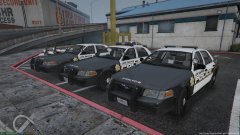 According to the author, No. I've already asked him. I think he's trying to convert it himself to V
 -
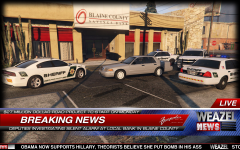 Not to burst your bubble, but I believe the only perms he has on releasing is the CVPI.
 -
Model is no longer available because the individual who uploaded it had no permission from the author.
-
Sounds good man. Much obliged!
-
Understandable. Only Beta versions of zmodeler can be used as the lock feature wasn't incorporated, as Oleg stated. Whether or not those versions are floating around or not is up in the air.
-
Our voices were heard folks, an option never hurt. I wasn't really apart of this discussion, but hopefully from here we can band together as a community and work on bringing even more high quality mods and models to GTA V. Happy Modding Everyone! http://forum.zmodeler3.com/viewtopic.php?f=31&t=7419&p=42059#p42059
-
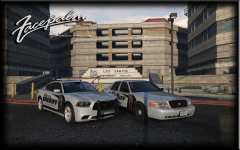 *stated lol but he said in the "My Thoughts on V Modeling" thread that unless a lock feature comes out, he will not be releasing anything for V. I'm not speaking on his behalf and saying he won't at all, just stating what he said. I'm pretty sure that he only got personal use perms for the charger too.
 -
Looks good, unfortunately he stated in the V conversion thread that he will not be releasing anything unless a lock feature is available.
-
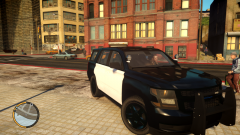 Yes, they will actually. From the pictures that I have seen, there have been some older tahoe pushbars used that look just fine.


