


Sn1Ken
Members
-
Joined
-
Last visited
Everything posted by Sn1Ken
-
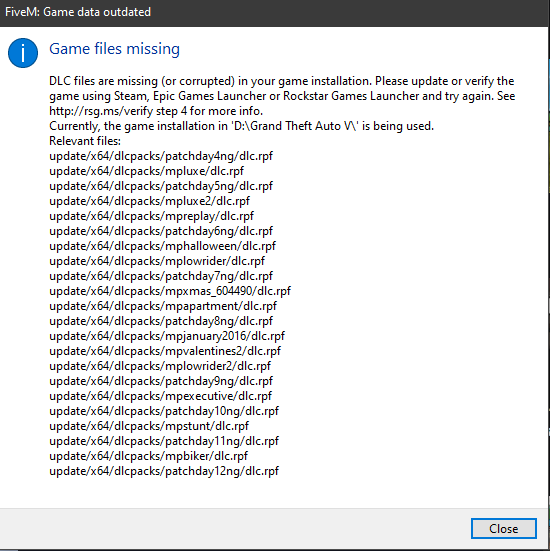
could this be the cause of my lspdfr crashing? FiveM tells me this when trying to start
-
Does GTA need to be installed on the SSD in order for LSDPFR to work? I retract my previous statement, I dont actually have a security tab on the drive that holds my GTA as my drive is exfat.
-
No, it didnt unfortunately. that only fixed LSR. I can access a security tab from my drive folder that holds my GTA
-
i Think i found my issue! the current installation of LSPDFR on the main page doesnt include the ragenativeUI yea, i got the RPH with LSPDFR. My GTA folder has no security tab.
-
Pasted content removed heap adjuster and i renamed my mods folder to ----mods so that should have also removed the game config I got tired of trying to mess with lspdfr and tried LS red, still with RPH, and im pretty sure LS red crashed aswell. i think something might be up with my RPH but i got the most relevant download off the main site today Pasted content "cannot find the file specified?"
-
yea GTA works fine, but when launching RPH while having loaded into story mode beforehand LSPDFR still crashes. and i have no other mods or plugins aside from aforementioned heap adjuster and game config. I ran out of game memory when i added the game config and added the heap adjuster to fix it if that has anything to do with it,
-
I reinstalled GTA entirely, downloaded the automatic and manual install of LSPDFR, tried with the heap adjusted and game config, did the 4/20 update break LSPDFR??? Game doesnt crash but the plugin crashes immediately pls help Pasted content
